Secure File Manager Pro
Antivirus scan
Powered by ClamAV
✅ Verified clean
This product file has passed our security filters.
Want to run a fresh ClamAV scan right now? Takes a few seconds and shows scanner version, signature DB and live result.
This can take 5 to 30 seconds.
Clean file Threat detected
No threats detected in this file.
- File
- Size
- Scanned
- ClamAV
- Signature database
⚡ Powered by ClamAV
Scan could not be completed
Report product
If you detected an issue (broken file, malware, inappropriate content, etc.) let us know and we'll review it ASAP.
Sign in to reportNewer version out, or a problem?
About Secure File Manager Pro
WordPress administrators who upload files through FTP or cPanel
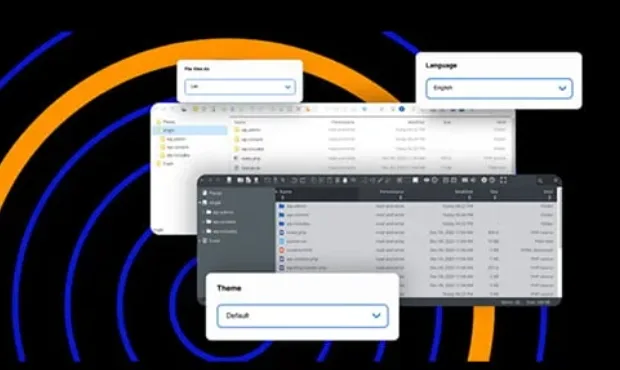
If you manage a WordPress site and every change to a file means opening an FTP client or logging into your host's cPanel, you lose time on a task that adds nothing. Secure File Manager Pro is built for those who prefer to do that work from the WordPress dashboard itself, without leaving it.
Because it works inside the dashboard, it is a tool for whoever runs a WordPress site.
User and role permissions to decide who touches each file
The usual problem is not uploading files but letting too many people change them. With this plugin you set permissions by user or role, limit the operations each one can perform, and hide files and folders they should not see. You can also set the maximum upload size, useful if your contributors send heavy files.
Email notifications alert you to changes made by users or roles, such as editing, uploading or downloading, so you do not find out by accident.
Code editor and database manager inside Secure File Manager Pro
It includes a code editor with full screen view and several visual themes, built for tweaking stylesheets or JavaScript.
Added to this are a built-in database manager, a syntax checker for code, the option to create shareable links to files, and shortcode generation directly from the editor.
Connections to Google Drive, Dropbox and GitHub through add-ons
The plugin can connect with storage services such as Google Drive, OneDrive, Dropbox, Box, AWS S3, Cloudflare R2, GitHub and DigitalOcean. Each connection is installed as an add-on, so you extend the plugin according to the services you use in your workflow.
Frequently asked questions about Secure File Manager Pro
Can it replace FTP or cPanel for managing WordPress files?
Yes, for everyday tasks: you can edit, delete, upload, download, copy and paste files and folders from the WordPress dashboard.
Can I let a contributor upload files without letting them delete them?
Yes. Permissions are set by user or by role, and the operations each person can perform are limited according to that setting.
Can I hide system folders from other users?
Yes. You can hide specific files and folders, and also define a private folder for each user.
How is the file manager shown on a page of my site?
It can be inserted with a widget, a shortcode or a template, or assigned directly by selecting pages in the settings. There are shortcodes for logged-in users and for visitors who are not logged in.
Topics
Version history
-
v
1.5 Current 13 May 2024
Customer reviews
Sign in to leave a review. Only people who have the product can review it.
No reviews for this product yet.
Frequently asked questions
-
GPL (General Public License) is the license under which WordPress and most premium plugins/themes are distributed. It grants you the right to use, modify and redistribute the software in as many projects as you want, with no domain restrictions.
-
Yes. With membership you get automatic updates via our GPLClub Updater plugin (installed on your WP, detects new versions and applies them). With individual purchase, you get one year of manual updates from your account.
-
Depends on the plan. Monthly: 3 domains. Semi-annual: 7. Annual and Lifetime: 15. Individual purchase: 1 domain.
-
GPLClub offers its own support for installation, configuration and compatibility. For direct support from the original author (feature requests, product-specific bugs), a license purchased from the author is required.