Shipper Pro
Antivirus scan
Powered by ClamAV
✅ Verified clean
This product file has passed our security filters.
Want to run a fresh ClamAV scan right now? Takes a few seconds and shows scanner version, signature DB and live result.
This can take 5 to 30 seconds.
Clean file Threat detected
No threats detected in this file.
- File
- Size
- Scanned
- ClamAV
- Signature database
⚡ Powered by ClamAV
Scan could not be completed
Report product
If you detected an issue (broken file, malware, inappropriate content, etc.) let us know and we'll review it ASAP.
Sign in to reportNewer version out, or a problem?
About Shipper Pro
Migrate WordPress sites with Shipper Pro
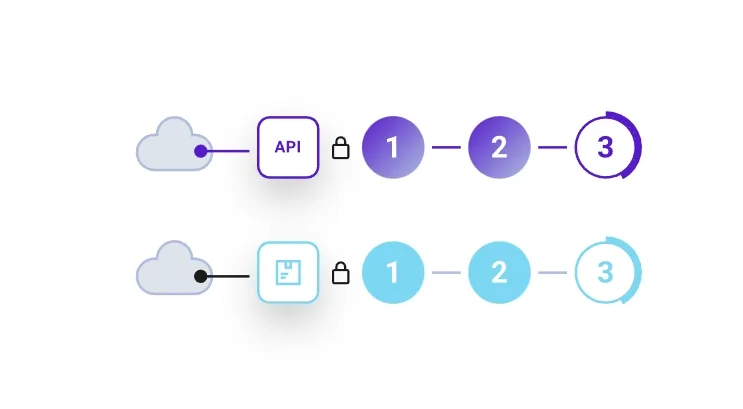
It moves setups of any size or complexity with a one-click API transfer or manual exports.
It moves a WordPress site to another location with one click. It is compatible with any plugin, theme builder or tool in the WordPress ecosystem, and it covers both single sites and multisite networks. API or package migrations, selective transfers and the pre-migration check are included in Shipper Pro.
URLs and paths update on their own after the move
Shipper Pro includes these features in every move:
- Smart find and replace of URLs and paths once the transfer ends.
- Pre-migration check to review compatibility before starting.
- Large file detection to manage heavy sites.
Which files, folders and tables travel with the site
You don't always want to take everything along. With selective transfers you include or exclude files, folders and databases, and you can filter out content that adds nothing, such as spam, revisions or inactive content.
API or package migration
API migration transfers the site with one click, while package migration works with manual exports.
Shipper Pro on multisite networks and subsites
If your WordPress network has several sites, Shipper Pro gives full support to multisite and can migrate a specific subsite. You can also turn a subsite into a standalone site, an operation that used to be quite challenging.
Password-protected copies and a log of every step
Each move leaves a detailed log of its steps. Migration files can be protected with a password, and safe mode migration adds an extra layer to prevent failed transfers. When restoring, a script installer lets you recover the site on the server you choose.
Frequently asked questions about Shipper Pro
Can I change hosts without the site breaking?
Shipper Pro replaces URLs and paths after the move and checks compatibility before starting.
Can I exclude files or tables from the migration?
Yes. Selective transfers let you include or exclude files, folders and databases, and you can filter content such as spam, revisions or inactive content.
Does it work with multisite networks?
Yes, it supports single site and multisite setups, and it can migrate a subsite to a standalone site.
How do I protect the migration file?
Migration files can be protected with a password to add security to the move.
Topics
Version history
-
v
1.2.15 Current 17 May 2024
Customer reviews
Sign in to leave a review. Only people who have the product can review it.
No reviews for this product yet.
Frequently asked questions
-
GPL (General Public License) is the license under which WordPress and most premium plugins/themes are distributed. It grants you the right to use, modify and redistribute the software in as many projects as you want, with no domain restrictions.
-
Yes. With membership you get automatic updates via our GPLClub Updater plugin (installed on your WP, detects new versions and applies them). With individual purchase, you get one year of manual updates from your account.
-
Depends on the plan. Monthly: 3 domains. Semi-annual: 7. Annual and Lifetime: 15. Individual purchase: 1 domain.
-
GPLClub offers its own support for installation, configuration and compatibility. For direct support from the original author (feature requests, product-specific bugs), a license purchased from the author is required.