Signature Field for Elementor
Antivirus scan
Powered by ClamAV
✅ Verified clean
This product file has passed our security filters.
Want to run a fresh ClamAV scan right now? Takes a few seconds and shows scanner version, signature DB and live result.
This can take 5 to 30 seconds.
Clean file Threat detected
No threats detected in this file.
- File
- Size
- Scanned
- ClamAV
- Signature database
⚡ Powered by ClamAV
Scan could not be completed
Report product
If you detected an issue (broken file, malware, inappropriate content, etc.) let us know and we'll review it ASAP.
Sign in to report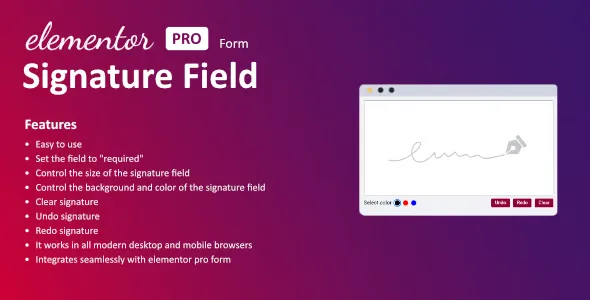
About Signature Field for Elementor
From signed paper to a form that signs itself
Many procedures get stuck at the same point: the customer has to print a document, sign it, scan or photograph it and send it back by email. Each step is an excuse to leave it for tomorrow, and with authorizations, quote acceptances or consent forms that delay costs you customers. Signature Field for Elementor adds a signature field to your Elementor forms so people can sign on the same page where they fill in their details.
How signing works with Signature Field for Elementor
Visitors draw their signature directly in the field: with a finger on a touchscreen or with the mouse on a computer. It works in modern desktop and mobile browsers. If the signature comes out crooked, there is no need to reload anything:
- Clear the signature and start over.
- Undo the last stroke.
- Redo what was just undone.
When the form is submitted, the signature can be sent to you by email.
A field that adapts to your form design
You can adjust the width and height of the box, the stroke color and the background color, so it does not look like something stuck on. You can also mark the field as required, so the form cannot be submitted without a signature.
Think of whoever signs from a phone: a box that is too small forces a cramped signature and the result looks bad. Test the size on your own phone before publishing the form.
It needs Elementor Pro and its form widget
This plugin is an add-on: it does not work on its own or with the free version of Elementor. It integrates with the Elementor Pro form, so without that widget there is nowhere to place the field. And the signature is only one piece of a bigger procedure:
- Already solved: a signature field drawn with finger or mouse, optionally required, customizable size and colors, clear, undo and redo buttons, and the signature sent by email.
- You will cover it separately: writing the document or contract, verifying the identity of the signer, a recognized electronic signature certificate if your case requires one, and any archiving or document generation you need, with another plugin, by hand or with a professional.
Frequently asked questions
Does it work without Elementor Pro?
No. It needs the Elementor Pro form, because the signature field is added to that widget.
Can people sign from a phone?
Yes. It supports touchscreens and mouse, and works in modern desktop and mobile browsers.
Can I require a signature before submitting?
Yes, the field can be set as required like any other field in the form.
Is the signature legally valid?
The plugin captures a signature drawn in the form. Its value as evidence depends on the type of document and your country; for important contracts, check with a professional.
Topics
Version history
-
v
1.7.0 Current 5 Sep 2025
Customer reviews
Sign in to leave a review. Only people who have the product can review it.
No reviews for this product yet.
Frequently asked questions
-
GPL (General Public License) is the license under which WordPress and most premium plugins/themes are distributed. It grants you the right to use, modify and redistribute the software in as many projects as you want, with no domain restrictions.
-
Yes. With membership you get automatic updates via our GPLClub Updater plugin (installed on your WP, detects new versions and applies them). With individual purchase, you get one year of manual updates from your account.
-
Depends on the plan. Monthly: 3 domains. Semi-annual: 7. Annual and Lifetime: 15. Individual purchase: 1 domain.
-
GPLClub offers its own support for installation, configuration and compatibility. For direct support from the original author (feature requests, product-specific bugs), a license purchased from the author is required.