Simple Business Directory - Pro
Antivirus scan
Powered by ClamAV
✅ Verified clean
This product file has passed our security filters.
Want to run a fresh ClamAV scan right now? Takes a few seconds and shows scanner version, signature DB and live result.
This can take 5 to 30 seconds.
Clean file Threat detected
No threats detected in this file.
- File
- Size
- Scanned
- ClamAV
- Signature database
⚡ Powered by ClamAV
Scan could not be completed
Report product
If you detected an issue (broken file, malware, inappropriate content, etc.) let us know and we'll review it ASAP.
Sign in to report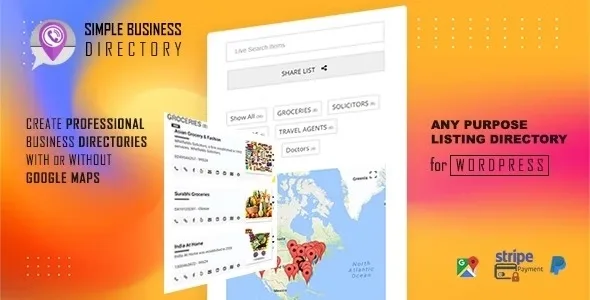
About Simple Business Directory - Pro
A directory nobody finds or nobody updates is worthless
Building a business listing in WordPress often ends up as an endless table, a map pasted in with an iframe, or a plugin designed for giant portals. Simple Business Directory - Pro starts from a different idea: a small or medium directory, well maintained and with a map, that people actually consult and share.
This plugin is designed for collections of between 50 and about 5,000 entries, not to compete with a massive portal.
Lists are the core building block of Simple Business Directory - Pro
Instead of one big directory, you work with lists: groups of listings that you can show on one page or spread across several. It works equally well for a store locator, an employee directory, a vendor directory, a restaurant directory or an address book for an intranet.
- One page or several: you can show a small directory on a single page, with live search, filters, map and tags, or a large one with categories and a dedicated page for each listing. In that case, a single shortcode on a page is enough.
- Map with Google Maps or OpenStreetMap: Google needs an API key; OpenStreetMap doesn't. There is also a map-only mode, and the directory can be used without a map.
- Distance and radius search: useful for store locators, with user location detection and marker clustering when many points are close together.
- Automatic fill: you paste the business website and address and the plugin generates title, description, thumbnail, latitude and longitude. You will need to check what it generates before publishing.
- Customization: more than 12 styles, 15 modes and more than 30 shortcode parameters with a generator so you don't have to type them by hand. Each listing supports its own image or a Font Awesome icon.
- Visitor features: upvotes, an option to embed the directory on other sites, a front-end user dashboard and tap-to-call from mobile.
- Paid listings and claims: it supports paid listings and letting a business claim its listing, with payments through PayPal and Stripe.
Limits to keep in mind: it is aimed at small and medium directories, not at a portal with tens of thousands of listings. If you use Google Maps, you need a billing account to get the API key, although Google states a monthly credit that covers most small sites. And if you don't want to deal with that, OpenStreetMap avoids the key.
Questions buyers ask before installing it
Does it work with my theme and page builder?
It is compatible with any theme and with visual editors such as Gutenberg, Elementor or Beaver Builder, because it is inserted through a shortcode.
Do I need a Google key?
Only if you choose Google Maps. OpenStreetMap needs no key.
Is it suitable for a large directory?
It is designed for small and medium directories, from 50 to 5,000 listings. For much larger volumes, consider a different solution.
Can I charge for listings?
Yes, with paid listings and listing claims, charging through PayPal or Stripe.
Can I show only the map?
Yes, there is a map-only mode, and you can also show the directory without a map.
Start with a small list and a single page
The sensible approach is to create a first list with a few real listings, show it on a page with the shortcode and test search, map and filters on mobile. Once everything works the way you want, expand to more lists or to a multi-page directory.
Before publishing, decide whether you will use Google Maps or OpenStreetMap, and whether you will charge for listings: if so, have your PayPal or Stripe accounts ready. If you collect employee or contact data, think about who should be able to see it.
Topics
Version history
-
v
15.9.5 Current 29 Jul 2026
-
v
15.1.7 12 May 2024
Customer reviews
Sign in to leave a review. Only people who have the product can review it.
No reviews for this product yet.
Frequently asked questions
-
GPL (General Public License) is the license under which WordPress and most premium plugins/themes are distributed. It grants you the right to use, modify and redistribute the software in as many projects as you want, with no domain restrictions.
-
Yes. With membership you get automatic updates via our GPLClub Updater plugin (installed on your WP, detects new versions and applies them). With individual purchase, you get one year of manual updates from your account.
-
Depends on the plan. Monthly: 3 domains. Semi-annual: 7. Annual and Lifetime: 15. Individual purchase: 1 domain.
-
GPLClub offers its own support for installation, configuration and compatibility. For direct support from the original author (feature requests, product-specific bugs), a license purchased from the author is required.