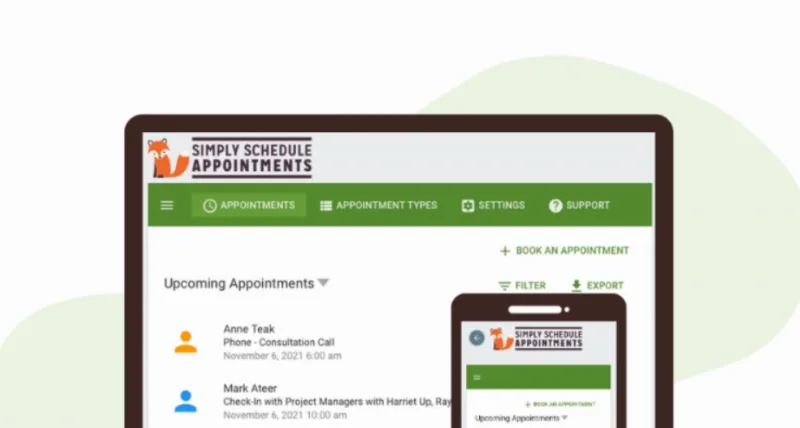
Simply Schedule Appointments Professional Edition 3.6.6.9
Antivirus scan
Powered by ClamAV
✅ Verified clean
This product file has passed our security filters.
Want to run a fresh ClamAV scan right now? Takes a few seconds and shows scanner version, signature DB and live result.
This can take 5 to 30 seconds.
Clean file Threat detected
No threats detected in this file.
- File
- Size
- Scanned
- ClamAV
- Signature database
⚡ Powered by ClamAV
Scan could not be completed
Report product
If you detected an issue (broken file, malware, inappropriate content, etc.) let us know and we'll review it ASAP.
Sign in to reportNewer version out, or a problem?
About Simply Schedule Appointments Professional Edition 3.6.6.9
Bookings that close themselves while you keep working
A consultant or a small business often spends a lot of time on emails to find a time with a client. Simply Schedule Appointments is built so that this back-and-forth happens inside your WordPress site, instead of so much going back and forth by message.
From the first click to the confirmed entry in Simply Schedule Appointments
Picture a client who lands on your services page and wants a session. They see only the times you have open, pick the one that suits them and fill in the form. You embed the calendar on any page or post, so the booking happens on your own site rather than in an external tool.
When the booking is confirmed, the client receives the confirmation and automatic reminders, along with a Google Calendar invitation. If you need the form to ask for specific details, you can add custom fields. You can also book events with The Events Calendar integration.
Your personal and business schedules, in sync
Many people block time in their Google Calendar and forget to block it on the website. With Google Calendar sync, the plugin takes your personal and business schedules into account. You can mark blackout dates, and each team member has their own availability.
One-on-one, group and shared-resource appointments
Not all bookings are the same. A one-on-one session or a live demo for several people are handled differently. With one-on-one bookings, each client chooses from your open hours. With group bookings, several attendees book the same session. If you work with a team, a client can pick the person they prefer or find a time that works for the whole team, and you can also limit slots by the availability of resources and equipment.
Taking payment in the same booking form
Payment can be handled directly in the form through the PayPal and Stripe integrations, with no manual charge afterwards. With the Formidable Forms or Gravity Forms integrations, you can add coupons, running totals and conditional logic. You need the corresponding forms plugin installed to use those options.
A form that looks like part of your website
You can drag the calendar into any page or layout with Elementor, Divi or Beaver Builder, and adjust the style from the plugin's own settings or with custom CSS. You also choose the order of the steps in the booking process. With the plugin you reflect your brand in your booking forms.
Frequently asked questions about Simply Schedule Appointments
Is there a limit to the number of booking calendars or appointments?
No. Booking calendars, appointments and email notifications have no limit in the plugin.
Can I limit bookings for members of a membership?
Yes, with the MemberPress integration you can apply booking limits based on the membership and track how much each one uses. For this to work, MemberPress has to be installed.
How do I get started?
The setup wizard helps you create your first booking calendar, and then you embed it on the page you choose. No coding is required.
Which payment services does it work with?
PayPal and Stripe, two of the payment services the plugin integrates directly into the booking form.
Topics
Version history
-
v
3.6.7.10 Current 11 May 2024
Customer reviews
Sign in to leave a review. Only people who have the product can review it.
No reviews for this product yet.
Frequently asked questions
-
GPL (General Public License) is the license under which WordPress and most premium plugins/themes are distributed. It grants you the right to use, modify and redistribute the software in as many projects as you want, with no domain restrictions.
-
Yes. With membership you get automatic updates via our GPLClub Updater plugin (installed on your WP, detects new versions and applies them). With individual purchase, you get one year of manual updates from your account.
-
Depends on the plan. Monthly: 3 domains. Semi-annual: 7. Annual and Lifetime: 15. Individual purchase: 1 domain.
-
GPLClub offers its own support for installation, configuration and compatibility. For direct support from the original author (feature requests, product-specific bugs), a license purchased from the author is required.