Simply Schedule Appointments Professional Edition
Antivirus scan
Powered by ClamAV
✅ Verified clean
This product file has passed our security filters.
Want to run a fresh ClamAV scan right now? Takes a few seconds and shows scanner version, signature DB and live result.
This can take 5 to 30 seconds.
Clean file Threat detected
No threats detected in this file.
- File
- Size
- Scanned
- ClamAV
- Signature database
⚡ Powered by ClamAV
Scan could not be completed
Report product
If you detected an issue (broken file, malware, inappropriate content, etc.) let us know and we'll review it ASAP.
Sign in to report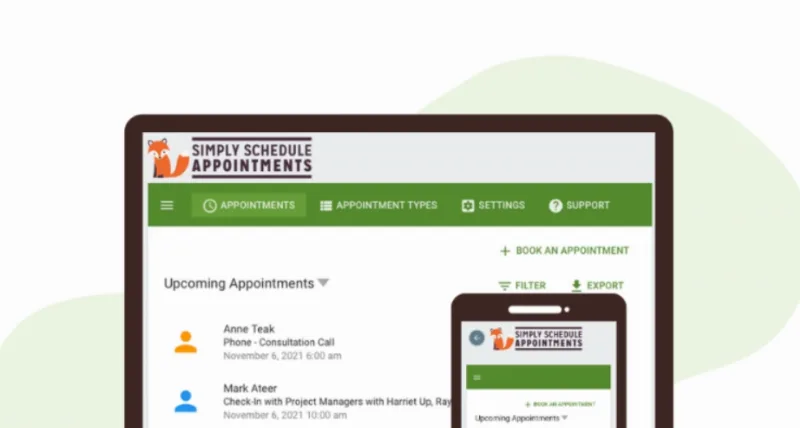
About Simply Schedule Appointments Professional Edition
Frictionless appointment scheduling for businesses that bill by the hour
Coordinating a meeting over email usually turns into an endless back-and-forth trying to find an open slot. Simply Schedule Appointments Professional Edition solves this by putting a booking calendar directly on your WordPress site, synced with your real availability, so clients can pick a time without you having to step in. This edition builds on the core plugin by adding the features you need to charge for appointments, send SMS reminders, and track where your bookings come from.
Calendar sync and automatic confirmations
The plugin connects to Google Calendar to read your real availability, preventing double bookings between your personal and professional schedules. Every confirmed appointment automatically generates a Google Calendar invite and scheduled reminders, cutting down on no-shows without you having to send anything manually.
Payments built right into the booking form
The Professional edition includes Stripe and PayPal integration directly in the booking form, so the client pays at the same step they schedule their appointment. This removes the need to manually chase payments and helps lock in the commitment from the first point of contact.
SMS reminders and conversion tracking
On top of automatic emails, this edition sends notifications and reminders via SMS, a channel with a higher open rate for last-minute alerts. It also lets you track conversions with Google Analytics, useful for knowing which pages or campaigns are actually driving bookings, and offers webhooks to connect the booking process to other external automations.
Customizable booking flows with Simply Schedule Appointments
Simply Schedule Appointments lets you set the order of the steps in the booking process (choosing a date, entering details, paying, confirming) to match whatever works best for your business. The calendar integrates with Elementor, Divi, and Beaver Builder via drag and drop, and supports custom CSS to fit your site's look and feel.
Common use cases
- Consultants and coaches who charge per session and need to collect payment right when the appointment is booked.
- Service businesses looking to cut down on no-shows with SMS reminders.
- Teams that need to measure which channels are driving the most bookings through Google Analytics.
- Sites already using Gravity Forms, Formidable Forms, or MemberPress that want to add payment logic and booking limits.
| License type | Annual, 1 site |
| Sync | Google Calendar |
| Integrated payments | Stripe and PayPal |
| Notifications | Email and SMS |
| Analytics | Conversion tracking with Google Analytics |
| Automation | Webhooks |
| Page builder compatibility | Elementor, Divi, Beaver Builder |
| Form integrations | Gravity Forms, Formidable Forms, MemberPress |
Frequently asked questions
Can I charge directly through the booking form?
Yes, the Professional edition includes Stripe and PayPal integration, so the client pays when confirming their appointment without leaving the site.
Are SMS reminders in addition to emails?
Yes, they're added on top of the automatic email notifications and Google Calendar invites, not a replacement for them.
Is there a limit on the number of calendars or appointments I can create?
No, booking calendars, appointments, and email notifications are all unlimited across every edition of the plugin.
Can I customize the order of the booking steps?
Yes, Simply Schedule Appointments lets you define custom booking flows to fit the step sequence to your business process.
Is it compatible with my page builder?
The booking calendar can be inserted via drag and drop in Elementor, Divi, and Beaver Builder, as well as in any standard WordPress page or post.
Topics
Version history
-
v
3.6.6.9 Current 13 Jun 2025
Customer reviews
Sign in to leave a review. Only people who have the product can review it.
No reviews for this product yet.
Frequently asked questions
-
GPL (General Public License) is the license under which WordPress and most premium plugins/themes are distributed. It grants you the right to use, modify and redistribute the software in as many projects as you want, with no domain restrictions.
-
Yes. With membership you get automatic updates via our GPLClub Updater plugin (installed on your WP, detects new versions and applies them). With individual purchase, you get one year of manual updates from your account.
-
Depends on the plan. Monthly: 3 domains. Semi-annual: 7. Annual and Lifetime: 15. Individual purchase: 1 domain.
-
GPLClub offers its own support for installation, configuration and compatibility. For direct support from the original author (feature requests, product-specific bugs), a license purchased from the author is required.