Sleek AI – Chat with AI Right from Your WordPress Dashboard
Antivirus scan
Powered by ClamAV
✅ Verified clean
This product file has passed our security filters.
Want to run a fresh ClamAV scan right now? Takes a few seconds and shows scanner version, signature DB and live result.
This can take 5 to 30 seconds.
Clean file Threat detected
No threats detected in this file.
- File
- Size
- Scanned
- ClamAV
- Signature database
⚡ Powered by ClamAV
Scan could not be completed
Report product
If you detected an issue (broken file, malware, inappropriate content, etc.) let us know and we'll review it ASAP.
Sign in to report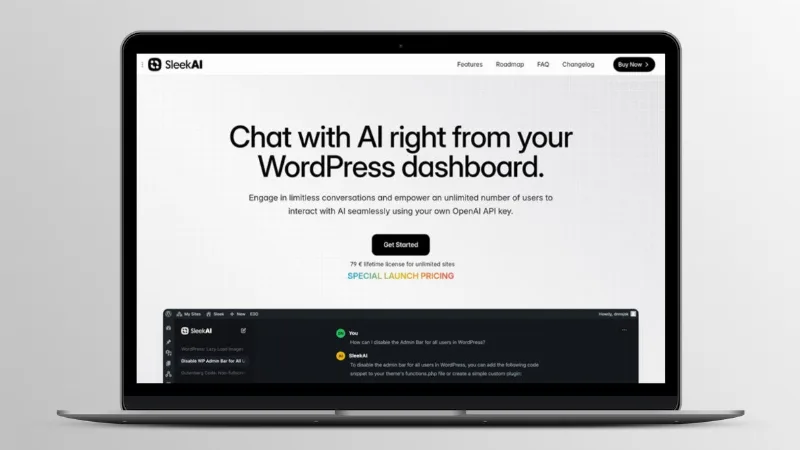
About Sleek AI – Chat with AI Right from Your WordPress Dashboard
When the AI assistant lives in another tab
Anyone who works with WordPress every day tends to keep ChatGPT open in one tab, the website in another, and copy text from one to the other. The thread gets lost, conversations get mixed up, and every writer or editor ends up with their own account and their own history. Sleek AI puts that chat inside the WordPress dashboard, with an interface similar to ChatGPT, so talking to a model becomes part of the work and not a detour.
The idea behind it: on a site with several people, the problem is rarely the AI, but where the conversations happen. If they live outside the site, nobody can find them later. Here they stay saved and listed on the Chats page.
What the Sleek AI chat does when you really use it
- Several saved chats: you create as many conversations as you need, they save themselves and you switch between them from a sidebar. All of them appear on the Chats page inside the SleekAI section.
- Model switching mid-conversation: you can hand a hard question to a more capable model or compare answers from two models without starting over.
- Branches: from any earlier message you open a new chat with the history up to that point, and the original stays intact.
- Regenerate: if a reply doesn't convince you, you ask for another one from that message and the earlier context is kept.
- Images and PDFs as context: you can include files from the Media Library so the AI analyzes their content before replying.
- Mermaid diagrams: the chat generates diagrams with Mermaid syntax, such as flowcharts or sequence diagrams, and shows them already rendered.
Who Sleek AI fits, depending on your situation
If you manage a site with several editors
A shared chat inside the dashboard prevents each person from depending on an external account. The plugin lets an unlimited number of users talk to the AI, and everything goes through your API keys.
If you are a freelancer or work at an agency
It is handy to have an assistant nearby while you review a page, write a text or think through a project's structure. Uploading a screenshot or a client's PDF from the Media Library to ask for an analysis saves steps.
If you need to explain processes
Mermaid diagrams are useful for sketching workflows or sequences without leaving the chat.
Which providers it works with and how it connects
Sleek AI works with your own API key from OpenAI, Anthropic, Google Gemini or OpenRouter. You set up the keys once in the general SleekAI settings and the chat is ready, with no additional steps. The available models are those of the keys you have configured.
This means you pay for usage directly to the provider you choose, according to how much you and your team use it. If several users chat a lot, that cost grows, so it is worth watching it in the provider's dashboard.
It needs your own API keys
The plugin does not include AI models or credits: without a valid key from at least one provider, the chat does not respond. It is also not a chatbot for your visitors; this chat is for working from the admin dashboard. If you want a public assistant facing your customers, that is a different feature from the one covered here.
Frequently asked questions
Do I need to set up anything special to use the chat?
Only the API keys in the main SleekAI settings. After that, the chat is ready.
Which models can I use?
Those from OpenAI, Anthropic, Google or OpenRouter for which you have added a key.
Can I switch models in the middle of a conversation?
Yes, at any time. The available models depend on your keys.
Is the history saved?
Yes, all chats are saved automatically and listed on the SleekAI Chats page.
Can I try another line of conversation without losing the current one?
Yes, by creating a branch from any earlier message; the original chat does not change.
Topics
Version history
-
v
1.3.7 Current 8 Jan 2025
Customer reviews
Sign in to leave a review. Only people who have the product can review it.
No reviews for this product yet.
Frequently asked questions
-
GPL (General Public License) is the license under which WordPress and most premium plugins/themes are distributed. It grants you the right to use, modify and redistribute the software in as many projects as you want, with no domain restrictions.
-
Yes. With membership you get automatic updates via our GPLClub Updater plugin (installed on your WP, detects new versions and applies them). With individual purchase, you get one year of manual updates from your account.
-
Depends on the plan. Monthly: 3 domains. Semi-annual: 7. Annual and Lifetime: 15. Individual purchase: 1 domain.
-
GPLClub offers its own support for installation, configuration and compatibility. For direct support from the original author (feature requests, product-specific bugs), a license purchased from the author is required.