Smart Image Resize Pro for Woocommerce
Antivirus scan
Powered by ClamAV
✅ Verified clean
This product file has passed our security filters.
Want to run a fresh ClamAV scan right now? Takes a few seconds and shows scanner version, signature DB and live result.
This can take 5 to 30 seconds.
Clean file Threat detected
No threats detected in this file.
- File
- Size
- Scanned
- ClamAV
- Signature database
⚡ Powered by ClamAV
Scan could not be completed
Report product
If you detected an issue (broken file, malware, inappropriate content, etc.) let us know and we'll review it ASAP.
Sign in to reportNewer version out, or a problem?
About Smart Image Resize Pro for Woocommerce
Built for stores whose photos you don't control
A product grid with tall, wide and tiny photos mixed together looks sloppy, and WooCommerce sometimes crops exactly the part that sold the product. What almost nobody says: the mess rarely comes from your camera, but from whoever uploads the photos. Suppliers, marketplace vendors, imported catalogs or customers uploading from their phones. That is why retouching photo by photo in Photoshop or Canva doesn't scale: you have to fix it at the front door, and that is what this plugin does.
It works for you if you are in one of these cases:
- Dropshipping, with supplier images in different sizes.
- Multi-vendor stores, where each vendor uploads whatever they want.
- Agencies that build stores for clients and don't want to teach them how to resize.
- Large imported catalogs with mismatched photos.
It doesn't work for you, or not fully, if:
- You want to touch blog images, logos or banners: it only processes WooCommerce product images.
- You expect to rescue tiny photos: if the original is very small and gets stretched, it will come out blurry (the Disable Upscaling setting prevents that stretching).
- You want to remove backgrounds without having your own account: that feature works with your remove.bg account.
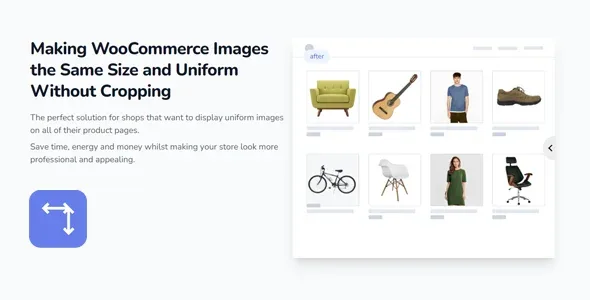
Smart Image Resize Pro fits the photo and fills the gap, it doesn't crop it
Each image is resized to fit your store's dimensions while keeping its proportions, and the leftover space is filled with a background color (white by default, adjustable to match your design). The product is always fully visible and every image comes out with the same size and the same proportions.
If a photo has a lot of empty margin, whitespace trimming removes those edges before resizing, and the product fills more of the frame. It trims empty margins, not the product.
The catalog you already uploaded can be fixed too
New uploads are processed on their own. For what is already in the store there is a bulk tool: you run it once and it processes the existing images, with no re-uploading. If you don't like the result, the plugin keeps the originals and the Help tab includes a bulk restore to go back.
It works on the image files, not on the theme, so it doesn't depend on which one you use. And if you deactivate it, the images already resized stay there as real files on the server. If you see unchanged images after processing, it is almost always cache: clear your browser's, your caching plugin's and your CDN's.
PNG to JPG, WebP and your logo as a watermark
Beyond size, there are three extras designed for stores with lots of photos:
- PNG to JPG conversion and automatic WebP generation, so pages weigh less and load faster.
- Watermark with your logo on every product image, useful if your photos circulate through other channels.
- AI background removal when each photo is uploaded, using your own remove.bg account.
Questions before processing hundreds of photos
Will it crop my products?
No. The image is fitted to the dimensions and the leftover space is filled with the background color, so the product is shown whole.
Does it work with my theme?
Yes, with any WooCommerce theme, because it processes the image files and doesn't depend on the design.
Can I undo it if I don't like it?
Yes. The original images are kept and the bulk restore in the Help tab brings everything back as it was.
Why do my images look blurry?
Most likely the original was too small and got stretched. Turn on Disable Upscaling in the settings to avoid it.
Topics
Version history
-
v
1.18.0 Current 30 Oct 2026
-
v
1.17.0 7 Sep 2026
-
v
1.16.1 27 Apr 2026
Customer reviews
Sign in to leave a review. Only people who have the product can review it.
No reviews for this product yet.
Frequently asked questions
-
GPL (General Public License) is the license under which WordPress and most premium plugins/themes are distributed. It grants you the right to use, modify and redistribute the software in as many projects as you want, with no domain restrictions.
-
Yes. With membership you get automatic updates via our GPLClub Updater plugin (installed on your WP, detects new versions and applies them). With individual purchase, you get one year of manual updates from your account.
-
Depends on the plan. Monthly: 3 domains. Semi-annual: 7. Annual and Lifetime: 15. Individual purchase: 1 domain.
-
GPLClub offers its own support for installation, configuration and compatibility. For direct support from the original author (feature requests, product-specific bugs), a license purchased from the author is required.