Snitcher
Antivirus scan
Powered by ClamAV
✅ Verified clean
This product file has passed our security filters.
Want to run a fresh ClamAV scan right now? Takes a few seconds and shows scanner version, signature DB and live result.
This can take 5 to 30 seconds.
Clean file Threat detected
No threats detected in this file.
- File
- Size
- Scanned
- ClamAV
- Signature database
⚡ Powered by ClamAV
Scan could not be completed
Report product
If you detected an issue (broken file, malware, inappropriate content, etc.) let us know and we'll review it ASAP.
Sign in to reportNewer version out, or a problem?
About Snitcher
Promotions get lost on the page, the popup puts them in front of the visitor
An offer pinned to the homepage competes with banners, menus and text nobody reads. When you want a visitor to see a specific announcement at the right moment, you need a window that appears on its own. Snitcher is a modal popup plugin for WordPress built for that: it draws attention to promotions, feature announcements or important information without relying on the visitor navigating until they find it.
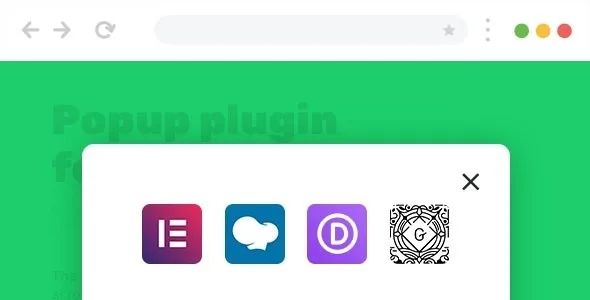
You can create unlimited popups, each with its own content, so you can have one window for an offer and another for a feature announcement. The content can come from a post, a page created with Elementor, Divi or Gutenberg, or a shortcode.
More than ten triggers to open each popup at the right moment
The popup opens according to what the visitor does, not only when the page loads. These are the trigger types the plugin offers:
- When the page loads, when scrolling or when hovering over an element.
- When clicking a specific element or a custom button.
- After a period of activity or inactivity.
- When switching the browser tab or leaving the site.
- With your own JavaScript, if you need a custom event.
Promotions on one side, subscriber sign-ups on the other
Snitcher covers two kinds of message:
- Notices and offers: promotions, feature announcements or important information you want the visitor to see.
- Sign-ups: registration or subscription forms inside the popup, to increase the conversions of a resource.
Each popup has its own display conditions and its own content, so both types can coexist on the same site.
Chained, simultaneous and timed popups
A single notice is not always enough. With chains, each popup opens when the previous one closes, which helps introduce your site's interface step by step to someone arriving for the first time. If you prefer to show several messages at once, you can also open several popups simultaneously.
Timing control is just as useful. For example, you can show a window only once every two days, 9 seconds after entering, and close it automatically after one minute.
Snitcher decides who sees each popup
Showing the same window to everyone, on every page and all the time is the fastest way to wear out the visitor. With Snitcher you can fine-tune the audience of each popup:
- Assign it to specific user roles.
- Show it only on certain pages, devices or moments.
- Limit the number of impressions per client or per session.
- Disable it for a number of days.
There are also shortcodes to place a specific popup on a particular page or to use a button on your page as the trigger.
Your own design and custom code with CSS and JavaScript
Each element of the window has its own style settings, so the popup can fit your website. You can choose full-screen positions, corner positions or content inserted between two blocks of the page, and adjust the size and position of the overlay box.
You don't need to know how to code to use it. If you do need it, each popup has fields to add custom CSS or JavaScript and to control opening and closing. It works well on phones and tablets, supports right-to-left text (RTL) and includes a translation file to adapt it to another language.
It is designed following WCAG guidelines so its content is accessible, and it stores only the necessary data in the visitor's browser.
Frequently asked questions about Snitcher
Does Snitcher need a page builder to work?
No. You can write the popup content in the standard WordPress editor or use ready-made pages and templates. If you already design with Elementor, Divi or Gutenberg, you can also bring those pages into the popup.
Can I stop a visitor from seeing the same popup every day?
Yes. You can limit the number of impressions per client or per session, or disable the popup for a number of days.
Can I show a popup only to some users?
Yes. You can assign each window to specific user roles and decide on which pages or devices it appears.
Is it compatible with WooCommerce?
Yes, the plugin is compatible with WooCommerce, so it can be used to announce offers in an online store.
Topics
Version history
-
v
1.0.7 Current 16 May 2024
Customer reviews
Sign in to leave a review. Only people who have the product can review it.
No reviews for this product yet.
Frequently asked questions
-
GPL (General Public License) is the license under which WordPress and most premium plugins/themes are distributed. It grants you the right to use, modify and redistribute the software in as many projects as you want, with no domain restrictions.
-
Yes. With membership you get automatic updates via our GPLClub Updater plugin (installed on your WP, detects new versions and applies them). With individual purchase, you get one year of manual updates from your account.
-
Depends on the plan. Monthly: 3 domains. Semi-annual: 7. Annual and Lifetime: 15. Individual purchase: 1 domain.
-
GPLClub offers its own support for installation, configuration and compatibility. For direct support from the original author (feature requests, product-specific bugs), a license purchased from the author is required.