Social Login - WordPress / WooCommerce Plugin
Antivirus scan
Powered by ClamAV
✅ Verified clean
This product file has passed our security filters.
Want to run a fresh ClamAV scan right now? Takes a few seconds and shows scanner version, signature DB and live result.
This can take 5 to 30 seconds.
Clean file Threat detected
No threats detected in this file.
- File
- Size
- Scanned
- ClamAV
- Signature database
⚡ Powered by ClamAV
Scan could not be completed
Report product
If you detected an issue (broken file, malware, inappropriate content, etc.) let us know and we'll review it ASAP.
Sign in to report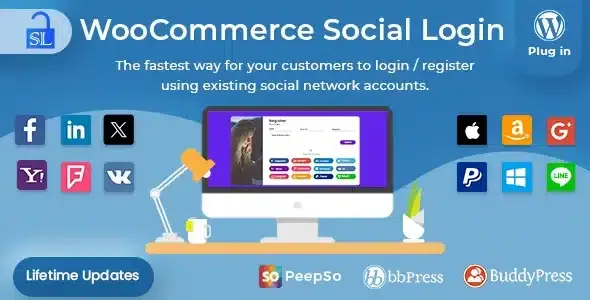
About Social Login - WordPress / WooCommerce Plugin
The returning customer is the one who gets tired of the form
Forcing people to create an account before paying drives buyers away. Letting them pay as guests fixes the first purchase but complicates the second: someone who comes back to your store has to invent yet another username and password that they will forget.
In a store, the money is in the second and third order, and that is exactly where a guest leaves no trace. Social Login lets people sign in and buy with an account they already use: Facebook, Twitter, Google, Yahoo, LinkedIn, Foursquare, Windows Live, VKontakte, PayPal, Amazon, LINE, GitHub or WordPress.com. It also supports login with email.
Behind every button there is a regular WordPress user
New accounts created with a social network are linked to it automatically. Existing customers can connect their network when logging in or from the My Account page, and can unlink it from the same place.
If you enable the buttons on the thank-you page, you can invite customers to link their account right after the purchase, when they are most willing, so the next one is faster.
Because the user is still a WordPress user, anyone who unlinks their network or deletes it can reset their password with their email and log in normally. New customers are created as store customers, with their email (Facebook, Amazon, Google) or their username (Twitter).
Social Login depending on the site where you use it
WooCommerce store
This is the most natural use: one-click login for the returning customer, linked accounts in My Account and buttons on the thank-you page. Less form at checkout means fewer excuses to abandon.
Community with BuddyPress, bbPress or PeepSo
The plugin can be used with any of them. In a forum or your own social network, registration is the first barrier: the shorter it is, the more people post their first message. It is also listed as compatible with WooCommerce Product Reviews Pro.
Site without a store
It does not need WooCommerce: it works on its own. Compatibility is listed with the WorkScout theme.
A report that tells you which network your audience really uses
From the dashboard you can reorder the buttons by dragging them, and see how many sign-ups each network has brought, with a pie chart of percentages. It helps you decide which buttons deserve to go first and which are unnecessary: if nobody logs in with Foursquare, there is no need to show it.
Twitter asks for an email and Facebook requires https
- Twitter does not hand over the user's email, so the first time they are asked to type it in so it can be linked to their account. It is an extra step that your customers from that network will see.
- With a Facebook app on version 2.12 or higher, your site must be served over https.
- The buttons are not shown to someone who is already logged in. If you cannot see them, try another browser.
Questions before installing it
Does it work without WooCommerce? Yes, it is standalone. You can use it with WooCommerce, BuddyPress, bbPress or PeepSo.
Can they still log in if they unlink their social network? Yes. The account is a WordPress account and they can reset the password with their email.
Is it compatible with caching and minify plugins? WP Rocket and Better WordPress Minify are listed as compatible.
What happens to the account and orders if I deactivate the plugin? Every user who logged in with a network already has a WordPress account created. Check on a test copy how your customers would log in without the plugin.
What data travels between your store and the social network
Very little. After the first login there is no exchange until the user logs in again. The only thing that moves is login information: nothing about orders or the customer's activity on your site.
Topics
Version history
-
v
2.8.8 Current 7 Sep 2026
-
v
2.8.7 11 Dec 2025
Customer reviews
Sign in to leave a review. Only people who have the product can review it.
No reviews for this product yet.
Frequently asked questions
-
GPL (General Public License) is the license under which WordPress and most premium plugins/themes are distributed. It grants you the right to use, modify and redistribute the software in as many projects as you want, with no domain restrictions.
-
Yes. With membership you get automatic updates via our GPLClub Updater plugin (installed on your WP, detects new versions and applies them). With individual purchase, you get one year of manual updates from your account.
-
Depends on the plan. Monthly: 3 domains. Semi-annual: 7. Annual and Lifetime: 15. Individual purchase: 1 domain.
-
GPLClub offers its own support for installation, configuration and compatibility. For direct support from the original author (feature requests, product-specific bugs), a license purchased from the author is required.