Social Pro
Antivirus scan
Powered by ClamAV
✅ Verified clean
This product file has passed our security filters.
Want to run a fresh ClamAV scan right now? Takes a few seconds and shows scanner version, signature DB and live result.
This can take 5 to 30 seconds.
Clean file Threat detected
No threats detected in this file.
- File
- Size
- Scanned
- ClamAV
- Signature database
⚡ Powered by ClamAV
Scan could not be completed
Report product
If you detected an issue (broken file, malware, inappropriate content, etc.) let us know and we'll review it ASAP.
Sign in to report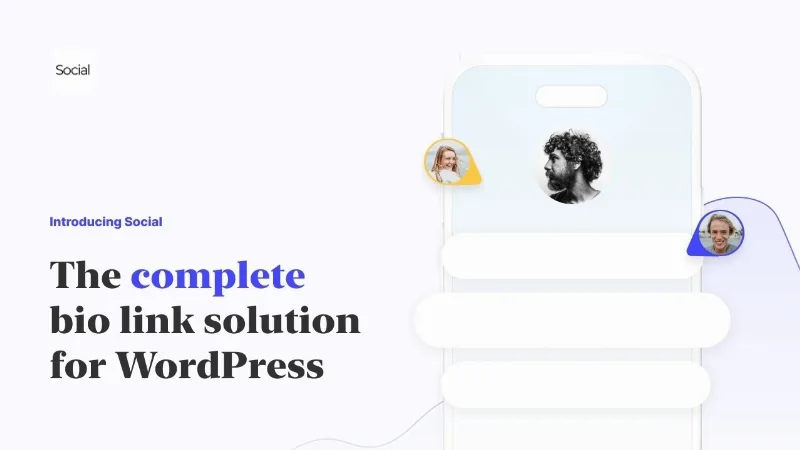
About Social Pro
Your Instagram bio has a single link, and it usually leads to someone else's house
Your followers find you on TikTok or Instagram and you have one link to send them everywhere: the latest video, the shop, the podcast, the contact form. The usual move is to point it at an external service, so every visit lands on a domain that isn't yours, under a brand that isn't yours either.
Social Pro builds that link page inside your own WordPress. It is for anyone who already has a website and wants the traffic from their social profiles to end up there.
Blocks, visual editor and stats in Social Pro
The page is designed with a drag and drop editor, without writing code, starting from a pre-made template or from scratch. The result adapts to any device, which is essential for a link that is almost always opened on a phone.
- Content blocks: blog posts, videos, music, documents, contact details, contact forms, Calendly, WooCommerce, donations and newsletter.
- Statistics: real-time data, custom date ranges and per-link analytics, with a privacy-friendly approach.
- AI design assistant: a helping hand to lay out the page, which you can then tweak by hand.
- Customization: social icons and, if you know code, your own tweaks as anywhere else in WordPress.
It helps to be clear about what it is: a link page, not a shop or a booking system on its own. The WooCommerce block assumes you have WooCommerce installed, and the Calendly block needs a Calendly account. Also, features such as link scheduling, advanced analytics, the full set of templates or using the bio as your homepage depend on the Social plan, not every plan has them.
Frequently asked questions before building your bio link
Do I need to know how to code?
No. The editor is visual and the templates give you a starting point. Custom code is optional.
Does my data leave my server?
No. The information stays on your own server, without depending on a third-party platform.
Can I sell from the page?
You can showcase products with the WooCommerce block and collect donations. Payment and order management stay in your shop.
Can it be my website's front page?
Yes, there is an option to use your bio link as your homepage, depending on the plan you choose.
Your domain, your brand and your data
The difference with an external service is who sets the ceiling. Social is white-labeled by default: the page looks like one more part of your website, not a foreign service. Because it lives on your domain, every visit strengthens your brand and can help your search rankings.
You also gain control: the design, the data and the extensions are up to you and to what WordPress allows, with none of the limits of a closed platform.
The first block matters more than the template you pick
Before opening the editor, decide what you want most people arriving from your bio to do: buy, subscribe, watch the latest video or write to you. That link goes at the top. Then choose a template that highlights it and remove the blocks that don't serve that goal.
Check the result on your phone, publish it on your profile and look at the per-link stats: if a block gets no clicks, move it before redesigning anything.
Topics
Version history
-
v
1.1.6 Current 14 May 2024
Customer reviews
Sign in to leave a review. Only people who have the product can review it.
No reviews for this product yet.
Frequently asked questions
-
GPL (General Public License) is the license under which WordPress and most premium plugins/themes are distributed. It grants you the right to use, modify and redistribute the software in as many projects as you want, with no domain restrictions.
-
Yes. With membership you get automatic updates via our GPLClub Updater plugin (installed on your WP, detects new versions and applies them). With individual purchase, you get one year of manual updates from your account.
-
Depends on the plan. Monthly: 3 domains. Semi-annual: 7. Annual and Lifetime: 15. Individual purchase: 1 domain.
-
GPLClub offers its own support for installation, configuration and compatibility. For direct support from the original author (feature requests, product-specific bugs), a license purchased from the author is required.