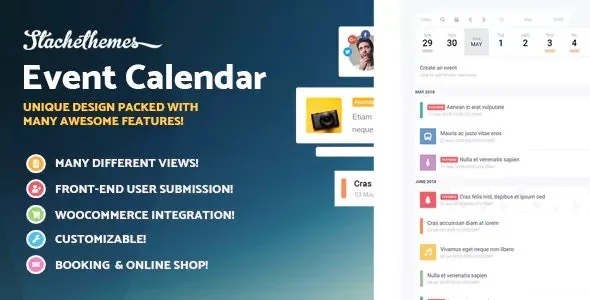
Stachethemes Event Calendar
Antivirus scan
Powered by ClamAV
✅ Verified clean
This product file has passed our security filters.
Want to run a fresh ClamAV scan right now? Takes a few seconds and shows scanner version, signature DB and live result.
This can take 5 to 30 seconds.
Clean file Threat detected
No threats detected in this file.
- File
- Size
- Scanned
- ClamAV
- Signature database
⚡ Powered by ClamAV
Scan could not be completed
Report product
If you detected an issue (broken file, malware, inappropriate content, etc.) let us know and we'll review it ASAP.
Sign in to reportNewer version out, or a problem?
About Stachethemes Event Calendar
A weekly workshop should not be created by hand every Tuesday
If you organize conferences, workshops or concerts, Stachethemes Event Calendar lets you create repeatable events and filter them by date, location, category, organizer or guests.
Views, repetitions and agenda design
The calendar shows events in month, week, day, agenda, grid, box grid or map view, and can open each event in a modal window or on its own page. Repetitions cover daily, weekly, monthly or yearly events, on weekdays or at weekends, with excluded dates. You can also repeat on specific days, such as the third Tuesday of each month or the 15th, or enter the RRULE string directly.
Visual design with drag and drop
A design editor lets you arrange the elements of each event. You can choose colors and fonts, Font Awesome icons and custom CSS.
Paid tickets that need WooCommerce
Attendees can sign up with an RSVP form or by buying a ticket. RSVP lets you limit the total number of attendees or the number per booking, enable a waiting list, require a phone number or require login. The attendee list can be public or private, and the organizer can add attendees manually.
Ticket sales rely on WooCommerce, which must be installed and active. You can sell simple or variable tickets, limit the total quantity or per occurrence of a repeated event, apply coupons and charge through any gateway WooCommerce supports. A built-in QR code scanner validates tickets.
Bringing agendas from other tools and receiving visitor events
You can import and export events in iCalendar and CSV, and sync an iCalendar calendar from a URL. You can manage the calendar and events from the front end, and an event submission form lets visitors suggest events.
Frequently asked questions about Stachethemes Event Calendar
Can I make an event repeat every third Tuesday?
Yes. Repetitions support specific days like that, and you can also enter the RRULE string by hand.
Do attendees have to log in to sign up?
It depends on your settings. The login requirement option exists, so you can leave registration open or limit it to registered users.
Can visitors suggest events?
Yes, with the event submission form, which is also available as a Gutenberg block.
Does it work on a multisite network?
Yes, it is prepared for multisite installations and can be translated into other languages.
BuddyPress, WooCommerce and maps: what Stachethemes Event Calendar integrates with
The BuddyPress integration requires BuddyPress to be active, and lets each event have its own page within a group or a member profile. For maps, it integrates Google Maps and OpenStreetMap, and OpenWeather adds the weather forecast to each event.
There is also integration with Google reCAPTCHA, Font Awesome icons and Facebook comments, besides the built-in comments form. If your site already uses these services, it is worth keeping that in mind before you decide.
Topics
Version history
-
v
5.4.1 Current 9 Apr 2025
Customer reviews
Sign in to leave a review. Only people who have the product can review it.
No reviews for this product yet.
Frequently asked questions
-
GPL (General Public License) is the license under which WordPress and most premium plugins/themes are distributed. It grants you the right to use, modify and redistribute the software in as many projects as you want, with no domain restrictions.
-
Yes. With membership you get automatic updates via our GPLClub Updater plugin (installed on your WP, detects new versions and applies them). With individual purchase, you get one year of manual updates from your account.
-
Depends on the plan. Monthly: 3 domains. Semi-annual: 7. Annual and Lifetime: 15. Individual purchase: 1 domain.
-
GPLClub offers its own support for installation, configuration and compatibility. For direct support from the original author (feature requests, product-specific bugs), a license purchased from the author is required.