Stagez – Conference and Event FSE WordPress Theme
Antivirus scan
Powered by ClamAV
✅ Verified clean
This product file has passed our security filters.
Want to run a fresh ClamAV scan right now? Takes a few seconds and shows scanner version, signature DB and live result.
This can take 5 to 30 seconds.
Clean file Threat detected
No threats detected in this file.
- File
- Size
- Scanned
- ClamAV
- Signature database
⚡ Powered by ClamAV
Scan could not be completed
Report product
If you detected an issue (broken file, malware, inappropriate content, etc.) let us know and we'll review it ASAP.
Sign in to report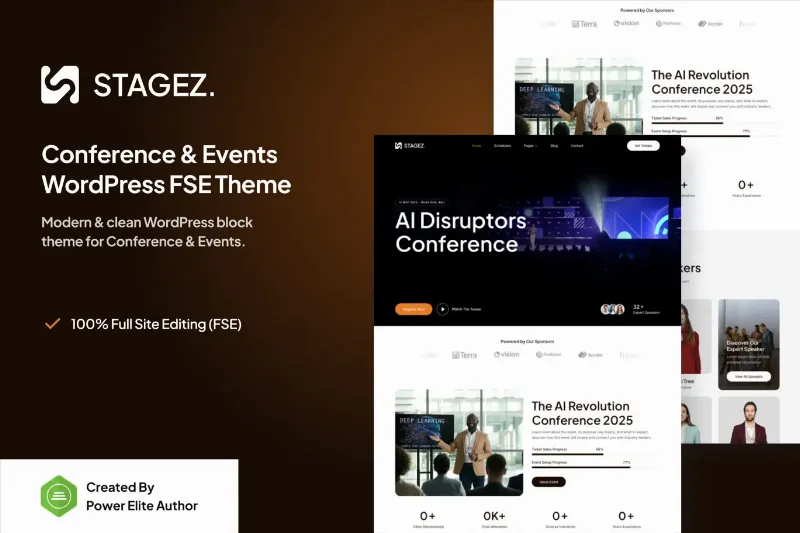
About Stagez – Conference and Event FSE WordPress Theme
An event website gets rebuilt every edition and the changes arrive late
Building a conference website usually ends the same way: a design that looks dated as soon as the event is over, last-minute room or schedule changes, and constant dependence on whoever built it. Stagez is a block theme designed for conferences, congresses, exhibitions, meetings and similar events, built on WordPress full site editing.
The website gets the most changes exactly when there is the least time, the week before. Being able to edit the header, footer and templates from the same editor as the pages means you don't have to wait for a developer when there is no margin left.
What you can edit in Stagez without touching code
With the block editor you drag elements, adjust layouts and see the result in real time. Besides content, you can create and manage headers, footers, single posts, single products, archives and 404 pages.
- Template library: there are templates for headers, footers, posts, archives and 404 pages, so you don't start from a blank page.
- Speed: because it relies on native blocks rather than a page builder, the code is lighter, which helps when registrations open and traffic arrives all at once.
- SEO: clean structure, compatible with Yoast SEO to customize the titles and descriptions of each page.
- Responsive design: it adapts to desktop, tablet and mobile, which matters if attendees check the site from the venue.
What you will have to solve separately
A theme lays out the site, it doesn't manage the event. If you need to sell tickets, collect registrations or keep a programme that filters by room or day, you will need a dedicated plugin. Check in the demo whether the agenda and speakers are handled with design patterns or whether you will have to build them yourself with blocks.
Questions buyers ask
Do I need Elementor or another page builder?
No. Stagez works with the WordPress block editor and full site editing.
Is it suitable for a small event, like a meetup?
Yes. The theme is designed for meetings and meetups as well as congresses and exhibitions.
Does it include a ticket sales system?
That is not something the theme promises. If you are going to charge, plan for a shop or registration plugin and check that it works well with the templates.
Who it suits and who it falls short for
It suits organizers who run their own site and want to change schedules, speakers or sponsors without opening a support ticket. It also suits agencies that build one site per event and reuse templates.
It falls short if you are looking for a complete congress management platform, with attendee registration, badges or built-in streaming. There, the theme only provides the visual side.
Plan the editing order
Plan the order: header and footer first (they affect everything), then the post and archive templates, and finally the specific event pages. That way global changes won't force you to redo work that is already finished.
Topics
Version history
-
v
1.0.1 Current 23 Jan 2026
Customer reviews
Sign in to leave a review. Only people who have the product can review it.
No reviews for this product yet.
Frequently asked questions
-
GPL (General Public License) is the license under which WordPress and most premium plugins/themes are distributed. It grants you the right to use, modify and redistribute the software in as many projects as you want, with no domain restrictions.
-
Yes. With membership you get automatic updates via our GPLClub Updater plugin (installed on your WP, detects new versions and applies them). With individual purchase, you get one year of manual updates from your account.
-
Depends on the plan. Monthly: 3 domains. Semi-annual: 7. Annual and Lifetime: 15. Individual purchase: 1 domain.
-
GPLClub offers its own support for installation, configuration and compatibility. For direct support from the original author (feature requests, product-specific bugs), a license purchased from the author is required.