Swiss Knife Bricks
Antivirus scan
Powered by ClamAV
✅ Verified clean
This product file has passed our security filters.
Want to run a fresh ClamAV scan right now? Takes a few seconds and shows scanner version, signature DB and live result.
This can take 5 to 30 seconds.
Clean file Threat detected
No threats detected in this file.
- File
- Size
- Scanned
- ClamAV
- Signature database
⚡ Powered by ClamAV
Scan could not be completed
Report product
If you detected an issue (broken file, malware, inappropriate content, etc.) let us know and we'll review it ASAP.
Sign in to reportNewer version out, or a problem?
About Swiss Knife Bricks
Writing classes by hand in Bricks becomes the bottleneck
If you work with utility classes such as Tailwind, or rebuild in Bricks layouts that already exist as HTML, your time goes into repetitive tasks: typing classes one by one, copying them from one element to another and changing several blocks the same way, one at a time. Swiss Knife for Bricks Builder is a WordPress plugin that adds those tools inside the editor you already use. It doesn't replace Bricks, it adds pieces to it, and as an add-on it needs Bricks Builder active to work.
Five tools you switch on only when you need them
Every feature is off by default, so you activate only the ones that fit how you work:
- Plain text classes: a text field appears above Bricks's class field so you can type or paste a full list at once.
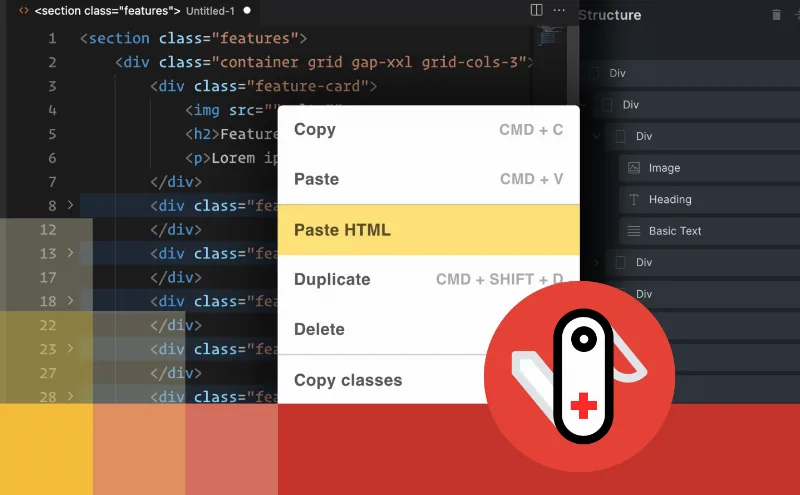
- Copy and paste classes: with a right click, it moves all the classes of one element to another, both on the canvas and in the structure panel.
- Multi-select: choose several elements at once and modify them together.
- HTML editor: an HTML editor that opens in a popup window.
- Scripts manager: a tool integrated in the Bricks editor to manage scripts.
Two profiles Swiss Knife Bricks is built for
How you use it changes depending on how you build pages:
- Those who work with utility classes: if you use Tailwind or similar class systems, the plugin is made for you.
- Those who build from existing HTML: if you start from code already written and want to bring it into Bricks, the plugin is made for you.
Agencies looking for faster, repeatable editing in Bricks are also part of the plugin's audience.
Pasting HTML is already done by Bricks, so Swiss Knife covers the rest
Good to know before installing it. Bricks converts pasted HTML and CSS into native, editable elements by itself, so that specific task no longer depends on this plugin. Swiss Knife provides the rest: the plain text class input, multi-select, the HTML editor popup and the scripts manager. If what you need is mainly pasting code, Bricks already covers that.
What people who already use Bricks usually ask
Can I type classes as plain text in Bricks?
Yes. When you select an element, a text field appears above Bricks's class field, where you can type or paste the full list at once. You turn it on in the Swiss Knife settings.
Can I copy classes from one element to another?
Yes. With a right click you copy all the classes of one element and paste them into another, both from the canvas and from the structure panel.
Do I still need Swiss Knife if Bricks already pastes HTML?
For pasting HTML, Bricks already converts the code into native elements by itself. Swiss Knife remains useful for the rest: the plain text class input, multi-select, the HTML editor popup and the scripts manager.
Can I edit several elements at once?
Yes. Multi-select lets you choose several elements and change them together. You also enable it in the plugin settings.
Version history
-
v
1.1.1 Current 16 Jan 2026
Customer reviews
Sign in to leave a review. Only people who have the product can review it.
No reviews for this product yet.
Frequently asked questions
-
GPL (General Public License) is the license under which WordPress and most premium plugins/themes are distributed. It grants you the right to use, modify and redistribute the software in as many projects as you want, with no domain restrictions.
-
Yes. With membership you get automatic updates via our GPLClub Updater plugin (installed on your WP, detects new versions and applies them). With individual purchase, you get one year of manual updates from your account.
-
Depends on the plan. Monthly: 3 domains. Semi-annual: 7. Annual and Lifetime: 15. Individual purchase: 1 domain.
-
GPLClub offers its own support for installation, configuration and compatibility. For direct support from the original author (feature requests, product-specific bugs), a license purchased from the author is required.