Swiss Knife Pro
Antivirus scan
Powered by ClamAV
✅ Verified clean
This product file has passed our security filters.
Want to run a fresh ClamAV scan right now? Takes a few seconds and shows scanner version, signature DB and live result.
This can take 5 to 30 seconds.
Clean file Threat detected
No threats detected in this file.
- File
- Size
- Scanned
- ClamAV
- Signature database
⚡ Powered by ClamAV
Scan could not be completed
Report product
If you detected an issue (broken file, malware, inappropriate content, etc.) let us know and we'll review it ASAP.
Sign in to reportNewer version out, or a problem?
About Swiss Knife Pro
When a day in Oxygen Classic fills up with repeated clicks
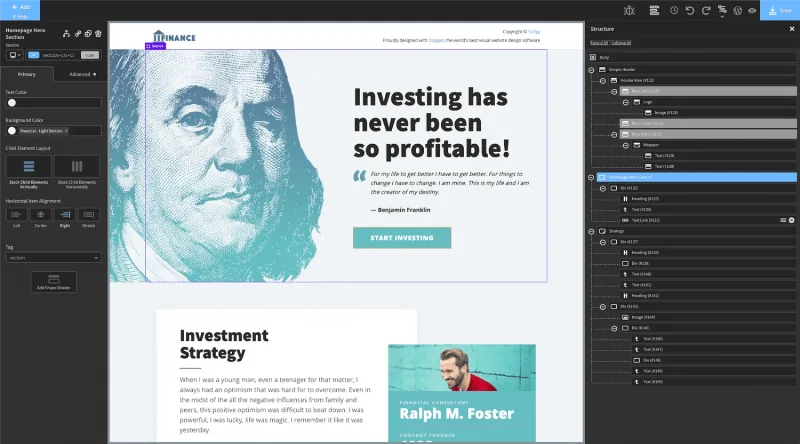
Anyone who builds websites with Oxygen Classic every day ends up repeating the same movements: searching for an element in the bar, assigning the same class again, or opening the next page to copy a block. Swiss Knife is a WordPress plugin that adds workflow tools to the Oxygen Builder Classic editor to remove those detours.
All of its features are off by default. You switch on only what you're going to use.
Shortcuts and a context menu so you don't have to hunt for buttons
Keyboard shortcuts are customizable, and some already come with settings based on best practices. You don't need to memorize them: there is a shortcut that displays the full list inside the editor.
The right-click menu changes things too. Cut, copy, paste, rename, or conditions are one click away instead of buried in the interface. You can also copy any Oxygen element to the clipboard and paste it on the same page, on another page of your website, or on a completely different website. You can also save it to a text file to send to someone, or as a code snippet on your site to share.
The Oxygen sidebar is narrow, and with nested elements a vertical scrollbar appears. With Swiss Knife you can adjust its width to suit how you nest elements or the size of your monitor. The list of pages and templates lets you preview them, open them in the WordPress editor, or launch them with Oxygen Builder.
Shared classes that nobody breaks by accident
In Oxygen, classes are the most powerful and the most fragile feature: changing a single one can disrupt the design of the entire site. Once a class is right, Swiss Knife lets you lock it so nobody modifies it by mistake. It is especially useful for agencies where several people share classes on the same site.
The Classes Manager offers a full-page view, a search with improved preview, the ability to add several classes at once, and the option to create a new class on the spot if one is missing. Since Oxygen doesn't offer class export by default, Swiss Knife lets you import or export several at once and even lock them when importing.
Emmet and HTML converted into Oxygen elements
Typing div.card*3>img.card_img instead of adding elements one by one is the kind of shortcut a developer misses in Oxygen. With Emmet, the Oxygen code editor understands those abbreviations and turns them into the full structure right away.
You can also paste any HTML from another website and convert it into Oxygen elements. After copying it, you click the clipboard icon in the top bar, and the IDs and classes are assigned as well.
One limit to keep in mind: Swiss Knife is built for Oxygen Builder Classic. Oxygen 6 is a different editor, with a different technical foundation, so the add-on cannot simply be carried over to that version.
Fonts, scripts and the visual debugger in the same editor
Oxygen has no simple way to load CSS or JS libraries. With the Scripts Manager, each library is registered in one single place: if you want to add GSAP or any other, you update it from there even if you use it in several places. You can load it in the header or the footer, apply it to the whole site, or register it for use only in certain places. You can also limit it to the frontend so animations don't run inside the editor, and choose whether to serve it from a CDN or from your own media library.
The Font Manager registers your typefaces so they appear in Oxygen's font dropdown alongside the others, with a preload option. The visual debugger highlights overlaps and alignment problems, with a different color for each of the six group types.
Frequently asked questions about Swiss Knife
Can I use keyboard shortcuts in Oxygen?
Yes. Swiss Knife adds ready-to-use shortcuts, such as Ctrl or Cmd + S to save, and you can change them from the shortcuts manager.
How do I stop someone from changing layout classes by mistake?
Turn on class locking. A locked class can't be modified by accident, so a shared class won't break the rest of the site. You can also import several and lock them in the same step.
Is it useful for teams that share a site?
Yes, mainly because of class locking and class importing, which give the team a common vocabulary and prevent accidental changes to a shared design.
Version history
-
v
4.1.0 Current 17 May 2024
Customer reviews
Sign in to leave a review. Only people who have the product can review it.
No reviews for this product yet.
Frequently asked questions
-
GPL (General Public License) is the license under which WordPress and most premium plugins/themes are distributed. It grants you the right to use, modify and redistribute the software in as many projects as you want, with no domain restrictions.
-
Yes. With membership you get automatic updates via our GPLClub Updater plugin (installed on your WP, detects new versions and applies them). With individual purchase, you get one year of manual updates from your account.
-
Depends on the plan. Monthly: 3 domains. Semi-annual: 7. Annual and Lifetime: 15. Individual purchase: 1 domain.
-
GPLClub offers its own support for installation, configuration and compatibility. For direct support from the original author (feature requests, product-specific bugs), a license purchased from the author is required.