The Plus Block Pro
Antivirus scan
Powered by ClamAV
✅ Verified clean
This product file has passed our security filters.
Want to run a fresh ClamAV scan right now? Takes a few seconds and shows scanner version, signature DB and live result.
This can take 5 to 30 seconds.
Clean file Threat detected
No threats detected in this file.
- File
- Size
- Scanned
- ClamAV
- Signature database
⚡ Powered by ClamAV
Scan could not be completed
Report product
If you detected an issue (broken file, malware, inappropriate content, etc.) let us know and we'll review it ASAP.
Sign in to report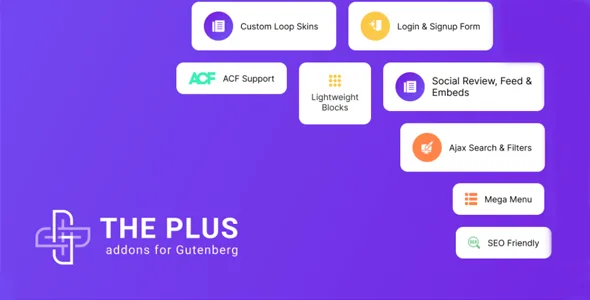
About The Plus Block Pro
Building a whole site in Gutenberg without a different plugin for every piece
When you build sites for clients, you usually end up with one plugin for the menu, another for popups, another for forms and another for post listings. Each brings its own style, its own panel and its own conflicts. The Plus Block Pro tries to bring all of that together as blocks inside the WordPress editor itself.
A project's time doesn't go on the homepage, but on the repeated pieces (header, footer, listings, forms) that you have to redo on every site. A block set only pays off if those pieces come from one place and can be copied from one project to another without rebuilding them.
What The Plus Block Pro covers and where it stops
- Listings: blocks for posts and custom content types in grid, carousel or masonry, with category filters, a load more button, lazy loading and pagination.
- Headers and mega menus: horizontal, vertical and mobile menus, plus effects such as a sticky header or one that shrinks on scroll.
- Popups and side panels: modal windows and content that slides in from outside the canvas.
- Forms: contact fields, plus login, registration and password reset forms.
- Galleries and social: images and videos in grid or carousel, social feeds and Google or Facebook reviews.
- Copy and paste styles: lets you apply the same styles across blocks.
The limits, plainly: it's a set of blocks for the block editor, so it's no use if you build with Elementor or another page builder. The store blocks need WooCommerce active. And converting Figma designs into blocks is done by UiChemy, a separate plugin that isn't included.
Questions before choosing The Plus Block Pro
Does it work with any theme?
It's designed for the block editor, so the sensible approach is to try it with the theme you already use. Before rebuilding a project, check in the demo how the header behaves with your theme.
Does it replace my forms plugin?
It includes the usual fields (name, email, phone, dropdown, checkboxes, date, time, terms acceptance and security code). If you need specific integrations with other services, check them in the demo first.
Can I create my own blocks?
Yes: it includes a block builder that works from your own HTML, CSS and JS.
Is it suitable for stores?
There are blocks for products, cart, checkout and user account, always on top of WooCommerce.
Dynamic content and display conditions
Display conditions show or hide a block depending on user role, whether they're logged in, browser, operating system, date, time or page type.
With that, the same design can serve visitors and registered customers, or show an offer only on certain days, without duplicating pages.
Start with the header and a popup, not the whole site
The most sensible approach is to pick one piece that's hard for you to build today (the mega menu or a popup with conditions) and recreate it with these blocks on a test site. That way you see whether the editor feels comfortable and whether the result looks the same on mobile and tablet.
If it convinces you, save that piece as a base and copy it to your next projects. Migrating a live site all at once, without that test, is what causes the most trouble.
Version history
-
v
6.3.10 Current 26 Jul 2025
Customer reviews
Sign in to leave a review. Only people who have the product can review it.
No reviews for this product yet.
Frequently asked questions
-
GPL (General Public License) is the license under which WordPress and most premium plugins/themes are distributed. It grants you the right to use, modify and redistribute the software in as many projects as you want, with no domain restrictions.
-
Yes. With membership you get automatic updates via our GPLClub Updater plugin (installed on your WP, detects new versions and applies them). With individual purchase, you get one year of manual updates from your account.
-
Depends on the plan. Monthly: 3 domains. Semi-annual: 7. Annual and Lifetime: 15. Individual purchase: 1 domain.
-
GPLClub offers its own support for installation, configuration and compatibility. For direct support from the original author (feature requests, product-specific bugs), a license purchased from the author is required.