Thrive Quiz Builder
Antivirus scan
Powered by ClamAV
✅ Verified clean
This product file has passed our security filters.
Want to run a fresh ClamAV scan right now? Takes a few seconds and shows scanner version, signature DB and live result.
This can take 5 to 30 seconds.
Clean file Threat detected
No threats detected in this file.
- File
- Size
- Scanned
- ClamAV
- Signature database
⚡ Powered by ClamAV
Scan could not be completed
Report product
If you detected an issue (broken file, malware, inappropriate content, etc.) let us know and we'll review it ASAP.
Sign in to report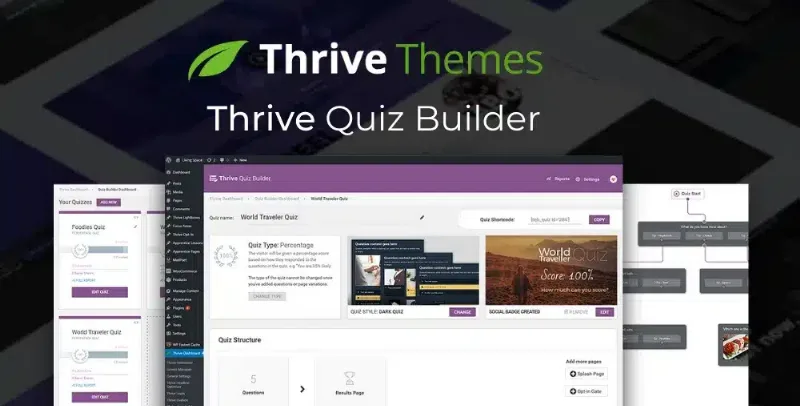
About Thrive Quiz Builder
A signup form says little; a quiz tells you who each person is
Thrive Quiz Builder is a WordPress quiz plugin that changes that starting point: the person answers, you collect useful data and they get something in return.
A real walkthrough: from template to results page
Imagine you sell an online course and want to know each visitor's level. This is how the path would look with Thrive Quiz Builder:
- Starting template: there are three starting points (capture leads, get social shares or gain customer insights), or you can start from scratch.
- Quiz type: you choose between a numeric score (9 out of 10), a percentage, a category (for example, "high achiever"), multiple answers to one question or a survey to collect qualitative data. There are five types in total.
- Settings: you decide details such as whether the participant can go back to a question already answered.
- Style: there are five visual templates that you edit with drag and drop to match your brand.
- Questions: multiple choice, with images or open-ended.
- Branching: one answer leads to different questions. A troubleshooter flags errors in those branches.
- Email gate: you ask for the email in exchange for the result.
- Results: each profile sees a different results page based on their answers.
Tags per answer: segmentation happens on its own
The most valuable feature for email marketing is being able to assign tags based on what each person answers to specific questions. That way you don't send the same message to someone who says "I'm just starting" as to someone who already sells. The answers also give you information about real objections and doubts.
Keep in mind that the plugin collects and organizes the data, but the value depends on your questions. If you ask little or ask badly, you will have a list as blind as before.
Frequently asked questions about Thrive Quiz Builder
Do I need to know how to code?
No. It works with a setup wizard and a drag and drop editor.
Does it look good on mobile?
Yes, the quizzes are designed to look good on mobile devices.
Is it good for more than capturing emails?
Yes. You can use it to recommend products based on answers, collect opinions or check what students of a course have learned and spot gaps in your content.
Can I test different versions of a quiz?
It includes A/B testing to compare questions, flows and results, plus analytics on the answers.
When it is not worth it
If you only want a simple contact form, a quiz is too much. And if you are not going to review the answers or use them to segment your emails, you will lose the biggest advantage. Check in the demo how branching looks in your case before deciding.
Topics
Version history
-
v
11.2.0.1 Current 24 Oct 2026
-
v
11.1 9 Oct 2026
-
v
11.0.1 23 Sep 2026
-
v
11.0.0.1 16 Sep 2026
-
v
11.0 9 Sep 2026
-
v
10.9.3.3 26 Aug 2026
-
v
10.9 4 May 2026
Customer reviews
Sign in to leave a review. Only people who have the product can review it.
No reviews for this product yet.
Frequently asked questions
-
GPL (General Public License) is the license under which WordPress and most premium plugins/themes are distributed. It grants you the right to use, modify and redistribute the software in as many projects as you want, with no domain restrictions.
-
Yes. With membership you get automatic updates via our GPLClub Updater plugin (installed on your WP, detects new versions and applies them). With individual purchase, you get one year of manual updates from your account.
-
Depends on the plan. Monthly: 3 domains. Semi-annual: 7. Annual and Lifetime: 15. Individual purchase: 1 domain.
-
GPLClub offers its own support for installation, configuration and compatibility. For direct support from the original author (feature requests, product-specific bugs), a license purchased from the author is required.