Timeline for Elementor WordPress Plugin
Antivirus scan
Powered by ClamAV
✅ Verified clean
This product file has passed our security filters.
Want to run a fresh ClamAV scan right now? Takes a few seconds and shows scanner version, signature DB and live result.
This can take 5 to 30 seconds.
Clean file Threat detected
No threats detected in this file.
- File
- Size
- Scanned
- ClamAV
- Signature database
⚡ Powered by ClamAV
Scan could not be completed
Report product
If you detected an issue (broken file, malware, inappropriate content, etc.) let us know and we'll review it ASAP.
Sign in to report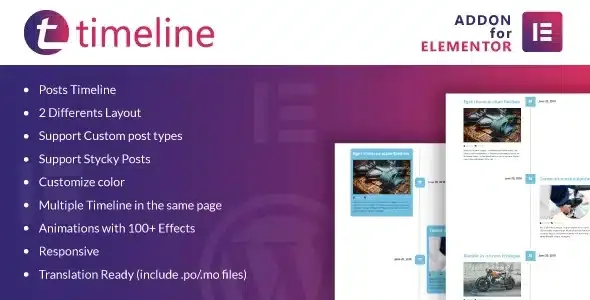
About Timeline for Elementor WordPress Plugin
When your posts are a list and should be a story
A blog with years of posts often ends up as a flat archive: title, date, excerpt, another title. If you are telling a career path, a project in progress or a series of news items, chronological order is exactly what matters, and a card grid does not convey it. Timeline for Elementor turns your posts into a timeline inside Elementor, without rewriting anything by hand.
A walkthrough with Timeline for Elementor, from post to timeline
Imagine a company blog where every milestone is published as a post. This is how the work goes:
- Step 1, have Elementor. It is an addon: without Elementor installed it does not work. It is not a standalone plugin and it does not work with another builder.
- Step 2, publish content as usual. The timeline is fed by your posts, so there is no need to duplicate text in a separate widget. It also supports custom post types, useful if your milestones live in their own content type, and sticky posts.
- Step 3, add the timeline to the page. You insert the element in Elementor and it is generated from your posts.
- Step 4, choose the layout. There are two different layouts, to decide how posts are distributed along the line.
- Step 5, adjust the look. You can change the colors to match your brand, and enable entrance animations with more than a hundred effects.
Keep in mind: the plugin displays posts, it is not designed as an editor for manual milestones with their own fields. If you want dates or texts that are not posts, you will need to create them as content in WordPress.
Several timelines on the same page
You can place more than one timeline on a single page. It is worth testing in the demo how it looks with several in a row.
Questions buyers ask
Does it work without Elementor?
No. It is an add-on for Elementor and needs it installed.
Does it look good on mobile?
It is responsive, so it adapts to small screens. Even so, check with your own content that long titles do not become heavy.
Can I use it with my own content types?
Yes, it supports custom post types in addition to regular posts.
Is it available in my language?
It is translation ready and includes .po and .mo files, so you can adapt the interface texts.
Who it makes sense for and who it does not
If you want a fully manual timeline, with milestones written one by one outside the post system, this plugin is not the right approach.
Version history
-
v
1.0.7 Current 7 Sep 2026
-
v
1.0.6 29 Dec 2025
Customer reviews
Sign in to leave a review. Only people who have the product can review it.
No reviews for this product yet.
Frequently asked questions
-
GPL (General Public License) is the license under which WordPress and most premium plugins/themes are distributed. It grants you the right to use, modify and redistribute the software in as many projects as you want, with no domain restrictions.
-
Yes. With membership you get automatic updates via our GPLClub Updater plugin (installed on your WP, detects new versions and applies them). With individual purchase, you get one year of manual updates from your account.
-
Depends on the plan. Monthly: 3 domains. Semi-annual: 7. Annual and Lifetime: 15. Individual purchase: 1 domain.
-
GPLClub offers its own support for installation, configuration and compatibility. For direct support from the original author (feature requests, product-specific bugs), a license purchased from the author is required.