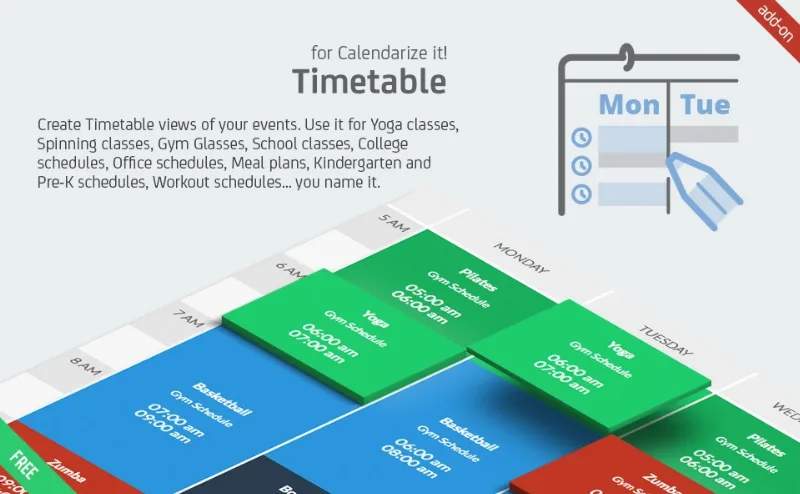
Timetable for Calendarize it!
Antivirus scan
Powered by ClamAV
✅ Verified clean
This product file has passed our security filters.
Want to run a fresh ClamAV scan right now? Takes a few seconds and shows scanner version, signature DB and live result.
This can take 5 to 30 seconds.
Clean file Threat detected
No threats detected in this file.
- File
- Size
- Scanned
- ClamAV
- Signature database
⚡ Powered by ClamAV
Scan could not be completed
Report product
If you detected an issue (broken file, malware, inappropriate content, etc.) let us know and we'll review it ASAP.
Sign in to reportNewer version out, or a problem?
About Timetable for Calendarize it!
Weekly timetables that read at a glance
Yoga classes, gym shifts or a school timetable usually end up as a downloaded image or a table pasted by hand that has to be rebuilt in full every time a session changes. Timetable for Calendarize it! takes the events you already have in Calendarize it! and shows them as a weekly or monthly timetable, so whoever visits the site sees what happens each day and at what time.
How to build the timetable with the shortcode
The shortcode accepts these attributes for the timetable:
- defaultview: the view that loads first, agendaWeek, basicWeek or month.
- gotodate: the week or month shown when the page opens, in YYYY-MM-DD format.
- calendar: the calendar displayed, set by its taxonomy slug.
- hiddendays: the days to hide, with 0 for Sunday and 6 for Saturday.
- mintime and maxtime: the first and last hours visible, even if the visitor scrolls the bar.
- slotminutes: how many minutes each time slot spans.
Four templates and time formats for each kind of timetable
The timetable has four templates: timetable, timetable_b, swap_time_title and swap_time_title_b. The timetable template shows the time on two lines.
As for format, timetable_time_format supports 24-hour or 12-hour time, with am or AM as you prefer. axisformat sets the text of the time column in the agenda views.
Agenda view or basic view: when each one makes sense
The agenda view shows the time slots vertically. In the basic view, events take up no extra space and do not overlap when they share a time slot, which helps if several classes start at the same time. With alldayslot you can hide the all-day slot in week or day views.
Clicking an event opens a tooltip with its featured image. Setting tooltip_image to 0 hides that image, and setting event_click to fc_click_no_action disables the tooltip, so the visitor cannot go to the event details page.
Timetable needs Calendarize it! active to display schedules
Timetable is an add-on for Calendarize it!, so the base plugin must be installed and active. Timetables come from the events you load there. If you want drop-down filters by taxonomy, they are added with the Taxonomy Filter add-on.
Frequently asked questions about Timetable for Calendarize it!
Does it work for yoga classes or office schedules?
Yes. It is used for yoga, spinning or gym classes, school or university timetables, office schedules, meal plans, kindergarten timetables and workout routines.
Can I show only the hours that matter?
Yes. mintime and maxtime fix the first and last hour, and hiddendays hides the days you do not want to show.
Can I switch between 12-hour and 24-hour time?
Yes, timetable_time_format sets the format. The 12-hour option accepts am or AM, and the 24-hour option uses HH:mm or H:mm.
Can I show several timetables on the same site?
Yes, each shortcode can point to a different calendar through its slug.
Before you choose it: fit with your event calendars
Timetable fits best if you already organise your sessions or shifts as events in Calendarize it!, grouped by taxonomies. One calendar per group, team or location lets each page show its own timetable through the calendar attribute. It works both for a single timetable and for several calendars in one installation.
Topics
Version history
-
v
1.0.1.83146 Current 12 May 2024
Customer reviews
Sign in to leave a review. Only people who have the product can review it.
No reviews for this product yet.
Frequently asked questions
-
GPL (General Public License) is the license under which WordPress and most premium plugins/themes are distributed. It grants you the right to use, modify and redistribute the software in as many projects as you want, with no domain restrictions.
-
Yes. With membership you get automatic updates via our GPLClub Updater plugin (installed on your WP, detects new versions and applies them). With individual purchase, you get one year of manual updates from your account.
-
Depends on the plan. Monthly: 3 domains. Semi-annual: 7. Annual and Lifetime: 15. Individual purchase: 1 domain.
-
GPLClub offers its own support for installation, configuration and compatibility. For direct support from the original author (feature requests, product-specific bugs), a license purchased from the author is required.