TM User Blog Front End Post Submission
Antivirus scan
Powered by ClamAV
✅ Verified clean
This product file has passed our security filters.
Want to run a fresh ClamAV scan right now? Takes a few seconds and shows scanner version, signature DB and live result.
This can take 5 to 30 seconds.
Clean file Threat detected
No threats detected in this file.
- File
- Size
- Scanned
- ClamAV
- Signature database
⚡ Powered by ClamAV
Scan could not be completed
Report product
If you detected an issue (broken file, malware, inappropriate content, etc.) let us know and we'll review it ASAP.
Sign in to report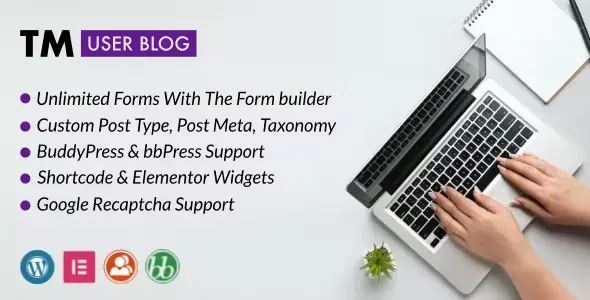
About TM User Blog Front End Post Submission
Give your users a voice without handing them the keys to the dashboard
Opening your site to contributors usually ends in one of two extremes: you create users with access to the WordPress panel and drop them into an interface that was not designed for them, or you ask them to email you the text and end up copying and pasting it yourself. TM User Blog Front End Post Submission solves that point: the author writes and submits their post from a form placed on a page of your site.
There is something worth being clear about before you open the door: on a site with user-generated content, writing is rarely the bottleneck, reviewing is. That is why the most important part of the plugin is not the form itself, but who decides whether a submission goes live on its own or waits for your approval.
One form for each type of content in TM User Blog
The builder lets you create as many forms as you need, and it is not limited to regular posts: you can choose any custom post type. So one form can serve for articles and another, different one for another type of content on your site.
- Tailor-made fields: it supports custom fields (post meta) and custom taxonomies, with types such as text box, rich text editor or radio buttons. Each field can be required or optional.
- Shortcode: the form can be placed on any page without needing a page builder.
- Elementor widgets: if you work with Elementor, there are dedicated widgets with many options to adjust the look of the form.
- Media inside the content: you can enable file uploads so authors can insert them into the text of their post.
Three sites where TM User Blog earns its place
Community with BuddyPress
The forms you choose are added automatically to user profiles, and each author edits or publishes their posts from their own profile. The profile also gets a public blog page so other members can find their texts. Members can follow posts from the sitewide activity page, and when an author publishes, a new activity is added to the feed.
Site with a bbPress forum
The plugin is compatible with bbPress, so a site with a forum can offer its members a space to publish posts from the front end, without them entering the dashboard.
Site with external contributors
If you work with guest writers or partners, you can limit dashboard access and remove the WordPress admin bar for the roles you choose. The contributor sees your site, not your panel.
Pending or published: the decision that defines your moderation
You can change the default status of what is submitted. With "pending" you review each text before it appears; with "published" you gain speed, but whatever arrives goes in front of everyone. For a new community, the prudent choice is to start with pending. To fight spam and abuse, the plugin includes Google reCAPTCHA.
There are also many color options to match the forms to your site's style. The code is lightweight: the required files only load on pages that have a form. It works on WPMU and supports RTL.
Questions before installing TM User Blog
- Is it only for blog posts? No, you can choose any custom post type, with its custom fields and taxonomies.
- Do I need Elementor? No. The form is inserted with a shortcode on any page. The Elementor widgets are an option if you already use it.
- Can authors see the dashboard? You can limit dashboard access and hide the admin bar by role.
- Is everything published automatically? It's up to you: the default status can be pending or published.
- Does it slow down the site? Its files only load on pages that have a form.
Author profiles only appear with BuddyPress or bbPress
The integration with user profiles, the public blog page and the activity depends on having those plugins installed. Without them, the forms still work with a shortcode, but there will be no profiles to host them. Before deciding, check in the demo how a form looks with fields like the ones you need.
Topics
Version history
-
v
1.3 Current 8 May 2024
Customer reviews
Sign in to leave a review. Only people who have the product can review it.
No reviews for this product yet.
Frequently asked questions
-
GPL (General Public License) is the license under which WordPress and most premium plugins/themes are distributed. It grants you the right to use, modify and redistribute the software in as many projects as you want, with no domain restrictions.
-
Yes. With membership you get automatic updates via our GPLClub Updater plugin (installed on your WP, detects new versions and applies them). With individual purchase, you get one year of manual updates from your account.
-
Depends on the plan. Monthly: 3 domains. Semi-annual: 7. Annual and Lifetime: 15. Individual purchase: 1 domain.
-
GPLClub offers its own support for installation, configuration and compatibility. For direct support from the original author (feature requests, product-specific bugs), a license purchased from the author is required.