Touchy - WordPress Mobile Menu Plugin
Antivirus scan
Powered by ClamAV
✅ Verified clean
This product file has passed our security filters.
Want to run a fresh ClamAV scan right now? Takes a few seconds and shows scanner version, signature DB and live result.
This can take 5 to 30 seconds.
Clean file Threat detected
No threats detected in this file.
- File
- Size
- Scanned
- ClamAV
- Signature database
⚡ Powered by ClamAV
Scan could not be completed
Report product
If you detected an issue (broken file, malware, inappropriate content, etc.) let us know and we'll review it ASAP.
Sign in to reportNewer version out, or a problem?
About Touchy - WordPress Mobile Menu Plugin
A mobile menu and header for any WordPress theme
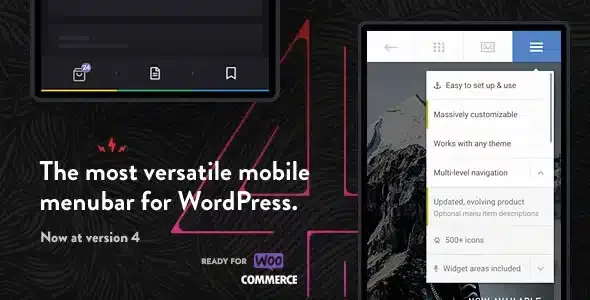
Touchy is a premium mobile menu and header plugin for WordPress, designed with smartphones in mind. It is quick, reactive and very comfortable to use. It includes a logo area, quick call and email buttons, an integrated search, a back button and a multi-level drop-down menu. It can serve as a complete mobile navigation and header on any WordPress theme, and it can also hide the theme's logo and menu by class or ID.
Bar, logo, and call and email buttons from the customizer
You start in the WordPress customizer, where Touchy integrates with the Live Customizer. From there you decide whether the bar goes at the top or bottom of the screen, whether it stays fixed or uses absolute positioning, its height and its transparency, and you can add your own text labels. The logo can be text or an image, with retina support, aligned left, center or right. When the page scrolls, the logo fades away and the bar stays fixed.
The call and email buttons are quick to access: you enter the phone number, the email recipient and the subject. You can rearrange the back, call, email, search and WooCommerce buttons, hide any of them, and show some only to logged-in users.
Frequently asked questions about Touchy
Does it work for a store with WooCommerce?
Yes. Touchy includes a WooCommerce cart button, and you can choose between the cart icon or the bag icon to place it in the bar alongside the other buttons.
Does it work only on phones or also on desktop?
It has been tested on phones, tablets and computers, and it works well in desktop browsers. If you want, you can also use it on a full desktop site. If you prefer it only on small screens, you can display it only at the resolutions you choose.
Can I use it with any theme?
Yes, Touchy can serve as the mobile navigation and complete header on any WordPress theme. To hide the theme's menu or header, you will need their class or ID.
Can I translate its texts?
Yes. The customizer settings are translatable.
Drop-down menus, search and back button
The drop-down menu supports several levels in an accordion format, and if you have too many items for the screen it can be scrolled. You can add descriptions to each item, highlight the ones you want with a visual indicator, and choose whether tapping the arrow opens a submenu or the whole row does. The arrows have two animations: one that flips them and one that turns them into an X. If your site has one-page links, the option to close the menu on tap is useful.
The integrated search lets you change the help text and the button label, hide the clear-field option and hide the search button itself. There is also a secondary full-screen search design. When the menu or search opens, a background overlay appears whose color and opacity you can adjust, and the back button is among the ones you can place in the bar.
How to replace the theme's menu and customize every color in Touchy
If your theme already has a header and menu, Touchy can hide them by class or ID while it is displayed. For that you need the class or ID of those elements in your theme.
Customization is extensive: you can change the color of each element, replace any of the more than 1500 icons, adjust the distance from the screen edges and the corner roundness, and change the font size of the menu and its descriptions. The two widget areas, one above and one below the menu, accept HTML, CSS, shortcodes or embed codes, and work for announcing a product, adding social buttons or highlighting content.
Version history
-
v
4.8 Current 8 Jan 2025
Customer reviews
Sign in to leave a review. Only people who have the product can review it.
No reviews for this product yet.
Frequently asked questions
-
GPL (General Public License) is the license under which WordPress and most premium plugins/themes are distributed. It grants you the right to use, modify and redistribute the software in as many projects as you want, with no domain restrictions.
-
Yes. With membership you get automatic updates via our GPLClub Updater plugin (installed on your WP, detects new versions and applies them). With individual purchase, you get one year of manual updates from your account.
-
Depends on the plan. Monthly: 3 domains. Semi-annual: 7. Annual and Lifetime: 15. Individual purchase: 1 domain.
-
GPLClub offers its own support for installation, configuration and compatibility. For direct support from the original author (feature requests, product-specific bugs), a license purchased from the author is required.