TripTastic – Travel Blog WordPress Theme
Antivirus scan
Powered by ClamAV
✅ Verified clean
This product file has passed our security filters.
Want to run a fresh ClamAV scan right now? Takes a few seconds and shows scanner version, signature DB and live result.
This can take 5 to 30 seconds.
Clean file Threat detected
No threats detected in this file.
- File
- Size
- Scanned
- ClamAV
- Signature database
⚡ Powered by ClamAV
Scan could not be completed
Report product
If you detected an issue (broken file, malware, inappropriate content, etc.) let us know and we'll review it ASAP.
Sign in to report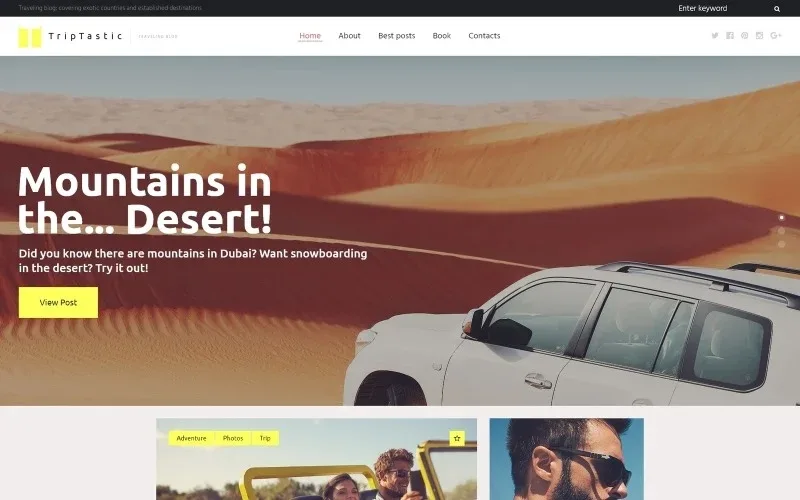
About TripTastic – Travel Blog WordPress Theme
A travel blog sinks under the weight of its own photos
It is the problem of the sector and almost nobody warns about it when selling the theme. A travel blog lives on images: without large photos nobody stays, and the content itself loses its point. But those photos come out of a camera at twelve megapixels, get uploaded as they are, and six months later the site takes eight seconds to open on the phone of someone with middling coverage, which is exactly where people read about travel.
What does the damage is not the theme, it is the media library. And it arrives slowly: post number ten is fast, post number two hundred is not, and by then there are two hundred posts to reprocess.
TripTastic is a travel blog theme with several header, footer and sidebar styles, two listing layouts and eight post formats. This page is about how to set it up so weight does not eat your project.
What it includes
- Two blog layouts: grid and masonry, the format travel photos work best with.
- Several header, footer and sidebar styles, combinable with each other.
- Eight post formats, to distinguish a gallery from a report or a video.
- Google web fonts built in, to vary typography by content type.
- Integration with the main social networks, which in travel is where a good share of traffic comes from.
- GPL 3.0 licence, so it can be used on an unlimited number of sites.
The three weight rules, to apply from day one
Resize before uploading. No blog photo needs more than 2,000 pixels wide. That is the size that fits any screen and weighs a fraction of what comes out of the camera. Doing it before uploading costs a minute; doing it with two hundred posts published costs a weekend.
Modern formats and lazy loading. WebP instead of JPG halves the weight at the same visible quality, and lazy loading means the fifteen photos in a report do not all download at once when the reader only sees the first two.
Watch the masonry layout. It is the prettiest for travel and the one that loads the most images at once on the front page. If you use it, limit how many posts appear per page. Twelve is reasonable; thirty six is a front page that does not open.
The legal notice almost every travel blog is missing
If you monetise with affiliate links for hotels, flights or insurance, and in travel practically everyone does, the commercial relationship must be declared clearly and somewhere visible, not buried in the privacy policy. In the European Union the Omnibus Directive reinforced this obligation for purchase recommendations, and other countries have equivalent rules.
The practical form is a line at the start of every post carrying links, not a general notice in the footer. It costs the same and it is what holds up if anyone asks.
And a second one: if you publish photos of recognisable people taken on your travels, bear in mind that image rights do not disappear because the photo is yours.
What it does not do
It is not a booking theme. It brings no accommodation search engine, no availability calendar and no gateway for selling tours. It is a blog: if your business is selling travel rather than writing about it, this is not the theme.
It also does not optimise images for you. Everything in the previous section is your work or a separate plugin's.
The published version is 1.0.0 and there is no official site reachable from our listing, so questions such as multilingual support or compatibility with specific builders are worth checking on a staging install.
Getting started
1. Install the theme and pick one of the two listing layouts. Changing it later is easy, but deciding now orders everything else.
2. Before writing the first post, install the image optimiser. It is the step nobody takes at the start and everybody regrets.
3. Decide which post formats you will use out of the eight. Three used well beat eight used halfway.
4. Write your affiliate disclosure line and save it as a template, to paste into every post carrying links.
Alternatives in the catalogue
If as well as writing about travel you want to sell it, the approach is different: Bexper and Love Travel are built around booking, and Advenx aims at adventure tourism.
And for what this theme does not do for you: WP Smush Pro compresses images on upload and WP Rocket handles caching and lazy loading.
Frequently asked questions
Is it for selling travel or only writing about it?
Only writing about it. It brings no booking engine or availability calendar.
How many photos can I put per post?
As many as you want, but with lazy loading on. Without it, fifteen photos are fifteen downloads on open.
Does it optimise images automatically?
No. You need a separate compression plugin, and it is worth installing before the first post.
On how many sites can I use it?
It is GPL 3.0, so an unlimited number.
Do I have to disclose affiliate links?
Yes, clearly and visibly. The best form is a line at the start of every post that carries them.
Which listing layout should I choose?
Masonry if your photos are vertical and varied; grid if they are uniform and you want order.
Version history
-
v
1.0.0 Current 15 Jun 2024
Customer reviews
Sign in to leave a review. Only people who have the product can review it.
No reviews for this product yet.
Frequently asked questions
-
GPL (General Public License) is the license under which WordPress and most premium plugins/themes are distributed. It grants you the right to use, modify and redistribute the software in as many projects as you want, with no domain restrictions.
-
Yes. With membership you get automatic updates via our GPLClub Updater plugin (installed on your WP, detects new versions and applies them). With individual purchase, you get one year of manual updates from your account.
-
Depends on the plan. Monthly: 3 domains. Semi-annual: 7. Annual and Lifetime: 15. Individual purchase: 1 domain.
-
GPLClub offers its own support for installation, configuration and compatibility. For direct support from the original author (feature requests, product-specific bugs), a license purchased from the author is required.