Ultimate Addons for Elementor
Antivirus scan
Powered by ClamAV
✅ Verified clean
This product file has passed our security filters.
Want to run a fresh ClamAV scan right now? Takes a few seconds and shows scanner version, signature DB and live result.
This can take 5 to 30 seconds.
Clean file Threat detected
No threats detected in this file.
- File
- Size
- Scanned
- ClamAV
- Signature database
⚡ Powered by ClamAV
Scan could not be completed
Report product
If you detected an issue (broken file, malware, inappropriate content, etc.) let us know and we'll review it ASAP.
Sign in to report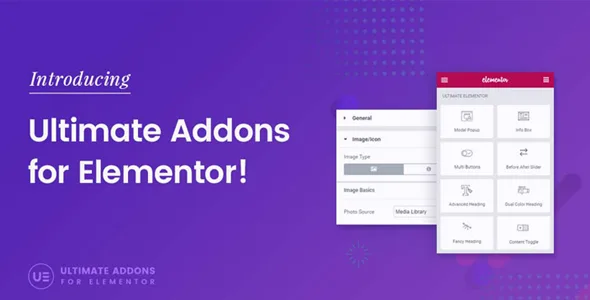
About Ultimate Addons for Elementor
When every Elementor project ends in CSS patches and scattered plugins
Elementor handles layout, but clients always ask for the same things: a form in their brand colors, a menu that can hold forty categories, a sortable price list table, Google reviews. That is where the designer ends up pasting CSS or installing a different plugin for each one.
Whoever builds websites for others does not lose margin on layout, but on those details repeated project after project. Ultimate Addons for Elementor gathers more than 50 widgets and extensions in a single add-on so those pieces are at hand. It is an Elementor add-on: without Elementor installed it does nothing.
A client project with Ultimate Addons for Elementor, from template to delivery
1. Starting from a full site instead of a blank page
The library includes more than 300 full-site templates and also section blocks you drag in and customize. They get the first version out fast, but check in the demo whether the style fits your client's industry before importing anything.
2. Giving forms the brand's look
There are stylers for Contact Form 7, Gravity Forms, WPForms and WP Fluent Forms. Note: they style, they don't create. You still build the form in its own plugin, which must be installed. There are also login form and user registration form widgets so those screens don't look like the default WordPress ones.
3. Building navigation that holds up on a large site
The menu widget lets you create clear mega menus when there are many pages, products or services. It is complemented by the off-canvas panel and the sticky header.
4. Bringing the shop up to standard, if the client sells
The WooCommerce widgets show products in a grid or carousel, categories with filters, an add-to-cart button with a preset quantity, a mini cart, checkout and a thank you page. All of this only makes sense with WooCommerce active; if the client doesn't sell, you won't use it.
5. Data and reviews that read well
- Tables: you import a large CSV and visitors can sort by the column they care about, with no cell-by-cell pasting.
- Reviews: the widget pulls in reviews from Google and Yelp. It shows the ones that really exist; it doesn't replace earning them.
- Schema: the How-to and FAQ widgets add structured markup to the page. It helps search engines understand the content, but it doesn't guarantee rankings.
6. Reusing what you built and signing your work
With Cross-Site Copy Paste you copy sections, pages or widgets from one domain to another, useful if you maintain several sites with a similar design. And the white-label feature lets you present the add-on as your own to your clients.
Questions before installing Ultimate Addons for Elementor
Does it work without Elementor?
No. It adds widgets and extensions to the page builder, it doesn't replace it.
Will so many widgets slow the site down?
Its architecture is modular: you can activate only the widgets you use and switch off the rest, so you don't load what you don't need.
Do the stylers include the form?
No, they only change its appearance. You need the corresponding forms plugin.
Can I use it on client sites under my own brand?
Yes, thanks to the white-label feature, which lets you rename it as your own.
The widgets worth switching off in each project
A huge toolbox carries a risk: using a flashy widget just because it's there. Particle backgrounds, for example, give a high-tech feel that suits a startup and fits badly on a clinic or a notary's site. Activate what the project calls for and turn off the rest.
Version history
-
v
1.45.5 Current 30 Sep 2026
-
v
1.45.4 5 Sep 2026
-
v
1.45.3 31 Jul 2026
-
v
1.44.3 30 Apr 2026
Customer reviews
Sign in to leave a review. Only people who have the product can review it.
No reviews for this product yet.
Frequently asked questions
-
GPL (General Public License) is the license under which WordPress and most premium plugins/themes are distributed. It grants you the right to use, modify and redistribute the software in as many projects as you want, with no domain restrictions.
-
Yes. With membership you get automatic updates via our GPLClub Updater plugin (installed on your WP, detects new versions and applies them). With individual purchase, you get one year of manual updates from your account.
-
Depends on the plan. Monthly: 3 domains. Semi-annual: 7. Annual and Lifetime: 15. Individual purchase: 1 domain.
-
GPLClub offers its own support for installation, configuration and compatibility. For direct support from the original author (feature requests, product-specific bugs), a license purchased from the author is required.