Ultra WordPress Admin
Antivirus scan
Powered by ClamAV
✅ Verified clean
This product file has passed our security filters.
Want to run a fresh ClamAV scan right now? Takes a few seconds and shows scanner version, signature DB and live result.
This can take 5 to 30 seconds.
Clean file Threat detected
No threats detected in this file.
- File
- Size
- Scanned
- ClamAV
- Signature database
⚡ Powered by ClamAV
Scan could not be completed
Report product
If you detected an issue (broken file, malware, inappropriate content, etc.) let us know and we'll review it ASAP.
Sign in to report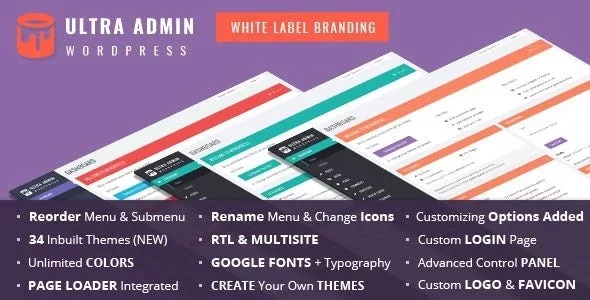
About Ultra WordPress Admin
You sign the site, and the dashboard still greets people with the WordPress brand
You deliver a site with your design, your typography and your work. Your client logs in to change some text and is met by the WordPress login screen, with its logo, its greeting, a full menu and the software version in the footer.
For anyone selling websites, the dashboard is the part of the service the client handles directly, and it is often the only part without your brand. It is also where menu entries appear that the client does not need and that later turn into a question for you.
Ultra WordPress Admin, by themepassion, is an admin area theme with white label tools: it changes the look of the dashboard, the login screen, the top bar, the footer and the side menu.
The areas of the panel that take on your brand
- Login screen: logo, colors, opacity, background and fonts, plus the option to show or hide Back to Site and Forgot Password.
- Top bar: links and styles, link removal by node ID, the Howdy greeting replaced by your text, and a logout link shown or hidden.
- Side menu: rename, reorder by dragging, enable or disable menus and submenus, and give them their own icons.
- Footer: custom text and the option to hide the WordPress version.
- Identity: your own logo and favicon.
One setting separates what you see from what your client sees: the original menu is shown to administrators and the edited one to everyone else. You keep seeing everything, and your client sees what you prepared.
Thirty panel themes, and yours if that is not enough
It comes with 30 built-in themes, including dark, light and multi-color ones, and lets you create your own. You control the primary color, forms, buttons, content boxes and the main menu, with custom CSS options.
For typography there are over 650 Google Fonts, with separate fonts for headings, menus and body text, and control of size, line height, weight and subset. It supports left-to-right and right-to-left layouts, and adds a page loader and smooth scrolling.
When you run more than one site
- Importing and exporting settings: you prepare one panel and take that configuration to other sites.
- Multisite: it installs across the network with individual settings for each site, and one click makes one site's theme the default for the whole network.
- Images from an external URL: designed to control the images on all your client websites from one place. If you change the logo at that URL, it changes on every site using it.
Its scope and how to get it running
Ultra works on the admin area, the login screen and the top bar. Your public site still depends on its own theme. Hiding an entry changes what is seen in the menu, and that is not the same as changing permissions: check with a test user whether that screen stays open through its direct address.
These are the steps for the first site.
- Install and activate the plugin on a copy of the site.
- Choose one of the built-in themes and adjust the primary color.
- Upload a logo and favicon, and prepare the login screen.
- Edit the menu and turn on the original menu option for administrators.
- Log in as an unprivileged user and review what your client will see.
- Export the settings to reuse them on the next site.
Catalog pieces that cover part of the same ground
If your need stops at the menu, Admin Menu Editor Pro is compatible with Ultra, so you can combine them. Legacy is another white label admin theme by the same author, in case you prefer a different look.
And if you only want to change the entrance, LoginPress Pro customizes the login, registration and password reset screens, without touching the rest of the dashboard.
Menu, multisite and public design
Do my clients and I see the same menu?
Not necessarily. You can keep the original for administrators and show the edited one to other users.
Does it work on multisite?
Yes, with per-site settings and a default theme for the whole network.
Can I copy the configuration to another site?
Yes, from its settings import and export panel.
Does it affect the public design?
Only the top bar, which you can enable or disable on the front end. The rest of the site stays in your theme's hands.
Version history
-
v
11.7 Current 8 Jan 2025
Customer reviews
Sign in to leave a review. Only people who have the product can review it.
No reviews for this product yet.
Frequently asked questions
-
GPL (General Public License) is the license under which WordPress and most premium plugins/themes are distributed. It grants you the right to use, modify and redistribute the software in as many projects as you want, with no domain restrictions.
-
Yes. With membership you get automatic updates via our GPLClub Updater plugin (installed on your WP, detects new versions and applies them). With individual purchase, you get one year of manual updates from your account.
-
Depends on the plan. Monthly: 3 domains. Semi-annual: 7. Annual and Lifetime: 15. Individual purchase: 1 domain.
-
GPLClub offers its own support for installation, configuration and compatibility. For direct support from the original author (feature requests, product-specific bugs), a license purchased from the author is required.