Use Any Font
Antivirus scan
Powered by ClamAV
✅ Verified clean
This product file has passed our security filters.
Want to run a fresh ClamAV scan right now? Takes a few seconds and shows scanner version, signature DB and live result.
This can take 5 to 30 seconds.
Clean file Threat detected
No threats detected in this file.
- File
- Size
- Scanned
- ClamAV
- Signature database
⚡ Powered by ClamAV
Scan could not be completed
Report product
If you detected an issue (broken file, malware, inappropriate content, etc.) let us know and we'll review it ASAP.
Sign in to report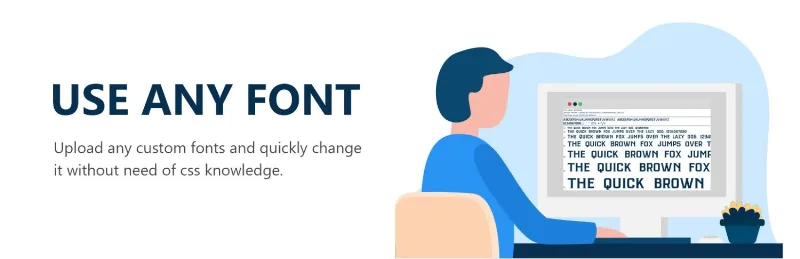
About Use Any Font
Your brand has a typeface and your website uses the closest match
A designer hands you the logo, the stationery and a font file. Once you get to WordPress you find that the theme only offers a closed catalog, and you end up with a similar typeface and a website that does not look like the rest of your material. It is a detail almost nobody asks to fix, but it is what makes a brand look consistent everywhere.
Use Any Font lets you upload your own file (ttf, otf or woff) and use it on the site without writing CSS.
Use Any Font converts the file and serves it from your own server
You upload a single format and the plugin generates the others that different browsers need, including compressed woff2 for the latest ones and faster loading. The font is embedded with @font-face and stays hosted on your hosting, so you do not depend on someone else's server being up. You can have several custom fonts at the same time.
Then you assign it to predefined HTML tags or to your own CSS from the plugin interface. What you should know before starting:
- You need to have the font file: the plugin does not include a catalog to choose from.
- The file can weigh up to 25 MB.
- Conversion happens on an external server and requires an API key. That server returns the result and deletes the temporary file; only the key details are kept.
- The trial (Lite) key lets you convert a single font.
Common questions before uploading your first font
Do I need to know CSS?
No. You choose the HTML tag or class to apply the font to from the plugin itself. If you prefer to use your own CSS, you can assign it there too.
What if I only have the font in one format?
That is enough: if you upload one (ttf, otf or woff), the other formats you need are converted automatically.
Does it work for a multilingual site?
Yes, it lets you assign the font by language if you use WPML or Polylang. Useful if, for example, your brand typeface does not cover some alphabet and you need another one for that version.
Can I test several fonts with the trial key?
No, the Lite key only allows converting one font. For more you need a full API key.
It works from Elementor, Divi or your theme's options panel
Uploaded fonts can be used directly from the WordPress editor, Gutenberg, Divi Builder, SiteOrigin, Elementor, Beaver Builder, Themify Builder, Oxygen, GeneratePress, Astra, OceanWP and Revolution Slider, plus any visual builder that uses the class.
They also appear in the options panel of many ThemeForest themes, such as Avada, X Theme, Flatsome, Salient, Porto or WoodMart.
If you develop themes or plugins, the uaf_get_font_families() function returns an array with the uploaded fonts, so you can show them in your own selector.
Get the API key before uploading your first font
Without a key there is no conversion, so it is the first thing you need. If you only want to check that everything fits with your theme, the button at the top of the plugin page generates a trial key. Keep the original font file at hand and, once you upload it, check on the demo or on your site that the text looks the same on mobile and desktop.
Version history
-
v
6.3.10 Current 8 Jan 2025
Customer reviews
Sign in to leave a review. Only people who have the product can review it.
No reviews for this product yet.
Frequently asked questions
-
GPL (General Public License) is the license under which WordPress and most premium plugins/themes are distributed. It grants you the right to use, modify and redistribute the software in as many projects as you want, with no domain restrictions.
-
Yes. With membership you get automatic updates via our GPLClub Updater plugin (installed on your WP, detects new versions and applies them). With individual purchase, you get one year of manual updates from your account.
-
Depends on the plan. Monthly: 3 domains. Semi-annual: 7. Annual and Lifetime: 15. Individual purchase: 1 domain.
-
GPLClub offers its own support for installation, configuration and compatibility. For direct support from the original author (feature requests, product-specific bugs), a license purchased from the author is required.