User Registration Geolocation Addon
Antivirus scan
Powered by ClamAV
✅ Verified clean
This product file has passed our security filters.
Want to run a fresh ClamAV scan right now? Takes a few seconds and shows scanner version, signature DB and live result.
This can take 5 to 30 seconds.
Clean file Threat detected
No threats detected in this file.
- File
- Size
- Scanned
- ClamAV
- Signature database
⚡ Powered by ClamAV
Scan could not be completed
Report product
If you detected an issue (broken file, malware, inappropriate content, etc.) let us know and we'll review it ASAP.
Sign in to report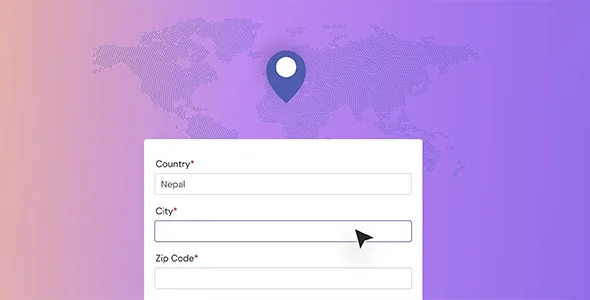
About User Registration Geolocation Addon
When someone signs up on your site, you usually know their name and email, but not where they are signing up from. That matters if you sell with different requirements by region, review suspicious sign-ups, or want to understand which areas your community comes from. User Registration Geolocation Addon adds that location layer to user registration.
The location of a sign-up is data you lose if you don't store it
An address typed into a form is what the person says; the IP location is what the connection indicates. They are two different data points and may not match (a VPN, a company network or a mobile data connection can skew the result). That is why geolocation is best treated as a clue for reviewing sign-ups, not as proof.
What User Registration Geolocation Addon does with each sign-up
- Data on the user profile: in the admin panel, the profile page shows country, city, zip code, latitude and longitude, and a map, based on the IP address.
- Smart tags in emails: emails sent to the administrator can include the geolocation data, to know where the person registered from.
- Google Maps in the form: you can use Google Maps instead of a plain text field for the address.
- Address auto-complete: it includes auto-complete address fields so that users can provide their address easily.
What you gain depending on your situation
If you run a membership with customers in several countries
Seeing the country and city of each sign-up helps you understand where your registered users are and what requirements they have by region.
If you review sign-ups by hand
The email notice with the location gives you a first filter: a sign-up that claims to be from one city but connects from another region deserves a second look. It is a signal, not a verdict.
If you ask for an address at sign-up
Auto-complete and the map make the field easier to fill in.
If you collect personal data from the EU
Location derived from an IP is personal data. Mention its use in your privacy policy and check with your adviser whether you need to ask for consent.
It needs User Registration and does not work as a standalone plugin
It is an add-on: it relies on the User Registration & Membership plugin and is offered in its Professional and Plus plans. Without the base plugin there are no forms to apply it to. Also, the location comes from the IP, so it is not the user's exact position. And if you use Google Maps in your forms, check the demo to see how the address field looks before building the final sign-up.
Frequently asked questions before installing it
Is the location exact?
No. It is calculated from the IP, so it indicates an approximate area and can be wrong with a VPN or shared networks.
Where do I see the data?
On each user's profile page in the admin panel, and in the emails to the administrator if you use the smart tags.
Can I use maps in the form?
Yes, the add-on supports Google Maps instead of a text address, as well as auto-complete address fields.
Does it work without the main plugin?
No, it is an add-on for User Registration & Membership.
A small add-on for those who already register users
If your registration already works and you only need to know where sign-ups come from or make the address easier to enter, User Registration Geolocation Addon focuses on exactly that.
Topics
Version history
-
v
1.2.3 Current 30 Sep 2026
-
v
1.2.2 7 Apr 2026
Customer reviews
Sign in to leave a review. Only people who have the product can review it.
No reviews for this product yet.
Frequently asked questions
-
GPL (General Public License) is the license under which WordPress and most premium plugins/themes are distributed. It grants you the right to use, modify and redistribute the software in as many projects as you want, with no domain restrictions.
-
Yes. With membership you get automatic updates via our GPLClub Updater plugin (installed on your WP, detects new versions and applies them). With individual purchase, you get one year of manual updates from your account.
-
Depends on the plan. Monthly: 3 domains. Semi-annual: 7. Annual and Lifetime: 15. Individual purchase: 1 domain.
-
GPLClub offers its own support for installation, configuration and compatibility. For direct support from the original author (feature requests, product-specific bugs), a license purchased from the author is required.