Venam – Electronics Store WooCommerce Theme
Antivirus scan
Powered by ClamAV
✅ Verified clean
This product file has passed our security filters.
Want to run a fresh ClamAV scan right now? Takes a few seconds and shows scanner version, signature DB and live result.
This can take 5 to 30 seconds.
Clean file Threat detected
No threats detected in this file.
- File
- Size
- Scanned
- ClamAV
- Signature database
⚡ Powered by ClamAV
Scan could not be completed
Report product
If you detected an issue (broken file, malware, inappropriate content, etc.) let us know and we'll review it ASAP.
Sign in to report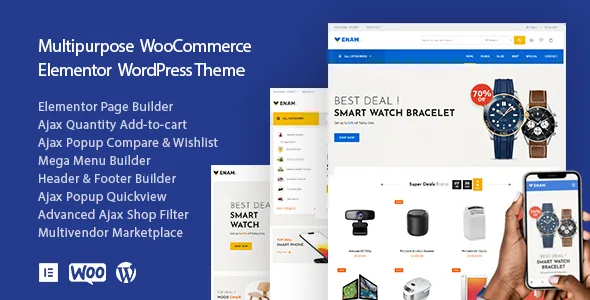
About Venam – Electronics Store WooCommerce Theme
An electronics store is judged by its product page and its filter
Someone buying a laptop, headphones or a camera doesn't browse the way they would for a T-shirt: they compare, rule things out by specifications, and leave if they can't quickly find what meets their requirements. Many electronics stores lose the sale not because of price, but because the buyer can't filter properly or compare without reloading the page again and again. Venam is designed for that behavior.
It is a WooCommerce theme built on Elementor, with a mobile-friendly design and support for right-to-left (RTL) languages. Although "Electronics Store" is in the name, it also works for fashion, footwear, furniture, jewelry, cosmetics or organic food.
Ajax filters and shop: what matters most in electronics
The shop page runs on Ajax, so filtering or changing the view doesn't force a full page reload. This matters when customers adjust brand, range and features one after another.
- Sidebar filters: you can place them horizontally, vertically or as a popup panel, depending on how much space you want to give the catalog.
- Ajax mobile menu: designed for people shopping from their phone.
- Header, footer and mega menu with Elementor: for large catalogs with many categories, a mega menu organizes navigation better than a long dropdown list.
How each type of store can use it
Tech store with a large catalog
The useful parts are the Ajax filters and the mega menu: they let customers enter by category and refine without getting lost. Make sure your products have their WooCommerce attributes filled in (brand, capacity, connectivity), because the filters work with what you load.
Marketplace with several vendors
The theme is multivendor, but check in the demo which part of the system is included and which depends on an additional plugin before planning your business model.
Store in another sector that wants a catalog design
If you sell fashion, furniture or organic products, you can use it just the same: colors and typography are controlled from the theme options, and any elements you don't want (logo, menu, sidebar) can be hidden or removed without touching code.
Building with Elementor and ready-made pages
With Elementor you can create unlimited pages, using elements such as video background, parallax, progress bars or one-page scroll. The theme includes a demo import wizard that installs the sample content, the plugins it needs and a ready-made child theme. From there you edit the imported pages instead of starting from scratch.
The blog also has its own layout options, which is useful if you want to publish buying guides or comparisons, which help capture searches in electronics.
It needs Elementor and catalog work on your part
- It is built on Elementor: without it you won't get the demo design. Some elements may require the Pro version, so check in the demo which parts use paid widgets.
- Filters and product pages are only as good as the data you load: without attributes and good images, the demo won't look like your store.
- Being multipurpose, it includes more demos and options than you will use. Import only the one closest to your business and remove the rest.
Frequently asked questions about Venam
Is it only for electronics?
No. It is designed for several sectors: fashion, footwear, furniture, jewelry, cosmetics and organic food, among others.
Can I change colors and typography?
Yes, from the theme options you control colors and fonts to define your own scheme.
Do I need to code to hide elements?
No. Logo, menu, sidebar and other components can be hidden or removed from the options, without code.
Does it work on mobile?
Yes, it is responsive, and the mobile menu and shop filtering use Ajax.
Does it support right-to-left languages?
Yes, it includes RTL support.
Topics
Version history
-
v
1.1.7 Current 29 Aug 2024
Customer reviews
Sign in to leave a review. Only people who have the product can review it.
No reviews for this product yet.
Frequently asked questions
-
GPL (General Public License) is the license under which WordPress and most premium plugins/themes are distributed. It grants you the right to use, modify and redistribute the software in as many projects as you want, with no domain restrictions.
-
Yes. With membership you get automatic updates via our GPLClub Updater plugin (installed on your WP, detects new versions and applies them). With individual purchase, you get one year of manual updates from your account.
-
Depends on the plan. Monthly: 3 domains. Semi-annual: 7. Annual and Lifetime: 15. Individual purchase: 1 domain.
-
GPLClub offers its own support for installation, configuration and compatibility. For direct support from the original author (feature requests, product-specific bugs), a license purchased from the author is required.