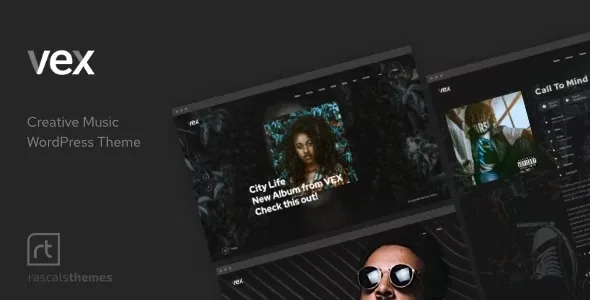
Vex – Creative Music Theme
Antivirus scan
Powered by ClamAV
✅ Verified clean
This product file has passed our security filters.
Want to run a fresh ClamAV scan right now? Takes a few seconds and shows scanner version, signature DB and live result.
This can take 5 to 30 seconds.
Clean file Threat detected
No threats detected in this file.
- File
- Size
- Scanned
- ClamAV
- Signature database
⚡ Powered by ClamAV
Scan could not be completed
Report product
If you detected an issue (broken file, malware, inappropriate content, etc.) let us know and we'll review it ASAP.
Sign in to reportNewer version out, or a problem?
About Vex – Creative Music Theme
Bands, DJs and artists who want the music to keep playing
Publishing music on a website usually ends the same way: the player stops as soon as the visitor opens another page, and that cut breaks the listening just when someone was getting hooked on a record. Vex is built for the music industry and for independent creatives who want a minimalist site where the music keeps playing while people browse.
It is a good choice for artists, DJs and other music profiles. If your project belongs to another sector, a general-purpose theme will serve you better, because this one is not designed for it. It needs WooCommerce for the shop and Contact Form 7 for the contact form integration.
The music that keeps playing while you browse
Vex is built with AJAX: the theme requests content from the server, replaces only the part of the page that changes and updates the address in the browser. That way the background player does not restart when you change pages, and scripts and stylesheets are not run again on every click, which makes browsing faster.
You can pick a song on any page and keep exploring the site while the player stays as an overlay with controls to play, pause and skip. It is designed for use across several types of device.
Player, playlists and audio platforms
The built-in player includes a playlist you can reorder by dragging tracks. You can upload your own MP3 files hosted on your site or publish content from other platforms, because the theme supports embedded players from other services.
- Built-in player with a drag and drop playlist.
- MP3 files hosted on your own site.
- Players from Spotify, SoundCloud, Mixcloud and Bandcamp, among others.
Vex and WooCommerce: selling music from your own website
The WooCommerce integration lets you sell music, add products, publish affiliate products and apply coupon codes. WooCommerce grows with you, so the shop can go from a single product to a larger catalogue as the project advances. The shop also uses AJAX, so browsing the catalogue does not reload the page.
Events and music archives that sort themselves
Music, Events and Tracks are separate content types with AJAX sorting, so you can rearrange entries without reloading the page. The event manager supports repeated dates and multi-day events, and when an event passes, it automatically moves from the upcoming list to the past list.
Each event has its own page with all its information.
Visual design without coding and full-screen front pages
The Elementor visual builder lets you assemble pages by dragging elements, without writing code. The full-screen front page, with backgrounds and advanced effects, is the first thing a visitor sees, so it deserves care. The theme also includes several layouts for music items and is responsive for iOS and Android.
Choose a demo and it installs along with your WordPress site, including its images. The sections of the theme panel can be reordered by dragging.
Frequently asked questions about Vex
Do I need WooCommerce to use Vex?
Only for the shop, because the sales integration depends on WooCommerce.
Does the player keep playing when I change pages?
Yes. That is the core feature of the theme: the song you choose stays in the background while you browse.
Can I use my own audio files?
Yes, you can upload MP3 files hosted on your website or embed content from Spotify, SoundCloud, Mixcloud or Bandcamp.
Do I need to know how to code?
No. Pages are assembled with the visual builder, and settings are made from the theme panel.
Topics
Version history
-
v
1.2.4 Current 14 Jun 2024
Customer reviews
Sign in to leave a review. Only people who have the product can review it.
No reviews for this product yet.
Frequently asked questions
-
GPL (General Public License) is the license under which WordPress and most premium plugins/themes are distributed. It grants you the right to use, modify and redistribute the software in as many projects as you want, with no domain restrictions.
-
Yes. With membership you get automatic updates via our GPLClub Updater plugin (installed on your WP, detects new versions and applies them). With individual purchase, you get one year of manual updates from your account.
-
Depends on the plan. Monthly: 3 domains. Semi-annual: 7. Annual and Lifetime: 15. Individual purchase: 1 domain.
-
GPLClub offers its own support for installation, configuration and compatibility. For direct support from the original author (feature requests, product-specific bugs), a license purchased from the author is required.