Webinar and Video Conference with Jitsi Meet Ultimate
Antivirus scan
Powered by ClamAV
✅ Verified clean
This product file has passed our security filters.
Want to run a fresh ClamAV scan right now? Takes a few seconds and shows scanner version, signature DB and live result.
This can take 5 to 30 seconds.
Clean file Threat detected
No threats detected in this file.
- File
- Size
- Scanned
- ClamAV
- Signature database
⚡ Powered by ClamAV
Scan could not be completed
Report product
If you detected an issue (broken file, malware, inappropriate content, etc.) let us know and we'll review it ASAP.
Sign in to report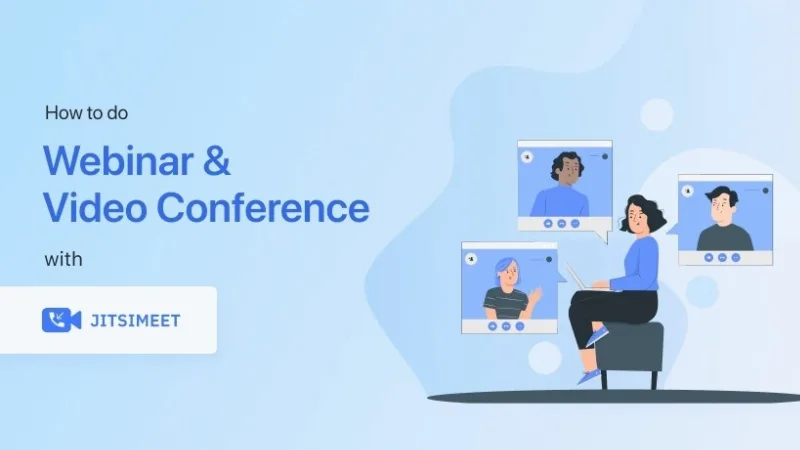
About Webinar and Video Conference with Jitsi Meet Ultimate
Built for people who run webinars and meetings from their own site
Hosting a webinar often means sending your audience to another platform, with another link, another brand and sometimes another account to create. Part of the audience drops out at that jump.
This plugin brings Jitsi Meet video conferencing to your WordPress site, so the room lives on your own domain. It suits anyone who gives training sessions, talks or client meetings and wants everything to happen on their website.
If you are looking for an events platform with ticket sales, or a broadcast setup for huge audiences, don't take it for granted: check in the demo what is included before you commit to a date.
Why it matters that the room lives on your domain
Whoever runs webinars usually depends on people who come back: students, clients or subscribers. If every session takes place on a third party's site, that relationship goes through someone else's brand. With the room inside WordPress, the page where the meeting happens is the same one where attendees already know you, which makes it easier for them to stay and look at the rest of your content afterwards.
Jitsi Meet inside WordPress: what changes day to day
Jitsi Meet is a widely used video conferencing technology. This plugin integrates it into your site so you can run live video meetings and webinars without leaving WordPress.
- Webinars: live sessions on a page of your website.
- Video conferences: meetings with several people from a page of your website.
The specifics (how many participants a room allows, whether it can be recorded, how access is protected) are best checked in the demo, because they depend on how Jitsi is configured.
Before announcing your first event with Webinar and Video Conference with Jitsi Meet Ultimate
Run a dress rehearsal with someone outside your team, from a phone and from a computer. Video calls fail mostly because of browser camera and microphone permissions, and it is better to find that out with a friend than with a hundred attendees connected.
- Join from a different network and device than your own.
- Check that the audio reaches the viewer, not just the speaker.
- Decide how you will notify attendees: the plugin sets up the room, but the email reminder is handled with your own tools.
Common questions before setting up video rooms in WordPress
Do my attendees need to create an account?
This is the first thing to look at in the demo, because it determines how many people actually reach the room. Test it by joining as a guest.
Is it suitable for courses or online training?
It works for delivering the live sessions. A full course with lessons, progress and per-student access requires another training plugin.
Does it work on mobile?
Jitsi Meet is commonly used from mobile and desktop browsers, but verify the experience on your own site with your theme before publishing.
Can I use it only for internal meetings?
Yes, it is a good way to try it: a team meeting on a private page shows you how it behaves before you open it to the public.
Topics
Version history
-
v
1.8.10 Current 8 Jan 2025
Customer reviews
Sign in to leave a review. Only people who have the product can review it.
No reviews for this product yet.
Frequently asked questions
-
GPL (General Public License) is the license under which WordPress and most premium plugins/themes are distributed. It grants you the right to use, modify and redistribute the software in as many projects as you want, with no domain restrictions.
-
Yes. With membership you get automatic updates via our GPLClub Updater plugin (installed on your WP, detects new versions and applies them). With individual purchase, you get one year of manual updates from your account.
-
Depends on the plan. Monthly: 3 domains. Semi-annual: 7. Annual and Lifetime: 15. Individual purchase: 1 domain.
-
GPLClub offers its own support for installation, configuration and compatibility. For direct support from the original author (feature requests, product-specific bugs), a license purchased from the author is required.