WeePie Cookie Allow WordPress Plugin
Antivirus scan
Powered by ClamAV
✅ Verified clean
This product file has passed our security filters.
Want to run a fresh ClamAV scan right now? Takes a few seconds and shows scanner version, signature DB and live result.
This can take 5 to 30 seconds.
Clean file Threat detected
No threats detected in this file.
- File
- Size
- Scanned
- ClamAV
- Signature database
⚡ Powered by ClamAV
Scan could not be completed
Report product
If you detected an issue (broken file, malware, inappropriate content, etc.) let us know and we'll review it ASAP.
Sign in to report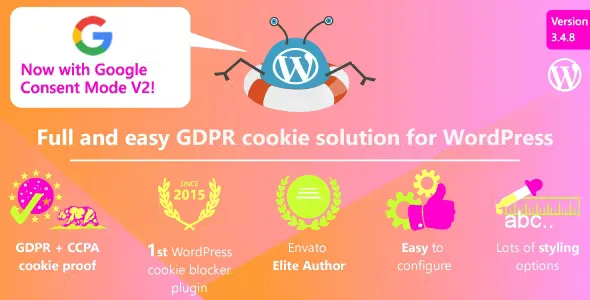
About WeePie Cookie Allow WordPress Plugin
For sites whose third-party services drop cookies before the visitor decides
A banner that only informs while third-party services have already set their cookies solves nothing: the notice arrives too late. This plugin targets exactly that problem, because it automatically blocks third-party cookies and privacy-sensitive ones until the visitor consents.
It suits you if you run a site with European, British or Californian visitors and want to decide how the notice is presented. It is not for you if you expect it to write your cookie policy: you link your own page. Nor does it make a site compliant on its own: it is a configuration tool, and adapting it to your country's rules is up to you.
Automatic blocking works from a list of common third parties. If you use one that is not on it, you have to ask for it to be added.
WeePie Cookie Allow blocks first and asks afterwards
- Automatic blocking: no sensitive cookie is set before consent.
- Placeholder: a custom text can appear in the spot of the blocked content, so the visitor does not see an unexplained gap.
- Consent log: it stores both acceptances and refusals.
- Changing their mind: the visitor can reopen the cookie settings and withdraw consent, and you can add a button to reset it.
The notice supports a link to your cookie policy, an accept button, a decline button and an icon to open the settings window by category.
One notice for Europe, another for California and nothing for the rest
You can show the consent notice only to EU visitors and turn it off for those arriving from elsewhere. California has its own mode: a notice at collection, a link to your "Do Not Sell My Personal Information" page and the option to opt out of third-party cookies, for those visitors only.
For Italy it includes the closing (X) inside the bar or box and a configurable reconsider icon. It can also be adjusted to other regulations, such as the French (LIL) or the German (DSGVO). If your case is delicate, have a professional review it before relying on it.
Bar at the top, box in a corner or centered layer, on mobile too
The notice can be a top or bottom bar, a box in any corner or a centered layer, with variants designed for mobile screens. There are many style options (colors, shadow, decline button, close inside the notice) so it does not clash with your design. You also get shortcodes for the button that resets consent and for the one that deletes the log.
WeePie Cookie Allow with WPML, caching plugins and Google Tag Manager
- Compatible with WPML, for multilingual sites.
- Compatible with common caching plugins such as WP Rocket, WP Fastest Cache and LiteSpeed Cache.
- Compatible with Google Consent Mode: it can update the GTM dataLayer with the visitor's choice.
- It can be used on a Multisite installation.
Questions that come up when you turn on cookie blocking
Does it block every cookie without me doing anything?
It blocks those on its automatic list of third parties. If you use a service that is not included, you need to request it.
Does it generate my cookie policy?
No. The notice links to the policy page you already have.
Can I show it only to EU visitors?
Yes, and you can turn it off for those from outside. California has its own notice with an opt-out option.
Does it work if I use a caching plugin?
It is compatible with WP Rocket, WP Fastest Cache and LiteSpeed Cache. With others, test it before going live.
Topics
Version history
-
v
3.4.12 Current 7 Sep 2026
-
v
3.4.10 7 Aug 2025
Customer reviews
Sign in to leave a review. Only people who have the product can review it.
No reviews for this product yet.
Frequently asked questions
-
GPL (General Public License) is the license under which WordPress and most premium plugins/themes are distributed. It grants you the right to use, modify and redistribute the software in as many projects as you want, with no domain restrictions.
-
Yes. With membership you get automatic updates via our GPLClub Updater plugin (installed on your WP, detects new versions and applies them). With individual purchase, you get one year of manual updates from your account.
-
Depends on the plan. Monthly: 3 domains. Semi-annual: 7. Annual and Lifetime: 15. Individual purchase: 1 domain.
-
GPLClub offers its own support for installation, configuration and compatibility. For direct support from the original author (feature requests, product-specific bugs), a license purchased from the author is required.