WooCommerce Active Payments
Antivirus scan
Powered by ClamAV
✅ Verified clean
This product file has passed our security filters.
Want to run a fresh ClamAV scan right now? Takes a few seconds and shows scanner version, signature DB and live result.
This can take 5 to 30 seconds.
Clean file Threat detected
No threats detected in this file.
- File
- Size
- Scanned
- ClamAV
- Signature database
⚡ Powered by ClamAV
Scan could not be completed
Report product
If you detected an issue (broken file, malware, inappropriate content, etc.) let us know and we'll review it ASAP.
Sign in to report
About WooCommerce Active Payments
With cash on delivery, your checkout offers combinations you don't want
By default, WooCommerce shows every payment method with every shipping method. And you end up answering emails to clear up what the checkout should have settled.
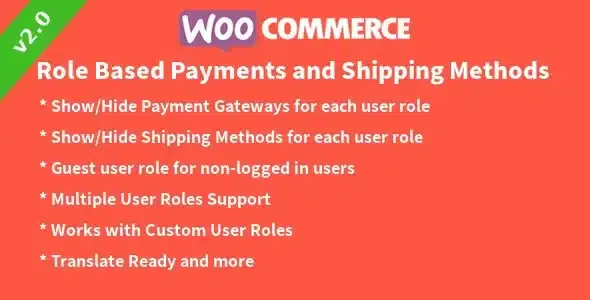
WooCommerce Active Payments lets you decide what is offered, under which circumstances and with which fee.
A cash on delivery order in Active Payments, step by step
Imagine a store with home delivery and another shipping method where you don't want to take cash on delivery. Here is how the process goes:
- Step 1, link shipping and payment. You choose which payment methods are hidden for each shipping method. You can build every combination you need, so cash on delivery only appears where you have decided it should.
- Step 2, set a cap per method. You set a maximum cart amount for each payment method and, once the customer exceeds it, that method is disabled. Watch the calculation: shipping costs don't count toward the total.
- Step 3, charge the right fee. You can add a fixed or percentage fee to each gateway, with control over the fee title, taxes and the minimum and maximum order totals at which it applies. It is switched on or off method by method.
- Step 4, get the fee onto the invoice. If you invoice with Flexible Invoices, the fees appear in the document. With any other invoicing system, check how they are reflected.
It helps to be clear about the scope: the plugin manages which payment methods are shown and what they cost, and it doesn't add new gateways. The methods must already exist in your store. And the more rules you cross, the more combinations you need to test at checkout before going live.
Questions before setting up Active Payments
Can I hide only cash on delivery for a specific shipping method?
Yes. The rules link a shipping method to the payment methods you want to hide, and they can be combined freely.
Are the fees fixed or percentage?
They can be either. You can also adjust the title, taxes and the minimum and maximum order totals.
Does it work with the checkout blocks and multilingual stores?
Yes, it is compatible with the WooCommerce checkout blocks and with WPML.
Does the amount cap take shipping into account?
No. The payment method is disabled based on the cart total without shipping costs, so keep that in mind when setting the maximum.
Active Payments with Flexible Shipping: the pair built to work together
The plugin is integrated with Flexible Shipping, from the same developer.
If your store sells with a single shipping method and one gateway, you don't need it. Its value shows up when you mix several shipping methods, cash on delivery and gateways with different fees, and you want customers to see only what makes sense for their order.
Topics
Version history
-
v
3.9.28 Current 7 Oct 2026
-
v
3.9.27 5 Sep 2026
-
v
3.9.26 22 Jul 2026
-
v
3.9.20 11 Mar 2026
Customer reviews
Sign in to leave a review. Only people who have the product can review it.
No reviews for this product yet.
Frequently asked questions
-
GPL (General Public License) is the license under which WordPress and most premium plugins/themes are distributed. It grants you the right to use, modify and redistribute the software in as many projects as you want, with no domain restrictions.
-
Yes. With membership you get automatic updates via our GPLClub Updater plugin (installed on your WP, detects new versions and applies them). With individual purchase, you get one year of manual updates from your account.
-
Depends on the plan. Monthly: 3 domains. Semi-annual: 7. Annual and Lifetime: 15. Individual purchase: 1 domain.
-
GPLClub offers its own support for installation, configuration and compatibility. For direct support from the original author (feature requests, product-specific bugs), a license purchased from the author is required.