WooCommerce AfterShip Plugin
Antivirus scan
Powered by ClamAV
✅ Verified clean
This product file has passed our security filters.
Want to run a fresh ClamAV scan right now? Takes a few seconds and shows scanner version, signature DB and live result.
This can take 5 to 30 seconds.
Clean file Threat detected
No threats detected in this file.
- File
- Size
- Scanned
- ClamAV
- Signature database
⚡ Powered by ClamAV
Scan could not be completed
Report product
If you detected an issue (broken file, malware, inappropriate content, etc.) let us know and we'll review it ASAP.
Sign in to reportNewer version out, or a problem?
About WooCommerce AfterShip Plugin
Stores already working with AfterShip that want tracking inside the order
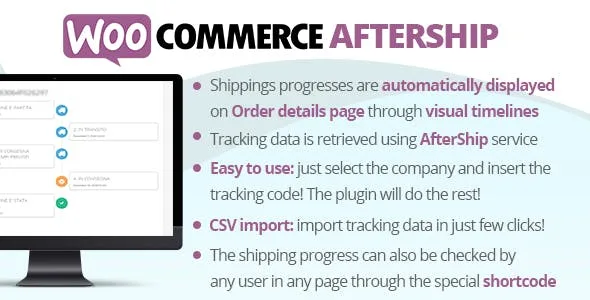
When a customer writes to ask where their parcel is, the store usually replies by hand, looking up the code on another site and copying the status. This plugin fills that gap: it connects each order with the AfterShip tracking service and shows the buyer the route of their shipment without anyone having to forward it.
It fits if your store already works with AfterShip or is ready to take out a paid subscription with that service, because the plugin depends on it and the free account is not enough for it to work. If you don't want to rely on an external service for tracking, this plugin won't suit you.
How the shipping status reaches the customer
You enter the AfterShip API key from the plugin menu, choose the shipping companies you will use and, in the details of each order, add the tracking code. From then on the plugin keeps the status updated and shows the timeline on the order details page the customer sees.
Orders with several parcels and how to manage their tracking
If an order ships in two or more parcels, the plugin shows one timeline for each tracking code entered, so the customer sees the status of each shipment separately. From the orders list you can add, edit and delete those trackings without opening each order.
There is also an option to link tracking codes to specific products.
WooCommerce emails with the tracking number
When the order reaches the completed status, the tracking information is added automatically to every WooCommerce notification email. If you prefer tracking to go out at another status, you can change which one the plugin considers, and also customize the message that accompanies the shipment.
You can also turn on email notifications containing the order's tracking information. The template is customized from the Email menu and, only if you use WPML, it can be localized.
Tracking on any page with the [wcafw_order_status] shortcode
With the [wcafw_order_status] shortcode you place a form on any page where the customer enters the order number and sees the shipping timelines for that order. It is handy for guest buyers who cannot access profile pages to follow their orders.
Importing tracking from a CSV and adapting shipment titles
If you already have a list of shipments, you can import it with a CSV file. The plugin includes an example file to use as a template: you fill in the data following the instructions in the import section and then import the file.
For developers there are two filters: wcafw_shipment_title changes the title shown in the AfterShip shipment section, and wcafw_shipment_order_id lets you customize the order identifier.
Frequently asked questions about WooCommerce AfterShip Plugin
Do I need an AfterShip account to use it?
Yes. The plugin connects to the AfterShip service and needs a paid subscription to it, because the free account is not enough.
Can the customer see tracking without logging into their account?
Yes. With the [wcafw_order_status] shortcode on a public page, the customer enters the order number and sees the timeline without accessing their profile.
Can an order have several tracking codes?
Yes. One timeline is shown for each tracking code the administrator enters in the order.
Can I change the text of the tracking email?
Yes. The message that accompanies the tracking is customizable, and the email template is edited from the Email menu.
Topics
Version history
-
v
9.4 Current 8 Jan 2025
Customer reviews
Sign in to leave a review. Only people who have the product can review it.
No reviews for this product yet.
Frequently asked questions
-
GPL (General Public License) is the license under which WordPress and most premium plugins/themes are distributed. It grants you the right to use, modify and redistribute the software in as many projects as you want, with no domain restrictions.
-
Yes. With membership you get automatic updates via our GPLClub Updater plugin (installed on your WP, detects new versions and applies them). With individual purchase, you get one year of manual updates from your account.
-
Depends on the plan. Monthly: 3 domains. Semi-annual: 7. Annual and Lifetime: 15. Individual purchase: 1 domain.
-
GPLClub offers its own support for installation, configuration and compatibility. For direct support from the original author (feature requests, product-specific bugs), a license purchased from the author is required.