WooCommerce Ajax Cart and Added To Cart Popup
Antivirus scan
Powered by ClamAV
✅ Verified clean
This product file has passed our security filters.
Want to run a fresh ClamAV scan right now? Takes a few seconds and shows scanner version, signature DB and live result.
This can take 5 to 30 seconds.
Clean file Threat detected
No threats detected in this file.
- File
- Size
- Scanned
- ClamAV
- Signature database
⚡ Powered by ClamAV
Scan could not be completed
Report product
If you detected an issue (broken file, malware, inappropriate content, etc.) let us know and we'll review it ASAP.
Sign in to report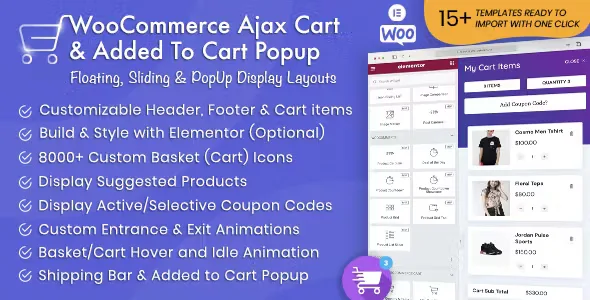
About WooCommerce Ajax Cart and Added To Cart Popup
Carts that send customers to the cart page and lose them along the way
In a WooCommerce store, a customer adds a product and then faces the cart page and the checkout page as two mandatory jumps, and every reload is a chance for them to think twice. Many orders are lost not because of price, but because of the journey. This plugin brings the cart into a panel that opens over the same page, using Ajax, with no reload.
There are three formats: a floating tab, a sliding panel and a popup window. You can create as many carts as you like and show a different one depending on the page, the device or the user role. From the panel, customers change quantities or remove products, and see the total and the active coupons.
The cart as a tool to raise the average order value
What weighs most on the business is what happens inside the cart:
- Rewards bar: shows how much is left to unlock free shipping, a percentage discount, a fixed discount or a free gift. You define as many tiers as you want, each with its own amount, and the gift is added automatically (and removed if the cart falls below the tier).
- Cart offers: hand-picked products at a special price, added with one click. You can show them always, only if certain products or categories are in the cart, or from a minimum total.
- Timer and low stock notice: a countdown with configurable length and behavior, and messages like "Only 2 left" with the stock level you decide.
Use it wisely: an aggressive timer in a store where people buy after thinking can scare off more than it convinces.
Paying inside the panel and designing it your way
The plugin can load the checkout form in the same cart window, or redirect to the checkout page, as you prefer. You can adjust font size, label color and the border or background of the fields.
With Elementor you can build the panel with 17 dedicated elements (including the rewards bar, offers and timer) that update without reloading. If you don't want to build anything, you can import one of the 15 ready-made templates with one click. You can also show or hide the cart on specific pages, and the plugin includes a cart analytics screen to see what results all this brings.
Should you replace your current cart flow?
It makes sense if your store has traffic and you want to cut steps to payment or push the average order value. If you sell a single product or your customers usually buy in one go, the rewards bar and the offers will add little.
Do I have to use checkout inside the cart?
No. You can choose between loading the form in the panel or redirecting to the checkout page.
Can I hide it on certain pages or devices?
Yes, by page, device or user role, and you can have different carts in each case.
Is it useful for anything other than WooCommerce?
No, it is a WooCommerce add-on and does not work without it. If you use heavily customized payment gateways or checkout fields, test them in the integrated checkout before going live.
Topics
Version history
-
v
1.6.6 Current 8 Jan 2025
Customer reviews
Sign in to leave a review. Only people who have the product can review it.
No reviews for this product yet.
Frequently asked questions
-
GPL (General Public License) is the license under which WordPress and most premium plugins/themes are distributed. It grants you the right to use, modify and redistribute the software in as many projects as you want, with no domain restrictions.
-
Yes. With membership you get automatic updates via our GPLClub Updater plugin (installed on your WP, detects new versions and applies them). With individual purchase, you get one year of manual updates from your account.
-
Depends on the plan. Monthly: 3 domains. Semi-annual: 7. Annual and Lifetime: 15. Individual purchase: 1 domain.
-
GPLClub offers its own support for installation, configuration and compatibility. For direct support from the original author (feature requests, product-specific bugs), a license purchased from the author is required.