WooCommerce Amazon Fulfillment
Antivirus scan
Powered by ClamAV
✅ Verified clean
This product file has passed our security filters.
Want to run a fresh ClamAV scan right now? Takes a few seconds and shows scanner version, signature DB and live result.
This can take 5 to 30 seconds.
Clean file Threat detected
No threats detected in this file.
- File
- Size
- Scanned
- ClamAV
- Signature database
⚡ Powered by ClamAV
Scan could not be completed
Report product
If you detected an issue (broken file, malware, inappropriate content, etc.) let us know and we'll review it ASAP.
Sign in to reportNewer version out, or a problem?
About WooCommerce Amazon Fulfillment
WooCommerce stores that already sell on Amazon and want to hand off the warehouse
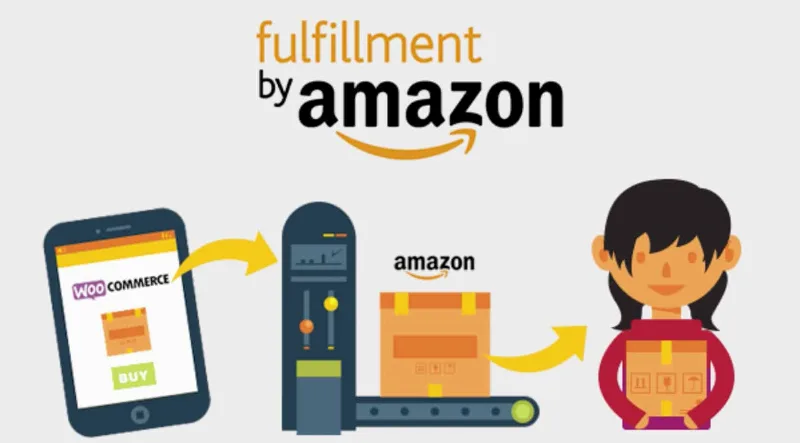
WooCommerce Amazon Fulfillment is built for the store that already has an Amazon seller account and wants Amazon to pick, pack and ship those orders.
To use it you need these requirements:
- An Amazon Pro Seller account with the MCF service active.
- Amazon Marketplace Web Service (MWS) credentials set up before using the extension.
- WooCommerce with its payment gateways and shipping methods already working.
Two limits to keep clear: the arrival estimates with MCF fast badges are only available in the US and the UK, and regional compatibility depends on the authorization mode. New installations can only use the New Auth Token mode.
When an order goes to Amazon and why the product reference must match
The extension waits until WooCommerce detects a completed payment. Only then does it send MCF the order, customer and product data for the items that must ship through Amazon, so an unpaid order never reaches Amazon.
It has been tested with Stripe, PayPal, Authorize.Net and Amazon Payments, and it works with any other payment method correctly created in WooCommerce that completes the full payment process.
The detail that matters most: the product reference in WooCommerce must exactly match the seller reference field in your MCF inventory, distinguishing uppercase and lowercase letters. If something fails, the plugin emails you and leaves a note on the order with the data and the error.
Turning MCF on for the whole store or product by product
You can set MCF for the whole store or decide product by product, from the product list or from each product's settings. That way you can reserve MCF for the products you choose and leave the rest as it is.
Orders can mix products handled by MCF with products that are not. WooCommerce inventory syncs with Amazon's so you do not sell an out-of-stock product. And if your process requires approving each order before shipping, you can send it to MCF manually in the specific cases you need. Although it adapts to several shipping types, it is designed mainly to automate orders with Amazon.
Tracking the order in your dashboard and on the customer's page
From the orders page you can see which stage of the shipping process each product is in. Your customers can check shipping information and follow the package from their View order page, and administrators can access the full order history.
Email notifications cover four moments: shipment created, order shipped, order tracking and when shipping could not be completed.
Shipping speed, packaging and returns handled by Amazon
You can assign WooCommerce shipping options to Amazon's shipping speed categories: standard, express and priority. Deliveries can be urgent (1 business day) or standard (3 business days), with the efficiency of Amazon Prime behind them.
Packaging is white label, so the customer does not link their order to Amazon's distribution network. Customer returns are sent directly to Amazon for restocking, and the inventory you send to its center can be a sample or your full stock.
Frequently asked questions about WooCommerce Amazon Fulfillment
Do I need anything from Amazon before installing it?
Yes. You need an Amazon Pro Seller account with the MCF service active, plus MWS credentials to connect your store to your Amazon account.
What happens if the customer has not paid yet?
The order is not sent to MCF until WooCommerce detects the full payment, so unpaid orders never reach Amazon.
Can I leave some products out of MCF?
Yes. You can choose product by product, and a single order can contain both MCF products and products that are not.
Does it work with every Amazon marketplace?
It connects to Amazon regions and marketplaces, but compatibility depends on the authorization mode you use. In EU stores, it automatically changes the marketplace ID based on each customer's shipping address.
Topics
Version history
-
v
4.2.9.8 Current 6 Mar 2026
Customer reviews
Sign in to leave a review. Only people who have the product can review it.
No reviews for this product yet.
Frequently asked questions
-
GPL (General Public License) is the license under which WordPress and most premium plugins/themes are distributed. It grants you the right to use, modify and redistribute the software in as many projects as you want, with no domain restrictions.
-
Yes. With membership you get automatic updates via our GPLClub Updater plugin (installed on your WP, detects new versions and applies them). With individual purchase, you get one year of manual updates from your account.
-
Depends on the plan. Monthly: 3 domains. Semi-annual: 7. Annual and Lifetime: 15. Individual purchase: 1 domain.
-
GPLClub offers its own support for installation, configuration and compatibility. For direct support from the original author (feature requests, product-specific bugs), a license purchased from the author is required.