WooCommerce Boost Sales
Antivirus scan
Powered by ClamAV
✅ Verified clean
This product file has passed our security filters.
Want to run a fresh ClamAV scan right now? Takes a few seconds and shows scanner version, signature DB and live result.
This can take 5 to 30 seconds.
Clean file Threat detected
No threats detected in this file.
- File
- Size
- Scanned
- ClamAV
- Signature database
⚡ Powered by ClamAV
Scan could not be completed
Report product
If you detected an issue (broken file, malware, inappropriate content, etc.) let us know and we'll review it ASAP.
Sign in to reportNewer version out, or a problem?
About WooCommerce Boost Sales
Once the customer has decided to buy, the cart is the moment to offer more
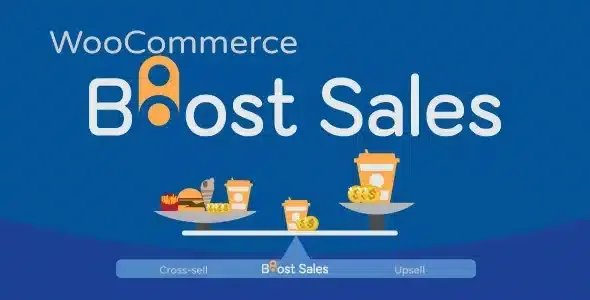
WooCommerce Boost Sales works at that exact moment with upsell popups, cross-sell bundles and a discount progress bar, so the cart can grow.
Which tool to use depending on what you want to sell
If you want to offer a higher-end version
When the customer clicks Add to Cart, a popup shows higher-end products. You can pick them by hand, show those from the same category or recently viewed ones, and decide how many appear. You can also exclude specific products, hide the popup on the product page and add the suggestions to the cart without reloading the page.
If you sell products that go well together
Cross-selling groups products into bundles at a reduced price, which you can show in a popup, below the Add to Cart button or above the description tabs. You set the bundle name and the discount rules by price range, and you can include variable products. The same bundle can be used on other products.
If you want the customer to reach a threshold
The discount bar shows how much is missing to unlock an offer, whether a discount, free shipping or another reward. You can link it to a coupon created in WooCommerce, show a thank you message when the minimum is reached and place it at the top or bottom of the page. If you enable it, the customer is sent automatically to the checkout page once the discount is reached.
If you want to show products on the product page
The frequently bought together feature displays products on the single product page, taken from upsells or cross-sells or from the products linked in WooCommerce. You choose its position (after the add-to-cart form, after the product summary or after the product tabs) and its style, vertical or horizontal. There is also a shortcode to place it wherever you want.
Popup and bar design that holds up on any screen
All the design is adjusted from the plugin settings:
- Upsell popups: style, number of items per row on desktop and on mobile, maximum products when showing the category, message and text for the continue shopping button.
- Cross-sell: gift icon or automatic popup, colors, background, background image, and price and savings colors, with separate templates for mobile.
- Discount bar: position at the top or bottom, and text and progress bar colors.
Frequently asked questions about WooCommerce Boost Sales
Can I use coupons I have already created?
Yes. The discount bar lets you pick a coupon created in WooCommerce to show in the progress. When the customer reaches the minimum amount, they receive a coupon as a reward, and you decide its conditions, its value and the discount type.
Can I choose which products appear in the popup?
Yes. You can assign products to each product page, show all products in the same category or exclude the ones you don't want. If you prefer, the popup can also recommend recently viewed products.
Does it work with variable products?
Yes. Cross-sell bundles can include variable products, and the customer chooses the variation directly in the popup.
Does it look right on mobile?
The interface and features are optimized for desktop, tablet and mobile. For cross-sell you can choose a specific mobile template: slider, scroll or vertical list with checkboxes.
Needs WooCommerce active to sync products and coupons
It is an extension for WooCommerce. WooCommerce has to be installed and active, because the upsells and cross-sells you have already set up, the linked products and the coupons are read from WooCommerce.
Topics
Version history
-
v
1.6.6 Current 19 May 2026
-
v
1.6.5 3 Mar 2026
Customer reviews
Sign in to leave a review. Only people who have the product can review it.
No reviews for this product yet.
Frequently asked questions
-
GPL (General Public License) is the license under which WordPress and most premium plugins/themes are distributed. It grants you the right to use, modify and redistribute the software in as many projects as you want, with no domain restrictions.
-
Yes. With membership you get automatic updates via our GPLClub Updater plugin (installed on your WP, detects new versions and applies them). With individual purchase, you get one year of manual updates from your account.
-
Depends on the plan. Monthly: 3 domains. Semi-annual: 7. Annual and Lifetime: 15. Individual purchase: 1 domain.
-
GPLClub offers its own support for installation, configuration and compatibility. For direct support from the original author (feature requests, product-specific bugs), a license purchased from the author is required.