WooCommerce Distance Rate Shipping
Antivirus scan
Powered by ClamAV
✅ Verified clean
This product file has passed our security filters.
Want to run a fresh ClamAV scan right now? Takes a few seconds and shows scanner version, signature DB and live result.
This can take 5 to 30 seconds.
Clean file Threat detected
No threats detected in this file.
- File
- Size
- Scanned
- ClamAV
- Signature database
⚡ Powered by ClamAV
Scan could not be completed
Report product
If you detected an issue (broken file, malware, inappropriate content, etc.) let us know and we'll review it ASAP.
Sign in to report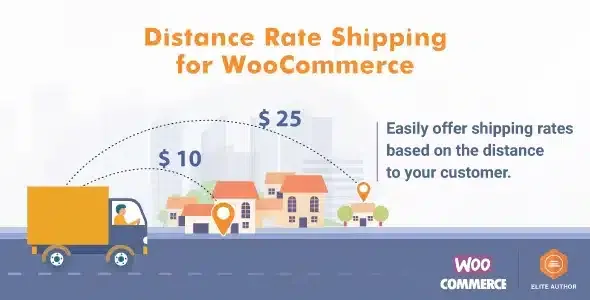
About WooCommerce Distance Rate Shipping
When a single shipping rate loses you money or customers
If you deliver your own products, a flat rate always gets it wrong: you overcharge the neighbour around the corner and undercharge the customer forty kilometres away, and you cover the difference in fuel and hours. Whoever installs WooCommerce Distance Rate Shipping is usually a business with its own deliveries: equipment hire, takeaway or home-cooked meals, furniture and bulky goods. In these businesses the real cost doesn't depend on a carrier, but on the trip.
The plugin calculates the rate at checkout from the customer's address, based on the driving distance or travel time from your store or dispatch point. That way you stop maintaining lists of zones and prices by hand.
Distance, time and rules that can be combined
The basis is choosing between charging by distance or by travel time. Time makes sense when 10 kilometres of motorway don't cost the same as 10 through slow streets, which is typical for florists or same-day deliveries.
- Additional charges: you can add a charge based on total weight, cart value or number of items. For example, more expensive if the order is heavy and also far away.
- Advanced mode: combine conditions with AND/OR logic, such as free delivery within a radius as long as the order exceeds a certain amount.
- Handling fees: each rule accepts a fixed amount or a percentage to cover packing, fuel or preparation without hiding them in the per-kilometre price.
- Maximum distance: if the address is outside your area, the method isn't offered and the customer sees a notice that delivery isn't available for their location.
How it looks at checkout and how the route is calculated
You can show the calculated distance and an approximate delivery time on the cart and checkout pages. A customer who sees where the price comes from complains less and abandons less over an unexpected surcharge.
To calculate the route you choose the mode of transport and can avoid tolls, highways or ferries. You can also switch between metric and imperial units. The calculation uses the data from the "Driving" mode, so the price is designed for delivery by road. It works with the cart and checkout blocks and with high-performance order storage (HPOS).
Decide if it suits you: Google, alternatives and common questions
Before buying, be clear that it depends on Google. You need a Google account with an API key and billing enabled, because it uses Google Maps, the Distance Matrix API and the Maps Embed API. Google gives a free allowance and charges for anything above it; that cost is billed by Google, not WooCommerce. If your store gets a lot of orders, estimate how many queries you will make.
Does it work if I charge according to carrier rates?
No. If you need live rates from UPS, DHL, USPS or FedEx, look at WooCommerce Shipping. If your prices follow tables by weight, number of items, shipping class or destination without measuring the real trip, Table Rate Shipping is a better fit.
Can I offer free delivery within a radius?
Yes. You create a rule with no cost within a distance and charge for whatever lies beyond. You can also combine it with a minimum order amount in advanced mode.
Does it replace shipping zones?
No: the method is added to a WooCommerce shipping zone once it is connected to Google.
What happens with customers who live too far away?
With a maximum distance set, the rate isn't offered to them and they see a message that delivery isn't available.
Is it useful if I send products by courier?
Only if the cost depends on distance. If what you pay is a carrier's rate, this plugin doesn't look up those prices.
Topics
Version history
-
v
1.9.1 Current 7 Oct 2026
-
v
1.9.0 22 Sep 2026
-
v
1.8.8 5 Sep 2026
-
v
1.8.7 26 Aug 2026
-
v
1.8.1 14 Apr 2026
Customer reviews
Sign in to leave a review. Only people who have the product can review it.
No reviews for this product yet.
Frequently asked questions
-
GPL (General Public License) is the license under which WordPress and most premium plugins/themes are distributed. It grants you the right to use, modify and redistribute the software in as many projects as you want, with no domain restrictions.
-
Yes. With membership you get automatic updates via our GPLClub Updater plugin (installed on your WP, detects new versions and applies them). With individual purchase, you get one year of manual updates from your account.
-
Depends on the plan. Monthly: 3 domains. Semi-annual: 7. Annual and Lifetime: 15. Individual purchase: 1 domain.
-
GPLClub offers its own support for installation, configuration and compatibility. For direct support from the original author (feature requests, product-specific bugs), a license purchased from the author is required.