WooCommerce Dropshipping
Antivirus scan
Powered by ClamAV
✅ Verified clean
This product file has passed our security filters.
Want to run a fresh ClamAV scan right now? Takes a few seconds and shows scanner version, signature DB and live result.
This can take 5 to 30 seconds.
Clean file Threat detected
No threats detected in this file.
- File
- Size
- Scanned
- ClamAV
- Signature database
⚡ Powered by ClamAV
Scan could not be completed
Report product
If you detected an issue (broken file, malware, inappropriate content, etc.) let us know and we'll review it ASAP.
Sign in to report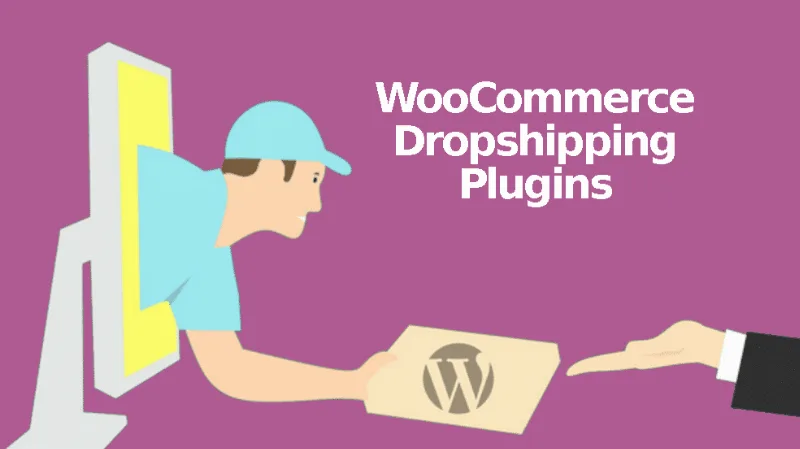
About WooCommerce Dropshipping
If your supplier has no online store, or you sell from AliExpress: here is the difference
Running a dropshipping store often ends up as copying shipping addresses by hand, chasing suppliers by email to find out whether anything has shipped, and not knowing what margin is left on each product. WooCommerce Dropshipping targets that administrative work, but it does not suit every buyer equally.
- It suits you if you work with local suppliers who prepare and ship orders themselves, if you import products from AliExpress, or if you are an Amazon affiliate and want their products in your catalog.
- It suits you less if you expect the AliExpress order to place itself: the Chrome extension fills in the shipping details, but you still place the order yourself from your AliExpress session.
- Nor does it suit you if you sell Amazon products and expect to charge the customer yourself: the customer pays on Amazon, not in your store.
It also does not settle the payment arrangement with your supplier: how they invoice you (for example on 30-day terms or a registered card) is something you agree with them.
The business of being the middleman: margin leaks away in the routine
Someone doing dropshipping controls neither the product, nor the stock, nor the shipping. The only things they control are the price and the information the customer receives.
For AliExpress products you can set the margin as a percentage or as a fixed amount. There is also a price and profit calculator that suggests a margin based on the price range you choose.
WooCommerce Dropshipping with local suppliers: accounts, notices and statuses
You assign each product to a supplier from a dropdown in the product editor. When it sells, the plugin generates an email notification with the order details, the addresses and the chosen shipping method.
Each supplier gets their own access to a restricted version of your site. From there they can:
- view the order, the addresses and the shipping information;
- mark it as "Received" when they start preparing it;
- mark it as "Completed";
- download a PDF packing slip;
- enter the shipping company and tracking number for your customers.
This allows you to work with suppliers who do not even have an online presence. Each supplier's inventory is imported from a CSV file, which is useful for assigning products in bulk.
AliExpress: importing with the Chrome extension and what stays manual
The free Google Chrome extension lets you search and compare products, add them to a queue and import them in bulk, or adjust the title, description, images and variations of one product before uploading it. You can also import reviews with images, so the customer sees what the product looks like. To sync price, variations and stock, you need to update the product or compare it from AliExpress.
When a customer clicks to place the order, they are redirected to the product on AliExpress and the shipping and billing details fill in automatically. It saves time if you have many orders in the queue, but it requires you to step in on each one.
Packing slips and emails with your brand (and where it falls short)
You can add your logo and contact details to the emails suppliers receive, and change the packing slip text, for example to produce it in a language other than English. The plugin dashboard summarizes orders, projected profits, out-of-stock or low-stock products, active affiliate products and best sellers.
If you want a more elaborate design for the packing slip and emails (logo alignment, borders, font size and color, signature area), that comes from a separate add-on, Pro Add-on for WooCommerce Dropshipping, which is not included in the base plugin.
Frequently asked questions
Where do I add suppliers?
In the WordPress menu, under Products > Suppliers, where you can add, manage and delete them.
How do I customize supplier emails?
Under WooCommerce > Settings > Emails, in the Dropshipping notifications tab. The PDF attachment is also enabled there if it does not reach you in the emails.
Does it work if I send emails with SMTP?
Yes, but check the SMTP options in the plugin settings.
Does the plugin buy the products from AliExpress for me?
No: it fills in the shipping details on AliExpress, but you complete the order yourself.
How does the supplier charge me?
You agree on that with them: many accept 30-day payment terms or a registered card.
Topics
Version history
-
v
5.2.9 Current 29 Oct 2026
-
v
5.2.8 10 Sep 2026
-
v
5.2.7 5 Sep 2026
-
v
5.2.6 9 Jul 2026
-
v
5.2.3 18 Apr 2026
Customer reviews
Sign in to leave a review. Only people who have the product can review it.
No reviews for this product yet.
Frequently asked questions
-
GPL (General Public License) is the license under which WordPress and most premium plugins/themes are distributed. It grants you the right to use, modify and redistribute the software in as many projects as you want, with no domain restrictions.
-
Yes. With membership you get automatic updates via our GPLClub Updater plugin (installed on your WP, detects new versions and applies them). With individual purchase, you get one year of manual updates from your account.
-
Depends on the plan. Monthly: 3 domains. Semi-annual: 7. Annual and Lifetime: 15. Individual purchase: 1 domain.
-
GPLClub offers its own support for installation, configuration and compatibility. For direct support from the original author (feature requests, product-specific bugs), a license purchased from the author is required.