WooCommerce Food
Antivirus scan
Powered by ClamAV
✅ Verified clean
This product file has passed our security filters.
Want to run a fresh ClamAV scan right now? Takes a few seconds and shows scanner version, signature DB and live result.
This can take 5 to 30 seconds.
Clean file Threat detected
No threats detected in this file.
- File
- Size
- Scanned
- ClamAV
- Signature database
⚡ Powered by ClamAV
Scan could not be completed
Report product
If you detected an issue (broken file, malware, inappropriate content, etc.) let us know and we'll review it ASAP.
Sign in to report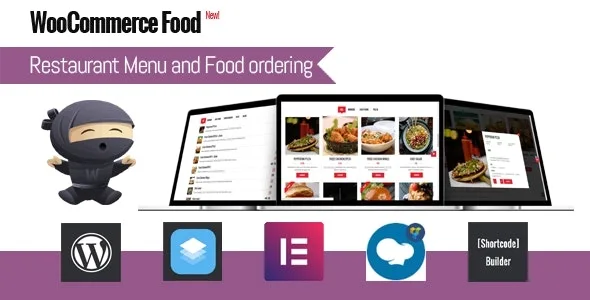
About WooCommerce Food
A menu that changes by time, location and how it is delivered
A restaurant that sells online soon finds out that the in-house menu does not work as it is: the star dish does not survive the trip to the customer's door, the downtown branch closes earlier than the neighborhood one, and the kitchen cannot send out thirty orders at nine. WooCommerce Food is a plugin that builds the menu and the order on top of WooCommerce so those rules live in the shop and not in phone calls.
The bottleneck is not receiving orders, it is the kitchen at peak hour. That is why the most useful thing about the plugin is not showing off the menu, but being able to stop orders in time and decide what is sold, where and when.
WooCommerce Food: extras, conditions and delivery zones
The menu is displayed in more than 20 styles (grid, list, table or carousel), in 2 to 5 columns, and you place it wherever you want with shortcodes. Category filtering, loading more dishes and the dish detail in a modal window all work with Ajax.
What makes the difference in a kitchen is the extra options:
- Field types: select box, radio, checkboxes, text, textarea and quantity, with a minimum and maximum of checked boxes so nobody orders a menu without a side.
- Global extras: they apply to all dishes, to some of them or to whole categories, and they can be cloned to save work.
- Conditional logic: an option appears or hides depending on what the customer chose before. There are also different extras per variation and images on checkboxes and radios.
- Upselling: suggestions after a dish is added to the cart and a tip or donation at checkout.
The limits, before you buy: everything depends on WooCommerce, because the order and the payment go through it. Limiting delivery by radius needs the Google Maps API. Drawing delivery zones by hand requires a separate add-on; without it you can limit by radius or by postal code.
Questions before building the menu
Can I have several locations with different menus?
Yes. Each location can have its own dishes, hours, shipping fees, minimum order and email recipients.
Can I keep the kitchen from getting overwhelmed?
Yes: you limit the number of orders per time slot and you can prevent ordering less than X minutes or days in advance.
Is it useful for dishes offered only on certain days?
Yes, there are menus by date or by date and time range.
Does it work without WooCommerce?
No. It is a layer on top of WooCommerce and uses its orders and its payment gateways.
Delivery, pickup or dine-in: different prices and payments for each
The customer chooses between delivery, pickup or dining in, and from there you can change quite a lot: the menu they see, a surcharge or a discount depending on the method, and which payment methods are allowed. It is useful, for example, if you do not want to take cash on deliveries, or if you want to reward pickup with a discount.
Delivery supports fees by distance, by postal code or by time slot, and an amount above which shipping is free. The minimum order can vary by distance, method or location.
For day-to-day management there is an order calendar with iCal export (to take it to Google Calendar), invoice printing and automatic confirmation emails to you and the customer.
Time slots and the per-slot limit are set before the dishes
If you start by uploading dishes, you will be missing the important part. It is better to set the opening hours first (global or per location) and the time slots, which can differ by day, location and delivery method. Then the limit of orders per slot, and only then the global extras and the dishes.
With that base, each new dish inherits the rules and you do not have to repeat them. Before publishing, test the conditional logic of the extras in the demo and check that a customer cannot finish an order that is incompatible with what the kitchen can handle.
Topics
Version history
-
v
3.4.5 Current 22 Jan 2026
Customer reviews
Sign in to leave a review. Only people who have the product can review it.
No reviews for this product yet.
Frequently asked questions
-
GPL (General Public License) is the license under which WordPress and most premium plugins/themes are distributed. It grants you the right to use, modify and redistribute the software in as many projects as you want, with no domain restrictions.
-
Yes. With membership you get automatic updates via our GPLClub Updater plugin (installed on your WP, detects new versions and applies them). With individual purchase, you get one year of manual updates from your account.
-
Depends on the plan. Monthly: 3 domains. Semi-annual: 7. Annual and Lifetime: 15. Individual purchase: 1 domain.
-
GPLClub offers its own support for installation, configuration and compatibility. For direct support from the original author (feature requests, product-specific bugs), a license purchased from the author is required.