WooCommerce Lottery – WordPress Prizes and Lotteries
Antivirus scan
Powered by ClamAV
✅ Verified clean
This product file has passed our security filters.
Want to run a fresh ClamAV scan right now? Takes a few seconds and shows scanner version, signature DB and live result.
This can take 5 to 30 seconds.
Clean file Threat detected
No threats detected in this file.
- File
- Size
- Scanned
- ClamAV
- Signature database
⚡ Powered by ClamAV
Scan could not be completed
Report product
If you detected an issue (broken file, malware, inappropriate content, etc.) let us know and we'll review it ASAP.
Sign in to reportNewer version out, or a problem?
About WooCommerce Lottery – WordPress Prizes and Lotteries
A raffle that doesn't fill its tickets is the real headache
Setting up a raffle in a store looks easy until the closing date arrives and the minimum tickets haven't been sold: you have to refund money, explain to participants what happened and decide whether to run it again. What separates a serious raffle from an improvised one is how it closes when things go wrong, not how it opens.
The plugin adds a new product type to WooCommerce, the lottery, and it comes with those emergency exits: one-click ticket refunds if the lottery has failed, extending the end date while keeping the tickets already sold, or relisting it manually, deleting the previous lottery's data if you wish.
How a lottery is defined with WooCommerce Lottery
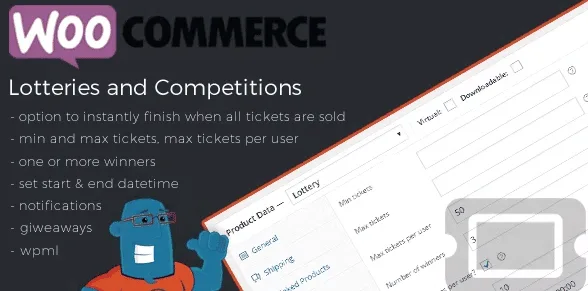
Each lottery is a product in your store, and it can be created from a simple, virtual or downloadable product. These are the controls you get:
- Start and end date and time.
- Minimum and maximum number of tickets, and a maximum per user.
- One or several winners, and whether the same user can win more than one prize.
- Immediate closing when the last available ticket is sold.
- Ticket price set to zero, useful for free draws, and compatibility with TeraWallet and credit payment gateways.
- Login at a later stage of checkout, so guests don't stumble as they start to buy.
You can show lotteries mixed in with the rest of your products or on a separate page, and each one carries a lottery label on its thumbnail.
What the participant sees and what you control
The product page shows a Lottery History tab with the history, and there are entry lists. Each user has a "My lotteries" page, inserted with the shortcode [my_lotteries], where they see their active lotteries and the ones they have won. There are also widgets for lotteries ending soon, future, recent, featured, recently viewed, the user's own and random ones.
Emails for winner, failed lottery, finished lottery, no luck and extended date have editable templates, so you can speak in your brand's tone.
In the admin area, the product list can be filtered by lotteries and an icon shows the status: active, finished, finished and paid, or failed. If a ticket has to be cancelled, it is deleted from order management: deleting the order removes the ticket. It includes translation files and is compatible with WPML.
Is the base plugin enough, or do people need to pick their own number?
It's worth deciding before you start, because some things taken for granted in a raffle don't come in the basic version. Ticket number picking (with numbers grouped in tabs and optional random assignment), questions and answers, and manual winner selection are a separate add-on requested from the author. That manual selection is what you need if you want to use national lottery numbers, random.org or your own generator.
Other requirements: the plugin needs cron jobs. If your hosting doesn't support one-minute cron, you will have to use an external service such as easycron. And if you want other users to publish their own lotteries and charge them for it, you need a multivendor plugin such as Dokan. Also, in many countries selling raffle entries is regulated: check the rules that apply to you before launching the first one.
Can I run a lottery with a digital product?
Yes, it works with simple, virtual and downloadable products.
What happens if the minimum tickets aren't sold?
The lottery is marked as failed. You can refund the tickets with one click, extend the date while keeping the participants, or relist it.
Can I choose the winner myself?
Only with the manual winner selection add-on, which is not part of the base plugin.
Can I run a free lottery?
Yes, the ticket price can be zero.
Topics
Version history
-
v
2.2.11 Current 14 Oct 2026
-
v
2.2.10 25 Aug 2026
-
v
2.2.8 4 Feb 2026
Customer reviews
Sign in to leave a review. Only people who have the product can review it.
No reviews for this product yet.
Frequently asked questions
-
GPL (General Public License) is the license under which WordPress and most premium plugins/themes are distributed. It grants you the right to use, modify and redistribute the software in as many projects as you want, with no domain restrictions.
-
Yes. With membership you get automatic updates via our GPLClub Updater plugin (installed on your WP, detects new versions and applies them). With individual purchase, you get one year of manual updates from your account.
-
Depends on the plan. Monthly: 3 domains. Semi-annual: 7. Annual and Lifetime: 15. Individual purchase: 1 domain.
-
GPLClub offers its own support for installation, configuration and compatibility. For direct support from the original author (feature requests, product-specific bugs), a license purchased from the author is required.