WooCommerce Multi Locations Inventory Management
Antivirus scan
Powered by ClamAV
✅ Verified clean
This product file has passed our security filters.
Want to run a fresh ClamAV scan right now? Takes a few seconds and shows scanner version, signature DB and live result.
This can take 5 to 30 seconds.
Clean file Threat detected
No threats detected in this file.
- File
- Size
- Scanned
- ClamAV
- Signature database
⚡ Powered by ClamAV
Scan could not be completed
Report product
If you detected an issue (broken file, malware, inappropriate content, etc.) let us know and we'll review it ASAP.
Sign in to report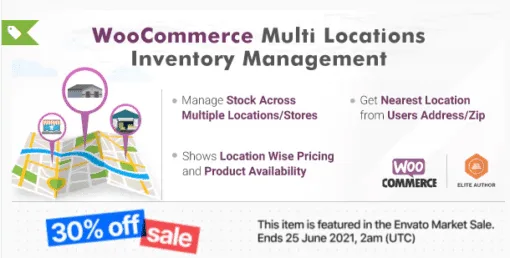
About WooCommerce Multi Locations Inventory Management
The stock exists, but in the wrong store
When you sell from several warehouses or stores, the problem is rarely a lack of product. What usually happens is that the website shows one global stock figure, the customer buys, and the order ships from the farthest point or stalls because nobody knows where the unit is. Every unnecessary shipment means days of delay and a cost that never shows up in any sales report.
WooCommerce Multi Locations Inventory Management splits inventory by location and makes sure customer and order end up at the most logical one. The best way to understand it is to follow an order from start to finish.
An order with Multi Locations Inventory Management, step by step
- You add your locations. Warehouses or stores, with no limit on the number. You can group them by city, region or country and create sublocations (shelf, aisle, floor, building) to know where the unit sits inside the warehouse.
- The visitor arrives. The plugin detects the nearest location using the browser's geolocation or the visitor's address, with Google Map API or Maxmind API integration. If they prefer to choose themselves, they can, and the location is remembered when they return.
- They see what is really nearby. Availability and price change according to the selected location. If the product is sold out there, the plugin suggests another location where it is in stock.
- They add to cart. With Ajax, without reloading the page, also from the shop listing, and with the location included. They then see it in the cart and at checkout, with the distance in kilometers or miles if you enable it.
- They pay or pick up. Each location can have its own payment methods, and locations work as local pickup points.
- The order is assigned automatically. You define the rule: the location with the most or least inventory, the one closest to the shipping address, or by priority. The manager of that location gets notified by email.
Two limits so there are no surprises: the plugin works with simple and variable products, so if you sell other types it is worth testing first; and automatic detection by address relies on Google Map API or Maxmind API, it does not work on its own.
Questions asked by anyone with more than one warehouse
Can I hide the locations from the customer?
Yes. Backend only mode lets you hide locations in the shop and assign the fulfillment location of the order from the admin panel.
Can each location have its own price?
Yes, there is location-wise pricing, useful if your costs or your market change from one city or country to another.
Do I lose the general WooCommerce stock?
No: each location's inventory is added to the default WooCommerce stock.
Can I restrict a customer to one location?
Yes, from the WordPress admin you can restrict specific customers to certain locations.
Does it connect to another inventory system?
It includes a REST API to read and update stock by location. The integration with your system has to be built by whoever develops it.
Managers, bulk editing and a shop page per location in MultiLoca
You can assign shop managers to each location to share out responsibilities, and edit products for all locations from a single screen (Product Central), which is welcome when the catalog grows. Each location can have its own shop page with the products available there, and a Google Maps locator lets customers find nearby stores, filtering by product or by radius.
Before deciding, look at the selector inside your theme
What the customer sees (location selector, map, availability notices) has to coexist with your store's design. Check in the demo how it looks and whether the way you sell fits one of the assignment rules: if your operation needs a criterion other than inventory, proximity or priority, better to know now.
Topics
Version history
-
v
4.2.15 Current 6 Jun 2026
-
v
4.2.14 12 Feb 2026
Customer reviews
Sign in to leave a review. Only people who have the product can review it.
No reviews for this product yet.
Frequently asked questions
-
GPL (General Public License) is the license under which WordPress and most premium plugins/themes are distributed. It grants you the right to use, modify and redistribute the software in as many projects as you want, with no domain restrictions.
-
Yes. With membership you get automatic updates via our GPLClub Updater plugin (installed on your WP, detects new versions and applies them). With individual purchase, you get one year of manual updates from your account.
-
Depends on the plan. Monthly: 3 domains. Semi-annual: 7. Annual and Lifetime: 15. Individual purchase: 1 domain.
-
GPLClub offers its own support for installation, configuration and compatibility. For direct support from the original author (feature requests, product-specific bugs), a license purchased from the author is required.