WooCommerce Multi Warehouse Inventory
Antivirus scan
Powered by ClamAV
✅ Verified clean
This product file has passed our security filters.
Want to run a fresh ClamAV scan right now? Takes a few seconds and shows scanner version, signature DB and live result.
This can take 5 to 30 seconds.
Clean file Threat detected
No threats detected in this file.
- File
- Size
- Scanned
- ClamAV
- Signature database
⚡ Powered by ClamAV
Scan could not be completed
Report product
If you detected an issue (broken file, malware, inappropriate content, etc.) let us know and we'll review it ASAP.
Sign in to reportNewer version out, or a problem?
About WooCommerce Multi Warehouse Inventory
Stock spread across several locations and shorter shipping
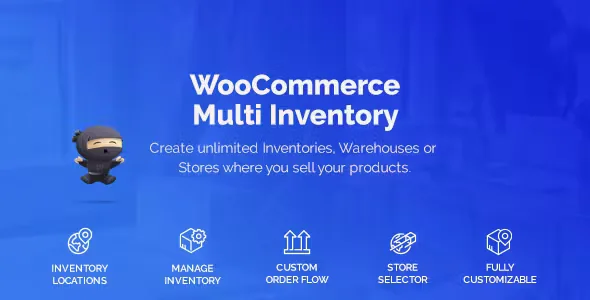
A store with goods in several places can cut shipping costs and time by having inventories close to its customers. WooCommerce Multi Warehouse Inventory lets you create unlimited warehouses, stores or inventories, and assign orders to the nearest inventory.
From the physical shop to the wholesale customer: three uses for warehouses
Shop with a physical location and stock in the back room
You can set up each location as an inventory and let the customer choose their preferred store on the product page, using one of the three selector styles.
B2B business with high-volume customers
An inventory marked as backend can only be selected in orders created by the shop manager. This lets you keep separate stock for large customers without showing it in the shop.
Customers who prefer to collect
With Click & Collect the customer chooses between home delivery or pickup at a location, and you can hide shipping and payment methods for each location.
One panel for stock across all warehouses
Instead of editing each product by hand, the smart inventory manager updates quantities for all locations from a single panel. If you already keep counts in a spreadsheet, you can import Excel files in xls or xlsx format and update all quantities at once.
How the warehouse that fulfills each order is chosen
You choose the logic that assigns an order to a warehouse from these options:
- Nearest inventory
- Most stock
- Lowest stock
- Name
- Custom sort order
Automatic distance assignment depends on Google Distance Matrix API
The option that automatically assigns the nearest warehouse uses distance calculations from Google Distance Matrix API, so it depends on that service to work.
Frequently asked questions about WooCommerce Multi Warehouse Inventory
How many warehouses can I create?
The plugin lets you set up locations or stores without a limit.
Can I import stock from a spreadsheet?
Yes, from Excel files in xls or xlsx format.
Can a warehouse be visible only to business customers?
Yes. If you mark it as backend, it only appears in orders created by the shop manager.
What options does the customer have at checkout?
They can choose between home delivery or pickup at a location with Click & Collect, and select the store they prefer.
Selector styles and dedicated pages for each warehouse
On the product page, besides the popup, you can choose from three styles for customers to select their warehouse. Each warehouse can also have its own page listing the products it has in stock.
Version history
-
v
1.4.0 Current 8 May 2024
Customer reviews
Sign in to leave a review. Only people who have the product can review it.
No reviews for this product yet.
Frequently asked questions
-
GPL (General Public License) is the license under which WordPress and most premium plugins/themes are distributed. It grants you the right to use, modify and redistribute the software in as many projects as you want, with no domain restrictions.
-
Yes. With membership you get automatic updates via our GPLClub Updater plugin (installed on your WP, detects new versions and applies them). With individual purchase, you get one year of manual updates from your account.
-
Depends on the plan. Monthly: 3 domains. Semi-annual: 7. Annual and Lifetime: 15. Individual purchase: 1 domain.
-
GPLClub offers its own support for installation, configuration and compatibility. For direct support from the original author (feature requests, product-specific bugs), a license purchased from the author is required.