WooCommerce Multiple Non-Adjacent Bookings By PluginHive
Antivirus scan
Powered by ClamAV
✅ Verified clean
This product file has passed our security filters.
Want to run a fresh ClamAV scan right now? Takes a few seconds and shows scanner version, signature DB and live result.
This can take 5 to 30 seconds.
Clean file Threat detected
No threats detected in this file.
- File
- Size
- Scanned
- ClamAV
- Signature database
⚡ Powered by ClamAV
Scan could not be completed
Report product
If you detected an issue (broken file, malware, inappropriate content, etc.) let us know and we'll review it ASAP.
Sign in to report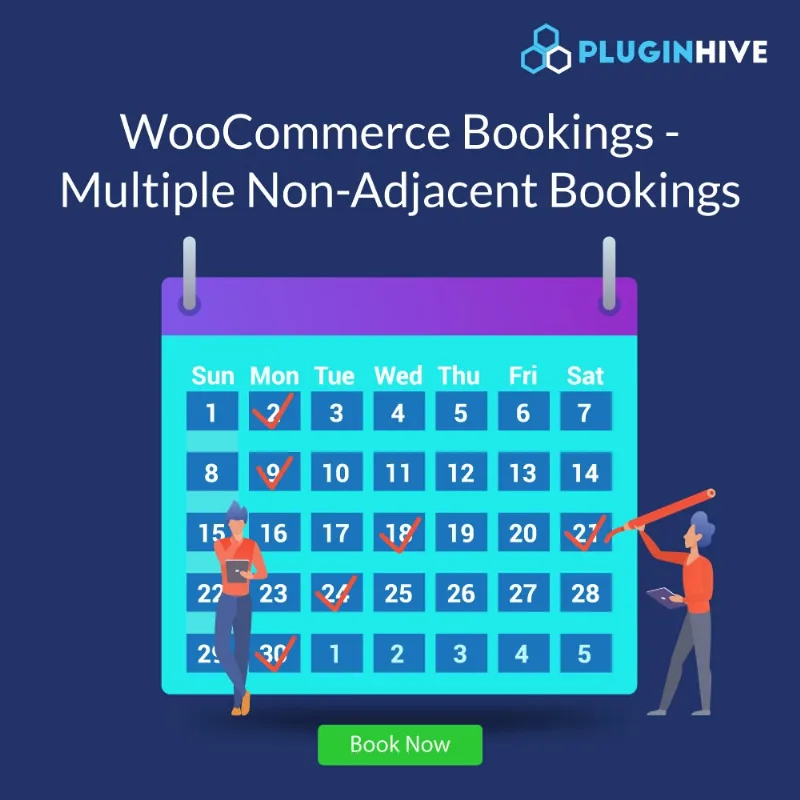
About WooCommerce Multiple Non-Adjacent Bookings By PluginHive
Three separate classes shouldn't take three purchases
With the usual booking system, someone who needs a Tuesday, a Thursday and the following Saturday has two options: book a continuous range they don't want to pay for, or repeat the whole process three times. Many stop after the first booking. You end up with one session sold and two slots that the same person wanted to take.
This add-on lets customers pick several separate slots or days within a single bookable product and complete them in one order. It works by minutes, hours, days or months. And a warning from the start: it is not a standalone booking plugin, it only works on top of WooCommerce Bookings and Appointments.
From calendar to order with WooCommerce Multiple Non-Adjacent Bookings
Here is how the case of a customer who wants four separate Saturdays in a month plays out:
- You set up the product. In the bookings section you choose the booking period "Multiple Non-Adjacent Dates with Blocks of" and the block unit: minutes, hours, days or months. The other fields are filled in as usual, and you set the maximum number of slots each customer can choose.
- You set the price. The base cost is applied only once and the cost per block is added for each selected slot. You can also define specific costs based on the number of slots booked or the date range.
- The customer marks their slots. They select whichever days or hours they want, with no need for them to be consecutive, and the total is recalculated with each selection.
- They review the cart. All the chosen dates appear, in chronological order.
- Order placed. The booked dates are visible along with the payment status. If needed, the administrator can also create separate bookings from the WooCommerce dashboard.
The limits show up along this path. With this add-on, the WooCommerce Bookings buffer between bookings and the new calendar design template are not available. If your business needs preparation or cleaning time between one appointment and the next, that weighs heavily in the decision. Check in the demo how the other options of your product behave with this booking period.
Does it work alone? Can the number of slots be limited?
Does it work without WooCommerce Bookings and Appointments?
No. It is an add-on: without that plugin installed and active it does nothing.
Can I set a cap on slots per customer?
Yes. You define the maximum number of slots that can be chosen in a single booking.
How is the price calculated if they book several slots?
The base cost is counted once and the cost per block is added for each slot. You can also apply different costs depending on how many slots the customer books or the dates they choose.
Can it be used in a store with several languages?
Yes, it is compatible with WPML.
If your customers always book consecutive days, WooCommerce Multiple Non-Adjacent Bookings is overkill
This add-on makes sense when your customers combine separate days or hours.
Topics
Version history
-
v
1.2.9 Current 8 Apr 2024
Customer reviews
Sign in to leave a review. Only people who have the product can review it.
No reviews for this product yet.
Frequently asked questions
-
GPL (General Public License) is the license under which WordPress and most premium plugins/themes are distributed. It grants you the right to use, modify and redistribute the software in as many projects as you want, with no domain restrictions.
-
Yes. With membership you get automatic updates via our GPLClub Updater plugin (installed on your WP, detects new versions and applies them). With individual purchase, you get one year of manual updates from your account.
-
Depends on the plan. Monthly: 3 domains. Semi-annual: 7. Annual and Lifetime: 15. Individual purchase: 1 domain.
-
GPLClub offers its own support for installation, configuration and compatibility. For direct support from the original author (feature requests, product-specific bugs), a license purchased from the author is required.