WooCommerce MultiStep Checkout Wizard
Antivirus scan
Powered by ClamAV
✅ Verified clean
This product file has passed our security filters.
Want to run a fresh ClamAV scan right now? Takes a few seconds and shows scanner version, signature DB and live result.
This can take 5 to 30 seconds.
Clean file Threat detected
No threats detected in this file.
- File
- Size
- Scanned
- ClamAV
- Signature database
⚡ Powered by ClamAV
Scan could not be completed
Report product
If you detected an issue (broken file, malware, inappropriate content, etc.) let us know and we'll review it ASAP.
Sign in to reportNewer version out, or a problem?
About WooCommerce MultiStep Checkout Wizard
When checkout turns into an endless form
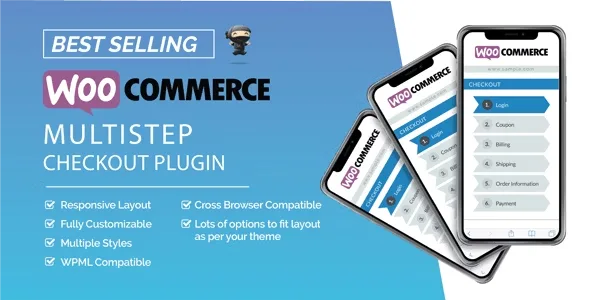
A checkout page that is too complicated makes the customer leave without buying and might not come back. The wizard splits the different sections of WooCommerce's default checkout page into steps, with a progress bar.
Store profiles that get more out of a step-by-step checkout
Stores with many billing and shipping fields
If your customers fill in different billing and shipping details, the wizard spreads that information across separate steps. When the details match, you can merge billing and shipping into a single step so the customer sees fewer fields at once.
Stores that sell mostly on mobile
The progress bar is optimized for mobile and the layout is responsive. The order summary updates in real time.
Stores that want to review the order before charging
You can turn on a review step that shows the purchase details, including the shipping method, the city and the state, before payment. If you prefer fewer screens, that review can be combined with the payment step.
Designs and progress bar of the MultiStep Checkout Wizard
The plugin comes with several visual styles: a classic one, a modern one and a design with a counter and a progress sidebar. There is also an elegant wizard type and a vertical layout, and the progress bar has selectable styles in the settings.
On desktop, the sidebar can stay fixed while the customer scrolls down the page, and the wizard includes a trust badges section.
Which steps you can adjust and how the order button text changes
From the settings you can change the names of the wizard tabs, the terms and conditions text and the title of the review step. You can also make the order button change its text depending on the payment method the customer picks.
The coupon and the login form can be shown inside the wizard. There is an option to enable or disable postcode validation, and you can add new fields to each step.
Compatibility with gateways, languages and accessibility
It includes settings to work alongside Stripe and WooCommerce Payments, and it is compatible with WooCommerce's high-performance order storage (HPOS). It supports WPML, so you can translate the wizard texts.
The accessibility improvements follow the WCAG 2.1 AA standard, which matters if your store serves a broad audience or has its own accessibility requirements.
Frequently asked questions about the MultiStep Checkout Wizard
Do I need anything else besides WooCommerce?
Yes, you need WooCommerce active, because the wizard splits its default checkout page into steps.
What happens with account registration?
The registration step only appears if WooCommerce allows customers to create an account during checkout. If that option is off, the registration form is not shown in the wizard.
Does it work with any payment gateway?
It includes specific settings for Stripe and WooCommerce Payments. For other gateways, it is worth checking the demo and seeing how the last step looks with the methods your store uses.
Requires WooCommerce active and only reorganizes its checkout page
The wizard works on the WooCommerce checkout page, so the steps rely on the fields and settings WooCommerce already has. That is why registration, for example, depends on how purchasing is set up in WooCommerce.
Topics
Version history
-
v
4.0 Current 18 Nov 2025
Customer reviews
Sign in to leave a review. Only people who have the product can review it.
No reviews for this product yet.
Frequently asked questions
-
GPL (General Public License) is the license under which WordPress and most premium plugins/themes are distributed. It grants you the right to use, modify and redistribute the software in as many projects as you want, with no domain restrictions.
-
Yes. With membership you get automatic updates via our GPLClub Updater plugin (installed on your WP, detects new versions and applies them). With individual purchase, you get one year of manual updates from your account.
-
Depends on the plan. Monthly: 3 domains. Semi-annual: 7. Annual and Lifetime: 15. Individual purchase: 1 domain.
-
GPLClub offers its own support for installation, configuration and compatibility. For direct support from the original author (feature requests, product-specific bugs), a license purchased from the author is required.