WooCommerce Order Barcodes
Antivirus scan
Powered by ClamAV
✅ Verified clean
This product file has passed our security filters.
Want to run a fresh ClamAV scan right now? Takes a few seconds and shows scanner version, signature DB and live result.
This can take 5 to 30 seconds.
Clean file Threat detected
No threats detected in this file.
- File
- Size
- Scanned
- ClamAV
- Signature database
⚡ Powered by ClamAV
Scan could not be completed
Report product
If you detected an issue (broken file, malware, inappropriate content, etc.) let us know and we'll review it ASAP.
Sign in to report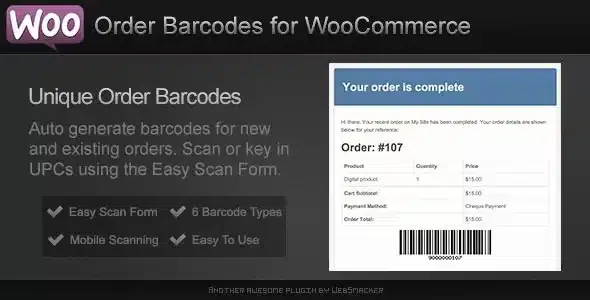
About WooCommerce Order Barcodes
When the queue is at the door and the order is still on a screen
Selling tickets or bookings online is the easy part. What gets complicated is the moment of truth: someone arrives at the door, looks for the email on their phone, staff look for their order in the admin and the queue grows. In the warehouse it is similar: finding each order by hand is slow, and that is where shipping mistakes come from.
WooCommerce Order Barcodes generates a unique barcode for every order as soon as it is placed. The customer receives it in the order emails and sees it in their account area, and you can view and print it from the order screen. Scanning it is enough to open the order, with no typing.
Five barcode types and a scanner inside your own store
You can choose between Code 39, Code 93, Code 128, Data Matrix and QR Code. The choice depends on the equipment you will use: the first three work with standard USB readers, and Data Matrix and QR with digital scanners and mobile devices.
Scanning happens on a page of your own site, with no external service. A USB reader is detected automatically, and with a phone or tablet you can use the scanning app you prefer. After reading a code you can:
- look up the order details
- mark it as complete
- check the customer in
It all happens without reloading the page, so moving through a line of orders or attendees is quick.
Events, bookings and warehouse: each one uses it differently
If you organize events
The order barcode works as a simple e-ticket: the customer prints it or shows it, and you scan it at the door to check them in or complete the order. You avoid depending on an external ticketing platform.
If you live on appointments, classes, tours or rentals
It integrates with WooCommerce Bookings: booking orders carry their barcode and you can check the customer in by scanning it, one more control step on reservations you already manage.
If you prepare and ship orders
With barcodes on packing slips and parcels, you scan to match products to the order and track each shipment. Fewer manual lookups mean fewer shipping mistakes.
Orders from before installation: the barcode appears when you open them
Existing orders do not receive a barcode automatically. It is created and added to an older order as soon as you open its screen in the dashboard. New orders, including those you create manually in the admin, have one from the moment they are placed.
Do I need to buy a scanner? and other questions before you start
Is special hardware required? Not necessarily. A standard USB reader or a phone or tablet with a scanning app will do. Looking up and printing orders needs no equipment.
Which barcode type should I choose? The one that fits your reader: Code 39, 93 and 128 for USB; Data Matrix and QR for digital scanners and mobile devices. It is set in the settings.
Do customers receive their barcode on their own? Yes, it is in the order emails and on the order page of their account, where they can print it.
Does it work for selling tickets? Yes, as a simple per-order entry system. If you need data for each attendee, you have to add WooCommerce Box Office.
One barcode per order, not per ticket or per product
The plugin creates one barcode per order. If a customer buys five tickets, they get a single barcode, unless you also use WooCommerce Box Office, which generates one per ticket when both are active. It is not meant for coding catalog products and controlling stock either: for that you need a product-focused barcode plugin. And managing appointments or rentals is done by WooCommerce Bookings, not by this plugin.
Topics
Version history
-
v
2.1.2 Current 7 Oct 2026
-
v
2.1.1 18 Sep 2026
-
v
2.1.0 5 Sep 2026
-
v
2.0.7 26 Aug 2026
-
v
2.0.1 14 Apr 2026
Customer reviews
Sign in to leave a review. Only people who have the product can review it.
No reviews for this product yet.
Frequently asked questions
-
GPL (General Public License) is the license under which WordPress and most premium plugins/themes are distributed. It grants you the right to use, modify and redistribute the software in as many projects as you want, with no domain restrictions.
-
Yes. With membership you get automatic updates via our GPLClub Updater plugin (installed on your WP, detects new versions and applies them). With individual purchase, you get one year of manual updates from your account.
-
Depends on the plan. Monthly: 3 domains. Semi-annual: 7. Annual and Lifetime: 15. Individual purchase: 1 domain.
-
GPLClub offers its own support for installation, configuration and compatibility. For direct support from the original author (feature requests, product-specific bugs), a license purchased from the author is required.