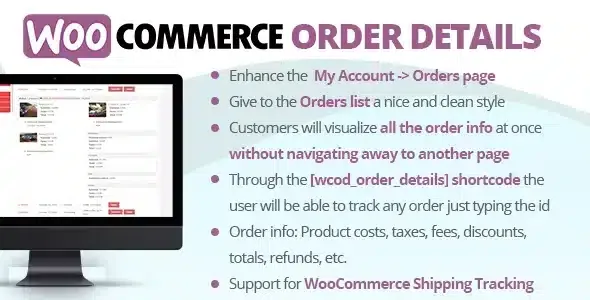
WooCommerce Order Details
Antivirus scan
Powered by ClamAV
✅ Verified clean
This product file has passed our security filters.
Want to run a fresh ClamAV scan right now? Takes a few seconds and shows scanner version, signature DB and live result.
This can take 5 to 30 seconds.
Clean file Threat detected
No threats detected in this file.
- File
- Size
- Scanned
- ClamAV
- Signature database
⚡ Powered by ClamAV
Scan could not be completed
Report product
If you detected an issue (broken file, malware, inappropriate content, etc.) let us know and we'll review it ASAP.
Sign in to reportNewer version out, or a problem?
About WooCommerce Order Details
Customers asking about charges, shipping and refunds
Most of the questions that come in after a purchase are of the same kind: how much shipping was charged, which taxes make up the total, or whether a refund is already reflected in the order. The answer is usually on the website, but the customer has to find it and understand it on their own. WooCommerce Order Details brings that breakdown to the Orders page of My Account, with an arrow on each order that expands the table without leaving the page.
Stores with shipping, fees and several charges per order
The table shows the price and taxes of each product, shipping costs, fees, subtotals and the total, plus the billing and shipping addresses.
Stores that handle refunds
Refunds appear inside the same table, next to the rest of the order data.
Stores selling in several currencies
The plugin is compatible with WooCommerce Multiple Currencies, so you can also use it if your store works with more than one currency.
Tracking any order with WooCommerce Order Details
Some customers don't want to log into My Account just to find out where their purchase stands, especially when they arrive from an email or a message with the order number. The [wcod_order_details] shortcode shows a form where they type that number and see the order's data.
One lookup page for all orders
You place the shortcode on a page of your store and the customer types their order number to see its details.
One specific order on its own page
With the id parameter you can display the details of a particular order directly.
Frequently asked questions about WooCommerce Order Details
Does the customer have to do anything special to see the table?
Just click the arrow on each order. The table expands on the same page, without navigating to another one.
What data does the table of each order include?
Each product's image, price and taxes, shipping costs, fees, refunds, subtotals, totals, and the billing and shipping addresses.
Can the arrow color be changed?
Yes. You can choose the color of the icon that expands the details.
Can the tables be left expanded from the start?
Yes. There is an option to have the detail areas open by default instead of closed.
Shipping tracking only appears with WooCommerce Shipping Tracking or AfterShip
If your store uses WooCommerce Shipping Tracking or WooCommerce AfterShip, the tracking information appears inside the order table. Without either of those two plugins installed, the table doesn't show that data. You choose which one to install based on how you manage your shipments.
Topics
Version history
-
v
3.2 Current 15 Dec 2025
Customer reviews
Sign in to leave a review. Only people who have the product can review it.
No reviews for this product yet.
Frequently asked questions
-
GPL (General Public License) is the license under which WordPress and most premium plugins/themes are distributed. It grants you the right to use, modify and redistribute the software in as many projects as you want, with no domain restrictions.
-
Yes. With membership you get automatic updates via our GPLClub Updater plugin (installed on your WP, detects new versions and applies them). With individual purchase, you get one year of manual updates from your account.
-
Depends on the plan. Monthly: 3 domains. Semi-annual: 7. Annual and Lifetime: 15. Individual purchase: 1 domain.
-
GPLClub offers its own support for installation, configuration and compatibility. For direct support from the original author (feature requests, product-specific bugs), a license purchased from the author is required.