WooCommerce Order Progress Bar
Antivirus scan
Powered by ClamAV
✅ Verified clean
This product file has passed our security filters.
Want to run a fresh ClamAV scan right now? Takes a few seconds and shows scanner version, signature DB and live result.
This can take 5 to 30 seconds.
Clean file Threat detected
No threats detected in this file.
- File
- Size
- Scanned
- ClamAV
- Signature database
⚡ Powered by ClamAV
Scan could not be completed
Report product
If you detected an issue (broken file, malware, inappropriate content, etc.) let us know and we'll review it ASAP.
Sign in to reportNewer version out, or a problem?
About WooCommerce Order Progress Bar
WooCommerce stores that get the question where is my order? by email
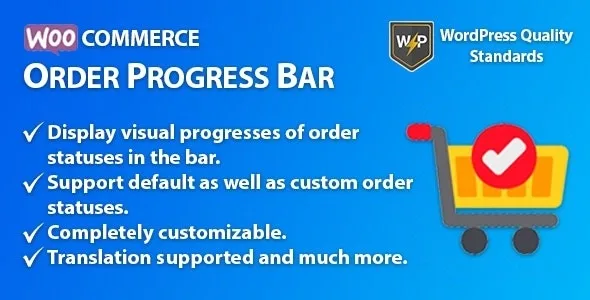
If your store sells well and customers still write to ask how their shipment is going, this bar answers them before they ask. It helps most when the customer only sees one word like Processing, which tells them nothing about what comes next or when it should arrive. It needs WooCommerce active, because it reads the order statuses you already use.
There is one clear limit: it does not connect to carriers or show scans from shipping companies. It doesn't ask for any tracking number either, so the bar moves according to the status you set on each order. If you need to see the real route of the parcel, this plugin does not cover it.
What the customer sees after checkout and in each email
Right after paying, the thank-you page shows the completed steps, what comes next and when it should arrive. The same bar appears in My Account, on the order view and in the status emails you choose, above or below the order details. You can place it in six positions on each page without editing the theme.
Steps built from your own order statuses
Statuses WooCommerce does not include by default, such as Shipped or In production, become steps in one click. For each one you give a friendly name, choose one of 14 icons, write a message and set the days it usually takes, so the customer never sees the internal status name. When an order moves to one of these statuses, the plugin can send an update email, because WooCommerce doesn't send one in that case.
An estimated delivery date that moves with each order
You set how many days each step takes, and the plugin adds up the days still ahead to show the delivery date, which changes as the order advances. You can skip Saturdays and Sundays, and a late order never shows a date in the past. If you prefer, you can also type an exact date on a specific order.
Tracking page for customers without an account
On install the plugin creates a tracking page. Anyone without an account enters the order number and the billing email to see the bar, and a wrong entry gets a plain reply. Each visitor gets 10 tries every 15 minutes. The button in guest emails opens that page with the number already filled in. It can also be placed with the [ddwcopb_track_order] shortcode or its block.
WooCommerce Order Progress Bar also serves the store team
A dashboard shows orders in progress, completed orders, failed orders and average fulfillment time. The time to reach each step chart points out the slowest stretch, that is, your bottleneck. The Needs Attention section collects stuck orders based on the days you set, and if you turn on the daily email, the list lands each morning in the inbox of the recipients you choose.
Common questions about WooCommerce Order Progress Bar
Do I need a tracking number or a carrier account?
No. The bar follows the order status in WooCommerce and does not connect to carriers.
Does it work with custom order statuses from other plugins?
Yes. Every status registered in WooCommerce appears in the steps flow, where you give it a name, an icon and a message.
Does it work with HPOS and the block checkout?
Yes, it declares support for HPOS order storage and for the Cart and Checkout blocks. The bar displays on both block and classic themes.
Will it slow down the store?
No. Its styles and scripts only load on order pages and on pages with its shortcode or block.
Topics
Version history
-
v
1.0.3 Current 8 Jan 2025
Customer reviews
Sign in to leave a review. Only people who have the product can review it.
No reviews for this product yet.
Frequently asked questions
-
GPL (General Public License) is the license under which WordPress and most premium plugins/themes are distributed. It grants you the right to use, modify and redistribute the software in as many projects as you want, with no domain restrictions.
-
Yes. With membership you get automatic updates via our GPLClub Updater plugin (installed on your WP, detects new versions and applies them). With individual purchase, you get one year of manual updates from your account.
-
Depends on the plan. Monthly: 3 domains. Semi-annual: 7. Annual and Lifetime: 15. Individual purchase: 1 domain.
-
GPLClub offers its own support for installation, configuration and compatibility. For direct support from the original author (feature requests, product-specific bugs), a license purchased from the author is required.