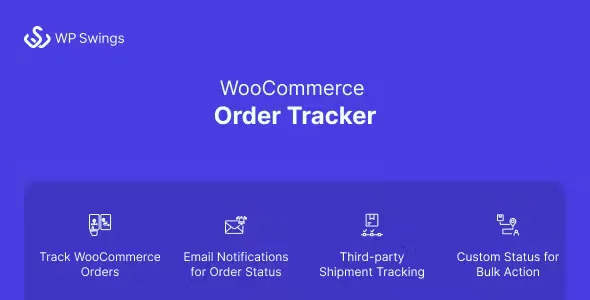
WooCommerce Order Tracker
Antivirus scan
Powered by ClamAV
✅ Verified clean
This product file has passed our security filters.
Want to run a fresh ClamAV scan right now? Takes a few seconds and shows scanner version, signature DB and live result.
This can take 5 to 30 seconds.
Clean file Threat detected
No threats detected in this file.
- File
- Size
- Scanned
- ClamAV
- Signature database
⚡ Powered by ClamAV
Scan could not be completed
Report product
If you detected an issue (broken file, malware, inappropriate content, etc.) let us know and we'll review it ASAP.
Sign in to reportNewer version out, or a problem?
About WooCommerce Order Tracker
Customers asking where their order is can be answered before they call
When a customer does not know where their shipment is, the usual step is to write to the store or call. Those questions repeat order after order and take time you could spend elsewhere. A visible tracking status inside your own store answers that question before it gets asked, and WooCommerce Order Tracker is built for exactly that.
From confirmed order to delivery: you define the statuses
Think of an order's journey: it gets paid, prepared, leaves the warehouse and reaches home. You can create your own statuses that reflect the real steps of your shipping and assign each one to a step on the tracking template. The customer sees the progress of their order with interactive graphics.
At every status change, the customer receives an email with the order details and the shipping price. Tracking shows whether the order is packed, shipped or delivered, along with the shipping service, the tracking number and the estimated delivery date. If the order is pending payment, the email includes a link to complete the payment.
If you handle many orders at once, you can apply a custom status as a bulk action to several orders at the same time.
Frequently asked questions about WooCommerce Order Tracker
Do I need WooCommerce installed in my store?
Yes. It is a plugin for WooCommerce, so your store must be running WooCommerce for the tracking to display.
Can someone without an account in the store check tracking?
Yes, through the tracking page. A guest checks their order with only the order number, and can also export that order from the same page.
Does it work if I ship with different carriers?
Yes. If you ship with different companies, the plugin offers tracking with 17track.net for those shipments, and you can also enable third-party shipment tracking through its API.
Can I change how the tracking looks?
Yes. There are six templates, you can upload your logos and add custom CSS and JS so they match your store's image.
The tracking page: six templates and your brand's style
The customer sees the progress of their order in one of the six tracking templates included in the plugin. You choose the one that best fits your store and, if you want to fine-tune the look, customize the template with CSS and JS so it respects your brand.
You create your own tracking pages with a shortcode.
Carriers, Google Maps and DHL: what each integration needs
The plugin integrates with FedEx, USPS and Canada Post, and supports over 400 carriers, including DHL, UPS and FedEx. With the DHL integration, the customer follows their shipment live without leaving your store, and that tracking also appears in the orders section of My Account. To activate it, you choose the logo, customize the template and enter your DHL API key.
Tracking with Google Maps also requires your own data: the Google Maps API key and the address. And if you work with a third-party shipping service, you need to enable its API.
HPOS compatible for the busiest order seasons
WooCommerce Order Tracker is compatible with HPOS, the structure of dedicated order tables that WooCommerce previously knew as Custom Order Tables. It stores order data in custom tables, which helps you manage orders with ease when volume rises, for example during the festive peak season.
Registered users can export their orders from My Account or from the orders section.
Topics
Version history
-
v
2.3.5 Current 28 Mar 2026
Customer reviews
Sign in to leave a review. Only people who have the product can review it.
No reviews for this product yet.
Frequently asked questions
-
GPL (General Public License) is the license under which WordPress and most premium plugins/themes are distributed. It grants you the right to use, modify and redistribute the software in as many projects as you want, with no domain restrictions.
-
Yes. With membership you get automatic updates via our GPLClub Updater plugin (installed on your WP, detects new versions and applies them). With individual purchase, you get one year of manual updates from your account.
-
Depends on the plan. Monthly: 3 domains. Semi-annual: 7. Annual and Lifetime: 15. Individual purchase: 1 domain.
-
GPLClub offers its own support for installation, configuration and compatibility. For direct support from the original author (feature requests, product-specific bugs), a license purchased from the author is required.