WooCommerce Product Addons
Antivirus scan
Powered by ClamAV
✅ Verified clean
This product file has passed our security filters.
Want to run a fresh ClamAV scan right now? Takes a few seconds and shows scanner version, signature DB and live result.
This can take 5 to 30 seconds.
Clean file Threat detected
No threats detected in this file.
- File
- Size
- Scanned
- ClamAV
- Signature database
⚡ Powered by ClamAV
Scan could not be completed
Report product
If you detected an issue (broken file, malware, inappropriate content, etc.) let us know and we'll review it ASAP.
Sign in to report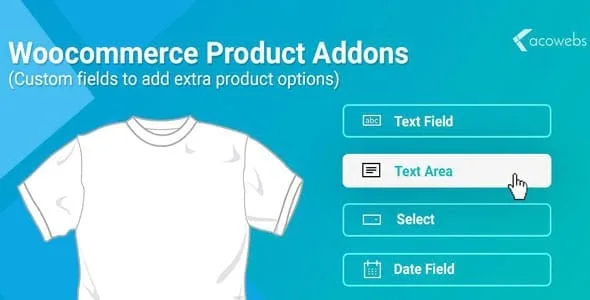
About WooCommerce Product Addons
When the customer wants something different and tells you by email
Selling a product that can be personalized often ends in a chain of emails: "can you engrave this name?", "and with gift wrapping?", "how much is the extra?". WooCommerce Product Addons moves that conversation to the product page: the customer chooses, types or uploads what they need before pressing the add to cart button.
The fields you can place on the product page
Add-ons appear above the add to cart button. You can combine several types on the same product:
- Multiple choice, shown as a dropdown, radio buttons or images.
- Checkboxes, useful for optional services such as gift wrapping or express shipping.
- Short text and long text, for names, messages or dedications. Text can be restricted to letters, numbers, both or an email, and the long field supports a character limit.
- File upload, for logos or artwork.
- Customer-defined price, designed for tips and donations, with a default price and an allowed range if you wish.
- Quantity, date picker and headings; headings are used to group add-ons into clear blocks.
How each extra is charged
Each add-on can carry a flat fee, a percentage of the product price or an amount calculated from the quantity. It also accepts a negative value to apply a discount. A percentage suits services that are hard to pin down with a single figure; a flat fee suits one-off charges such as a rush fee.
Global or per product
You can create global groups for the whole store or for similar products, and add specific add-ons from each product's edit screen. They can also be imported and exported to reuse them between products or groups.
What it does not do on its own
It does not hide or show fields based on what the customer chose earlier. If you need an option to appear only after another, you will have to use Gravity Forms together with its product add-ons extension. Nor does it replace variations: if each combination needs its own SKU and stock (size and color, for example), that remains a job for variations, and using both is the usual approach. And if you want to sell several products as a package or a kit the customer assembles step by step, there are Product Bundles or Composite Products.
Frequently asked questions before you decide
Can I charge tips or donations?
Yes, with the customer-defined price field, which adds the amount to the product total.
Does it work for subscriptions or bookings?
Yes, it works with WooCommerce Subscriptions and WooCommerce Bookings, but both are separate plugins that you must have yourself.
Can I show options as images?
Yes, in multiple choice selections. It is the clearest approach for colors, finishes or styles.
Can I reuse the same fields on many products?
Yes, through global groups or by importing and exporting add-ons.
Plan your global groups before creating loose fields
Before you start, note which extras repeat across your catalog: wrapping, message, rush handling. Those are the candidates for a global group, so you avoid editing product by product when an option changes. Keep per-product fields for what is truly specific, such as an engraving text with a character limit. Then check on the public page that the add-ons appear above the add to cart button and that the total adds up as you expect.
Topics
Version history
-
v
8.4.6 Current 30 Oct 2026
-
v
8.4.5 21 Oct 2026
-
v
8.4.4 15 Oct 2026
-
v
8.4.3 9 Oct 2026
-
v
8.4.2 5 Sep 2026
-
v
8.4.0 9 Aug 2026
-
v
8.2.0 25 Feb 2026
Customer reviews
Sign in to leave a review. Only people who have the product can review it.
No reviews for this product yet.
Frequently asked questions
-
GPL (General Public License) is the license under which WordPress and most premium plugins/themes are distributed. It grants you the right to use, modify and redistribute the software in as many projects as you want, with no domain restrictions.
-
Yes. With membership you get automatic updates via our GPLClub Updater plugin (installed on your WP, detects new versions and applies them). With individual purchase, you get one year of manual updates from your account.
-
Depends on the plan. Monthly: 3 domains. Semi-annual: 7. Annual and Lifetime: 15. Individual purchase: 1 domain.
-
GPLClub offers its own support for installation, configuration and compatibility. For direct support from the original author (feature requests, product-specific bugs), a license purchased from the author is required.