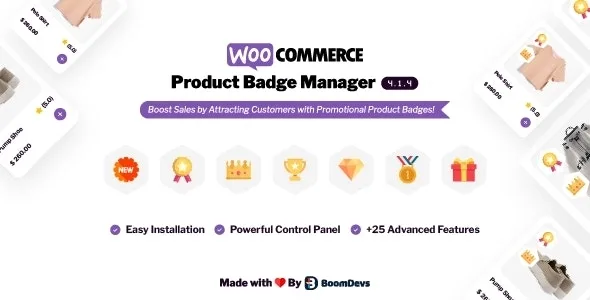
WooCommerce Product Badge Manager
Antivirus scan
Powered by ClamAV
✅ Verified clean
This product file has passed our security filters.
Want to run a fresh ClamAV scan right now? Takes a few seconds and shows scanner version, signature DB and live result.
This can take 5 to 30 seconds.
Clean file Threat detected
No threats detected in this file.
- File
- Size
- Scanned
- ClamAV
- Signature database
⚡ Powered by ClamAV
Scan could not be completed
Report product
If you detected an issue (broken file, malware, inappropriate content, etc.) let us know and we'll review it ASAP.
Sign in to reportNewer version out, or a problem?
About WooCommerce Product Badge Manager
Sale tags that do not go out of date
Adding "Sale", "New" or "Last units" tags by hand to each product works while the catalog is small. When prices, stock or the season change, those tags start saying things that are no longer true. WooCommerce Product Badge Manager reverses the process: you define the badge once and the rules decide which products carry it.
Rules that assign the badge on their own
You can create unlimited badges and assign them by category, attributes and their values, seller, product launch date, sales, rating or stock. If one condition is not enough, combine several to build finer logic. You can also assign a badge directly from the product page or exclude it from products that should not carry it.
Products with variations are covered too: the plugin lets you assign badges based on the combination of several product variations.
Badge positions on the catalog and the product page
You get more than 15 predefined positions over the product image. If none fits your design, the floating badge can be placed wherever you want inside the image, and the live preview helps you adjust its position.
Catalog and single product page settings are independent, so you can show a badge on the shop archive, on the individual product page or on both, with different controls in each place.
Requires WooCommerce to be active
It is a WooCommerce plugin, so it needs WooCommerce active to apply the rules to your products.
Archive pages and badge filters
Each badge has its own archive page listing the products that carry it, just like any other taxonomy. You can also filter the products on the archive by badge with the filter widget, and the extendable shortcode lets you place badges wherever you need them.
Frequently asked questions about WooCommerce Product Badge Manager
How many badges can I create?
You can create unlimited badges, and each one has its own archive page.
Can I show the badge in the catalog and on the product page?
Yes. Catalog and single product page settings are independent, so each place has its own controls.
Can I place the badge at any point on the image?
You can choose among the more than 15 predefined positions or use a floating badge and place it wherever you want within the product.
Does it work with themes that load products with Ajax?
Yes, it works with WooCommerce themes that support loading products with Ajax.
Which store this badge manager fits best
It fits WooCommerce stores that want badges assigned by category, attributes, seller, launch date, sales, rating or stock of each product.
If the stock of your products changes often, you can assign badges based on stock.
As a tip, start with the condition that changes most in your store and add the rest once you have that under control.
Topics
Version history
-
v
4.1.5 Current 8 Jan 2025
Customer reviews
Sign in to leave a review. Only people who have the product can review it.
No reviews for this product yet.
Frequently asked questions
-
GPL (General Public License) is the license under which WordPress and most premium plugins/themes are distributed. It grants you the right to use, modify and redistribute the software in as many projects as you want, with no domain restrictions.
-
Yes. With membership you get automatic updates via our GPLClub Updater plugin (installed on your WP, detects new versions and applies them). With individual purchase, you get one year of manual updates from your account.
-
Depends on the plan. Monthly: 3 domains. Semi-annual: 7. Annual and Lifetime: 15. Individual purchase: 1 domain.
-
GPLClub offers its own support for installation, configuration and compatibility. For direct support from the original author (feature requests, product-specific bugs), a license purchased from the author is required.