WooCommerce Tax Toggle
Antivirus scan
Powered by ClamAV
✅ Verified clean
This product file has passed our security filters.
Want to run a fresh ClamAV scan right now? Takes a few seconds and shows scanner version, signature DB and live result.
This can take 5 to 30 seconds.
Clean file Threat detected
No threats detected in this file.
- File
- Size
- Scanned
- ClamAV
- Signature database
⚡ Powered by ClamAV
Scan could not be completed
Report product
If you detected an issue (broken file, malware, inappropriate content, etc.) let us know and we'll review it ASAP.
Sign in to reportNewer version out, or a problem?
About WooCommerce Tax Toggle
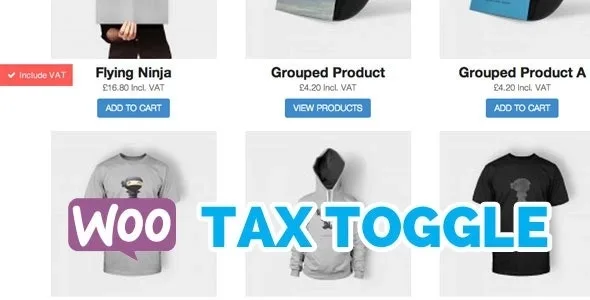
In a shop that sells to both consumers and businesses, the same price reads differently depending on whether it includes tax. Tax Toggle hands that decision to the visitor with a switch that changes prices between tax included and tax excluded, without reloading the page.
A shopper who wants to see the price without tax
Picture someone arriving from a search engine. They see a floating button on the left side, click it, and the catalogue prices switch to tax excluded. If they change their mind, they can go back to the tax included view. The choice is saved on their device, so prices stay as they left them when moving from page to page.
You set the starting point: you can turn the switch on by default for new visitors. The button text is yours too, so you can name the tax however your country names it.
Where to place the button in your theme
By default the button floats, but you can also put it wherever you need:
- In a widget area, from Appearance > Widgets, looking for Tax Toggle.
- With the [wootax] shortcode anywhere in your theme.
- With PHP code in your theme, using the function the plugin provides or the same shortcode.
- Inside a Gutenberg block, with the Tax Toggle block or the shortcode block.
It works with the Classic Editor and the Block Editor, and also with WooCommerce blocks. It also works with product variations and sale items.
Cart and checkout: where the switch changes less
In the cart, the switch shows or hides the tax and the total in the order summary, but it does not change the price of each item, because changing them line by line could confuse the customer. At checkout the button is hidden, because tax is shown according to WooCommerce's checkout rules: the country or address the customer has chosen.
What WooCommerce needs before showing prices with tax
Tax Toggle needs WooCommerce and WordPress installed. In addition, the tax settings have to be ready:
- Turn on tax rate and calculation in WooCommerce > Settings > General.
- Create at least one rate in WooCommerce > Settings > Tax.
- Set each product to the Taxable tax status.
- Leave the shop base address as the default customer location, with that address filled in.
If you want, you can also calculate taxes based on the shop base address. The plugin uses the base rates from those settings, so if they are wrong, the prices it shows will be wrong too.
Frequently asked questions about Tax Toggle
What do I need besides WooCommerce?
WordPress and WooCommerce have to be installed. The plugin works with the Classic Editor, with Gutenberg and with page builders such as Elementor, Oxygen, Beaver and Bricks, as long as they display WooCommerce products.
Does the customer's choice carry over to other pages?
Yes. The choice is saved on their device, so it stays in place while they browse the shop.
Does it work with any theme?
It has been tested with more than 50 themes, including Storefront. The code is lightweight, and prices change without reloading the page.
Can I change the tax name on the button?
Yes. The text can be changed to use the name your country gives the tax, such as VAT, BTW, MOMS or GST.
Topics
Version history
-
v
1.3.6 Current 12 May 2024
Customer reviews
Sign in to leave a review. Only people who have the product can review it.
No reviews for this product yet.
Frequently asked questions
-
GPL (General Public License) is the license under which WordPress and most premium plugins/themes are distributed. It grants you the right to use, modify and redistribute the software in as many projects as you want, with no domain restrictions.
-
Yes. With membership you get automatic updates via our GPLClub Updater plugin (installed on your WP, detects new versions and applies them). With individual purchase, you get one year of manual updates from your account.
-
Depends on the plan. Monthly: 3 domains. Semi-annual: 7. Annual and Lifetime: 15. Individual purchase: 1 domain.
-
GPLClub offers its own support for installation, configuration and compatibility. For direct support from the original author (feature requests, product-specific bugs), a license purchased from the author is required.